11
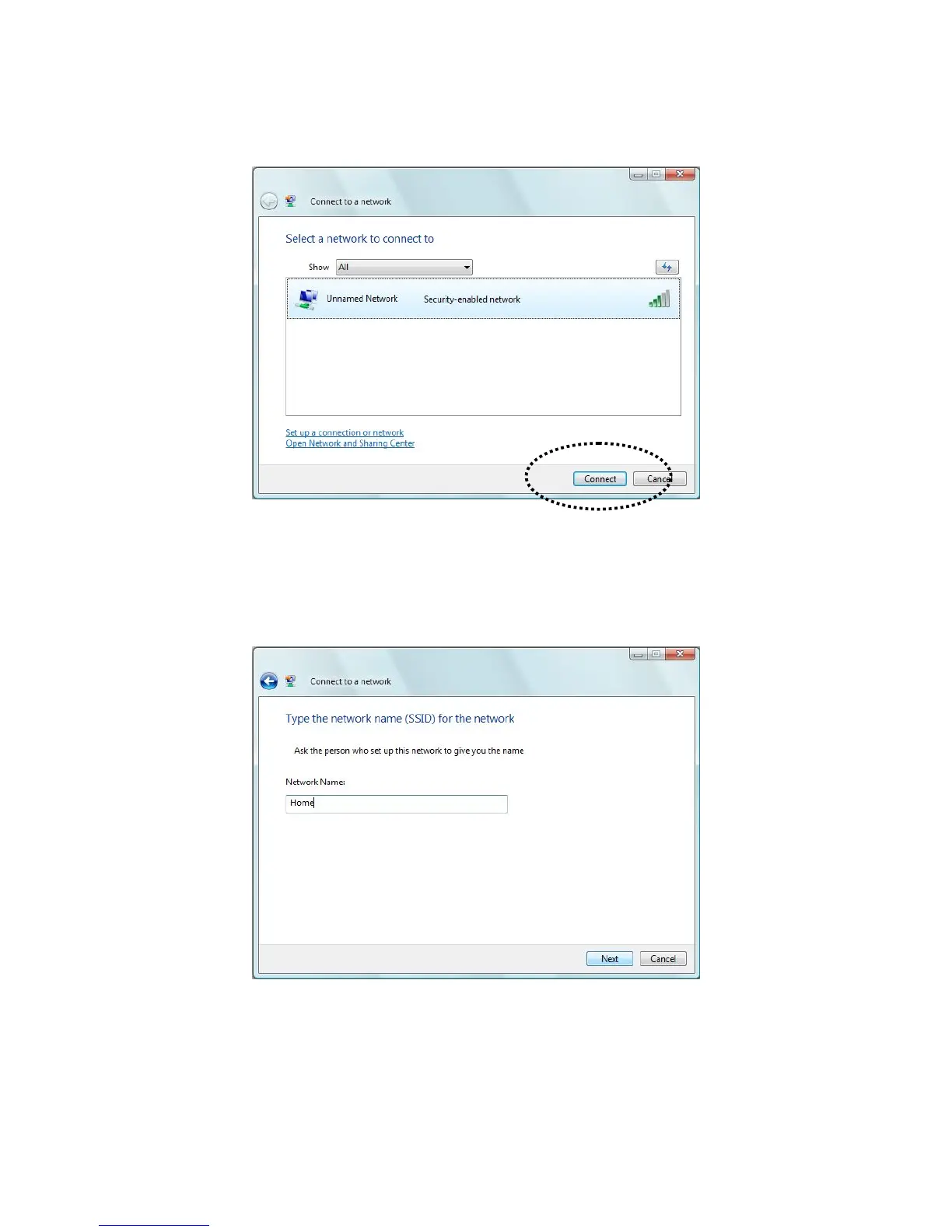
C. Click the access point you want to use if it’s shown, then click ‘Connect’.
D. If it’s an unnamed access point (i.e. the SSID of this wireless access point is hidden), you’ll be
prompted to input it’s name, and the name must be identical to the SSID setting of the wireless
access point you’re connecting to.



 To Next Page