26
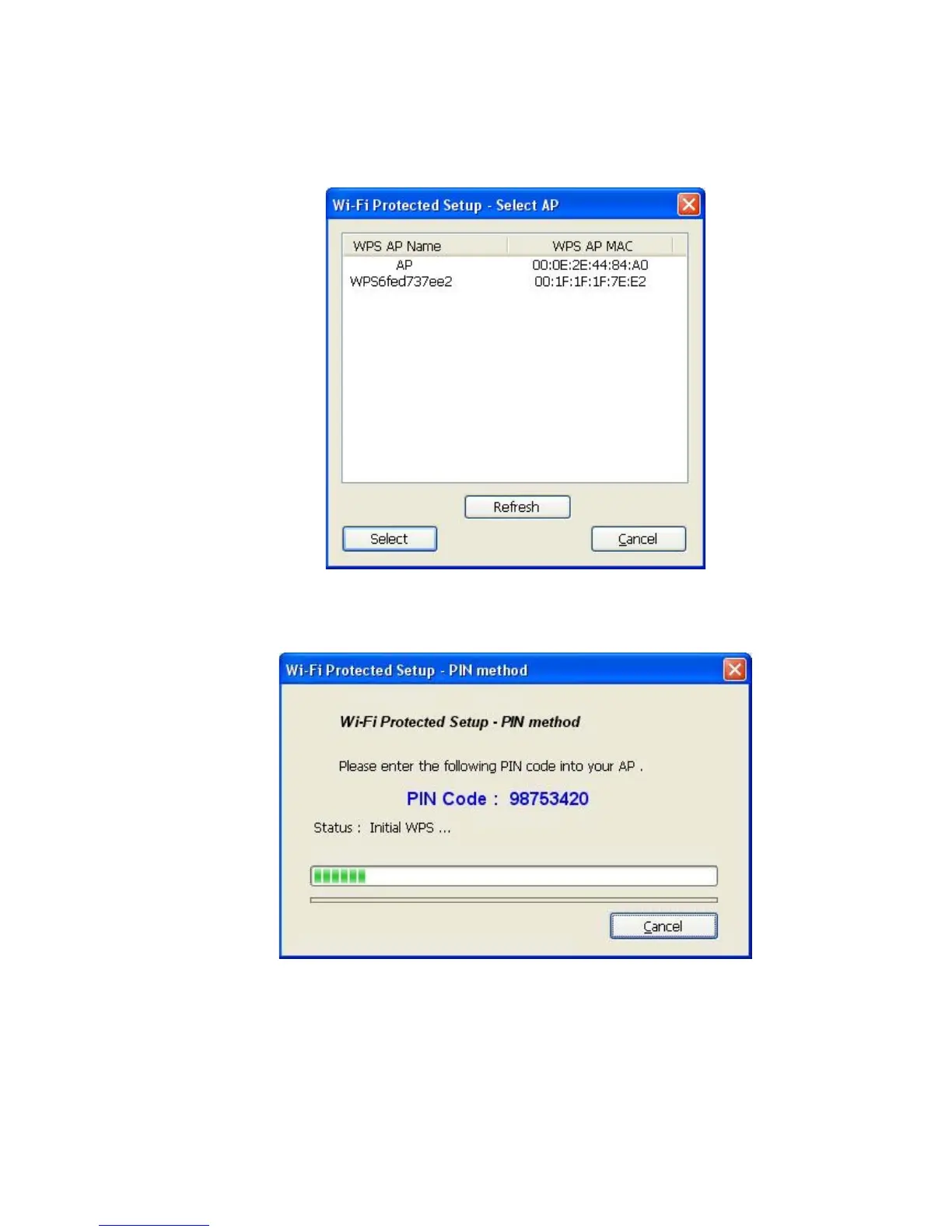
3. If you click ‘Yes’, and the following message will appear on your computer, please select
the SSID of wireless access point that you wish to connect and click ‘Select’.
4. Please wait while the install procedure is running and wait for few seconds to two minutes.
If a wireless access point with correct PIN code is found, you’ll be connected to that access
point.



 To Next Page