16
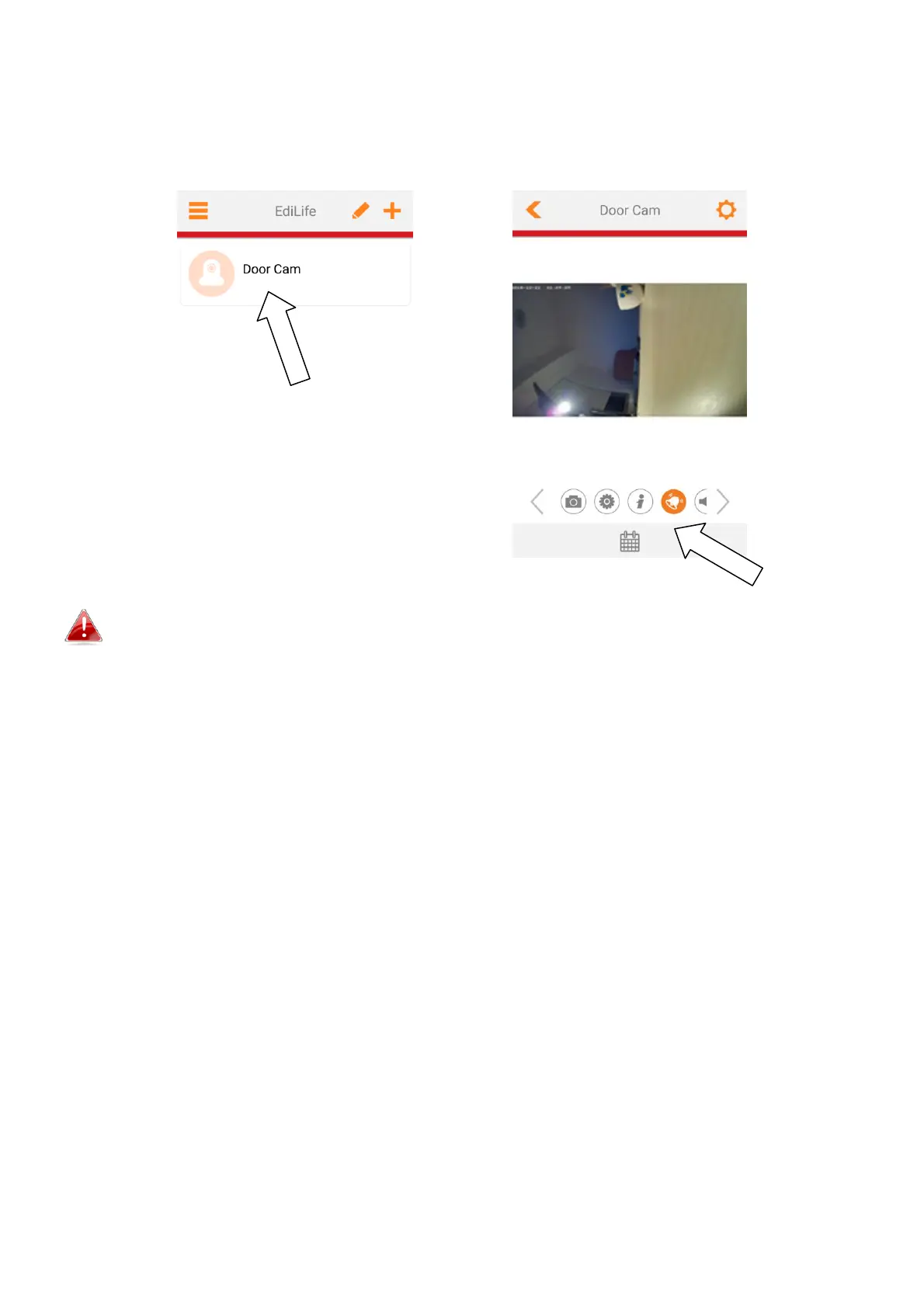
5. Setup is complete. Your camera should be listed on the EdiLife home
screen. Tap your camera to see a live stream which you can view anytime
you are connected to the Internet.
You can configure your camera’s settings and functions using the icons
below the live image.
6. If you have a microSD card, insert the card into the microSD slot on the
back on the gateway unit.


 To Next Page