49
IV-3-2-3. HTTP
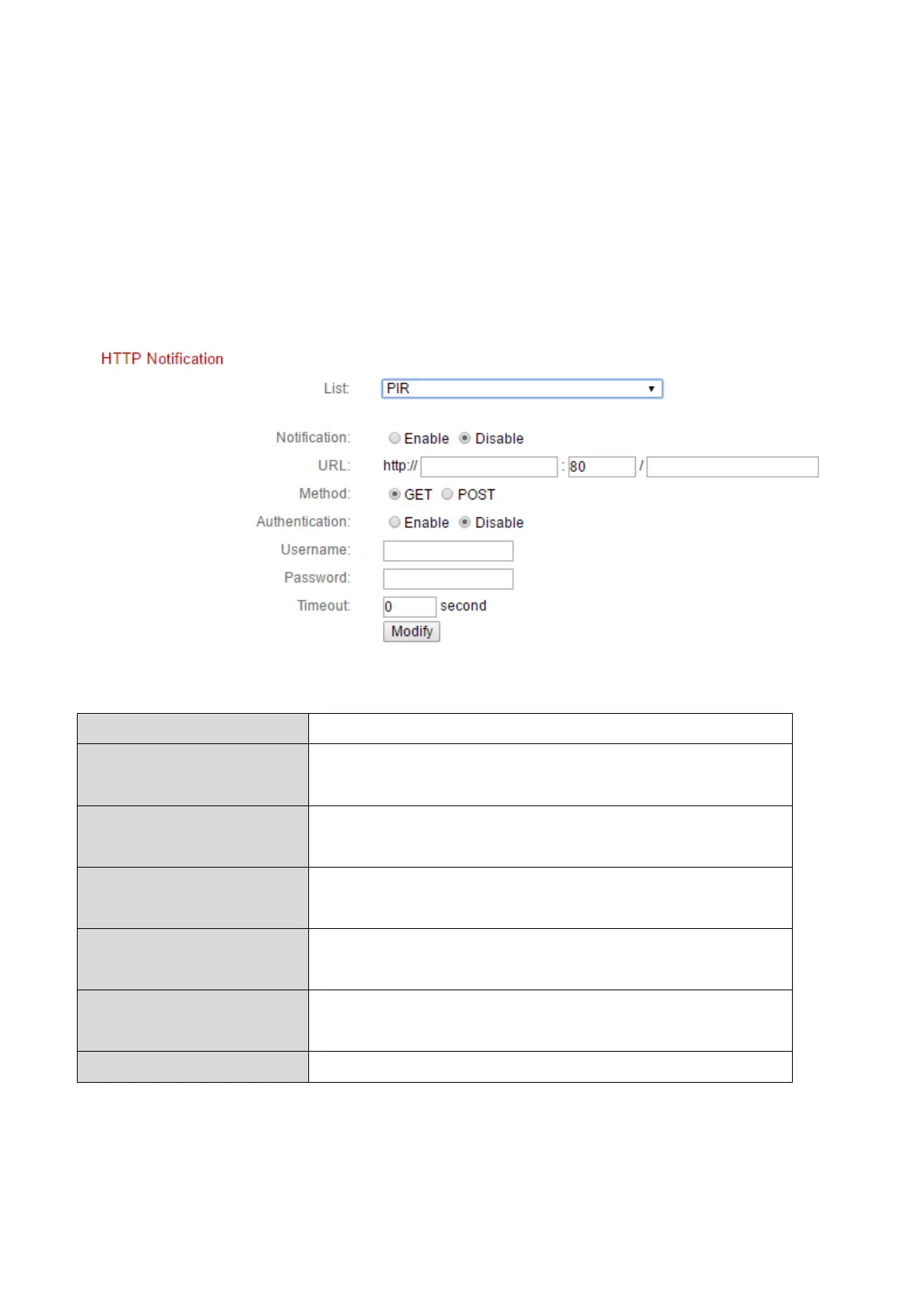
The network camera can send notifications to a HTTP server which is
configured to listen. The destination server must be configured. Configure the
camera’s HTTP notification settings using the menu below. Notifications can
be sent based on motion detection events. Select “PIR” from the list to begin
configurations.
Enable or disable HTTP notifications.
Enter the URL of the HTTP server including
the port number.
Select whether to use the GET or POST
method for your HTTP server.
Enable or disable authentication with your
HTTP server.
When authentication is enabled, enter the
username.
When authentication is enabled, enter the
password.
Set a timeout interval in seconds.


 To Next Page