46
IV-3-2. Notification
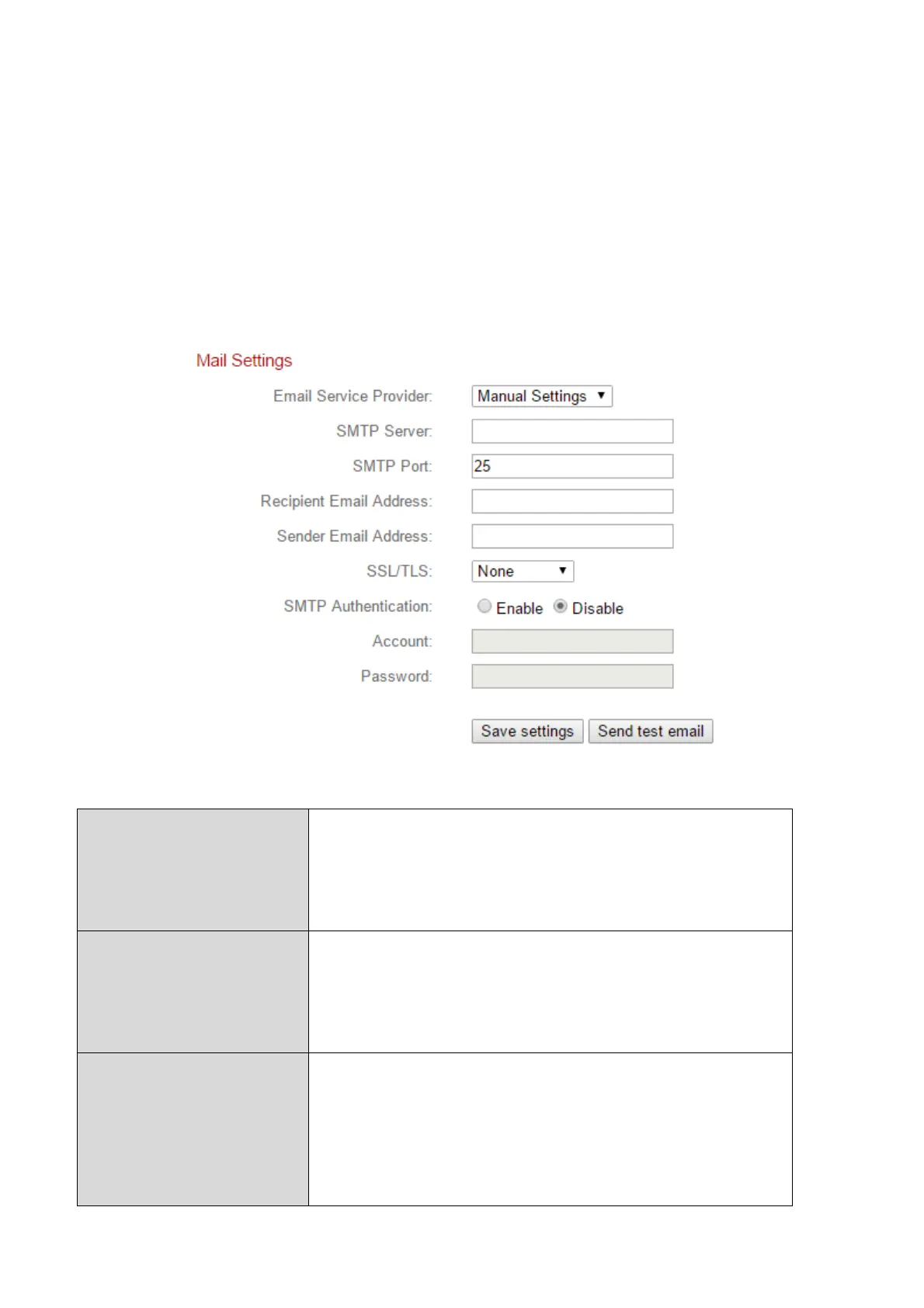
IV-3-2-1. Mail Settings
Recordings of events (motion detected) can be sent to a designated email
recipient. This function must be enabled in “Motion Detection” settings in the
“Events” menu. Enter the required information about your sender and
recipient email accounts as shown below.
Select “Manual Settings” to enter the
information manually or select a common
email provider to enter some of the
information automatically.
Input the host name or IP address of the
SMTP server for the email sender. This
information can be provided by your email
service provider.
Input the SMTP port number for the email
sender. Most SMTP servers use port number
25, while some SMTP servers use encrypted
connections with a port number of 465. This
information can be provided by your email


 To Next Page