53
IV-4-4. File Management
IV-4-4-1. JPEG
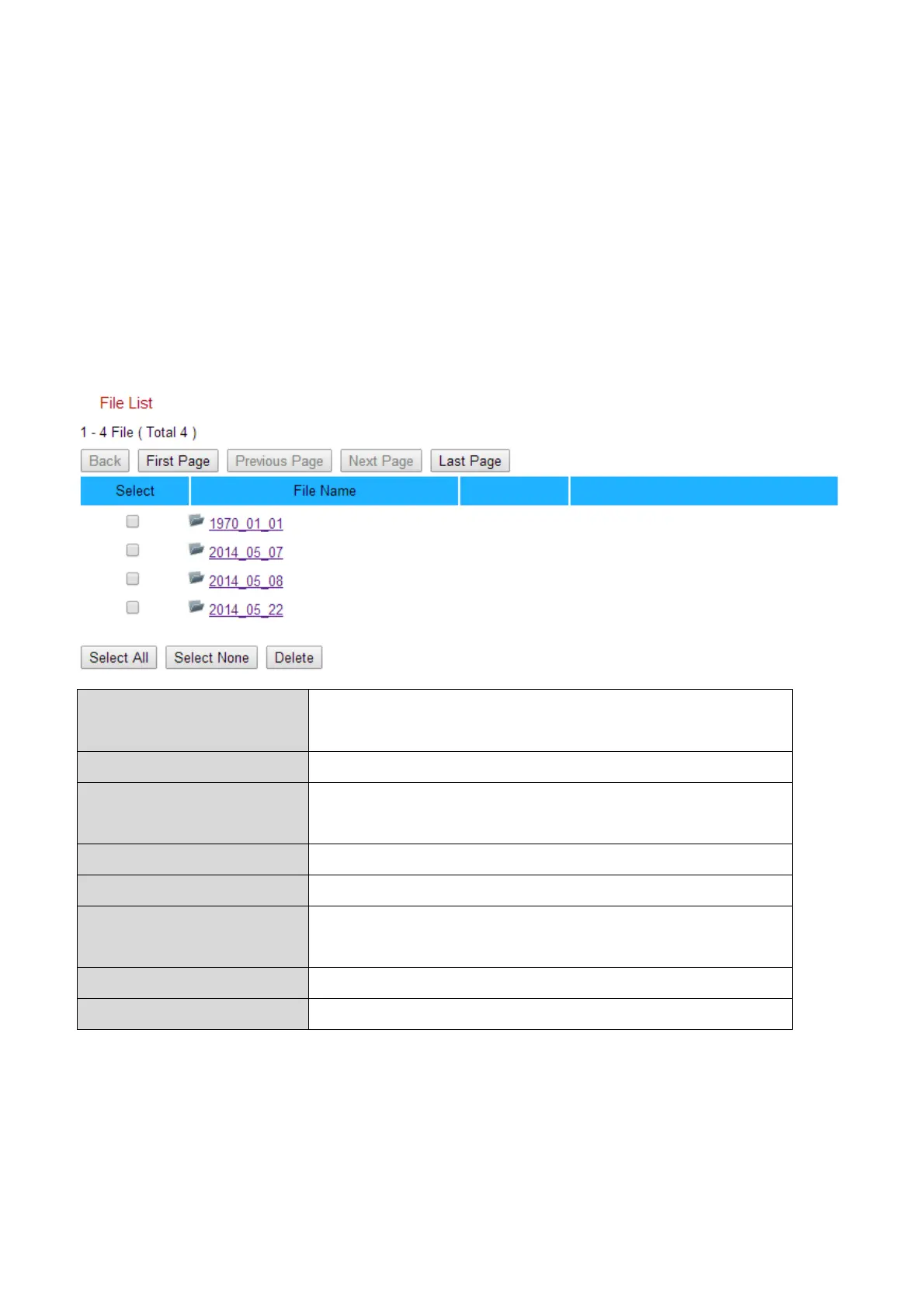
The file management tool enables you to browse, download and delete JPEG
files on your MicroSD card.
Folders are organized by date, and then grouped chronologically beginning
with 001. Individual file names consist of the date and time of the JPEG.
Go back to the previous page in the file
browser.
Go back to the first page in the file browser.
Go back to the previous page in the file
browser.
Go to the next page in the file browser.
Go to the last page in the file browser.
Select all files or folders visible in the file
browser.
Deselect all selected files or folders.
Delete selected files or folders.


 To Next Page