28
IV. Web-Based Management Interface
When you are using the same local network as your camera, you can use the
web-based management interface to view or configure the camera and to use
the camera’s functions.
You can access the web-based management interface with a web browser on
a smartphone or computer. For smartphone users, the appearance of the
interface will vary slightly to that which is displayed here, though the menu
functions which are described later from IV-1. Basic onwards are the same.
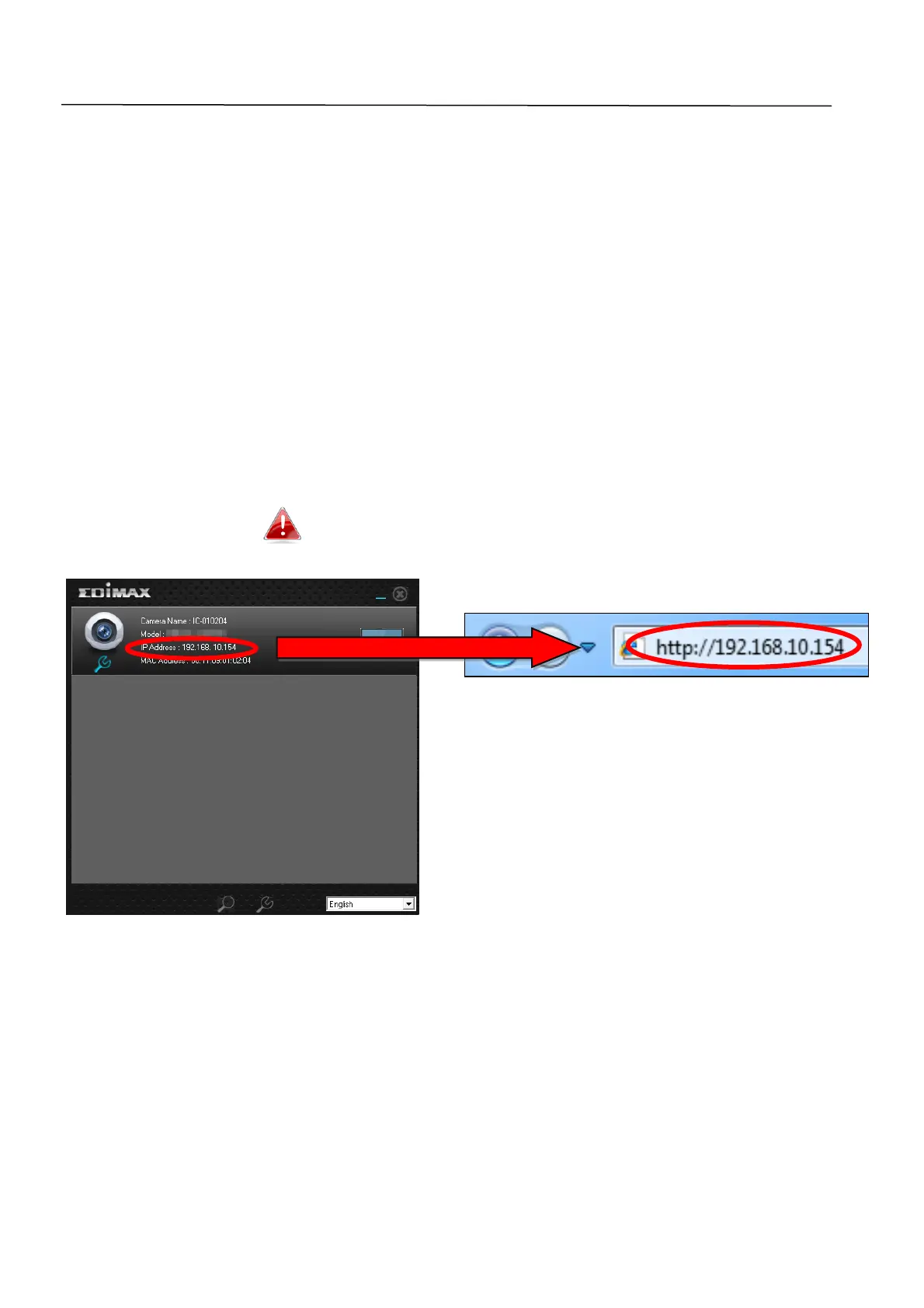
1. Enter the network camera’s IP address into the URL bar of a web browser.
The camera’s IP address can be found by opening EdiView Finder, as
displayed below:
Internet Explorer is recommended.


 To Next Page