29
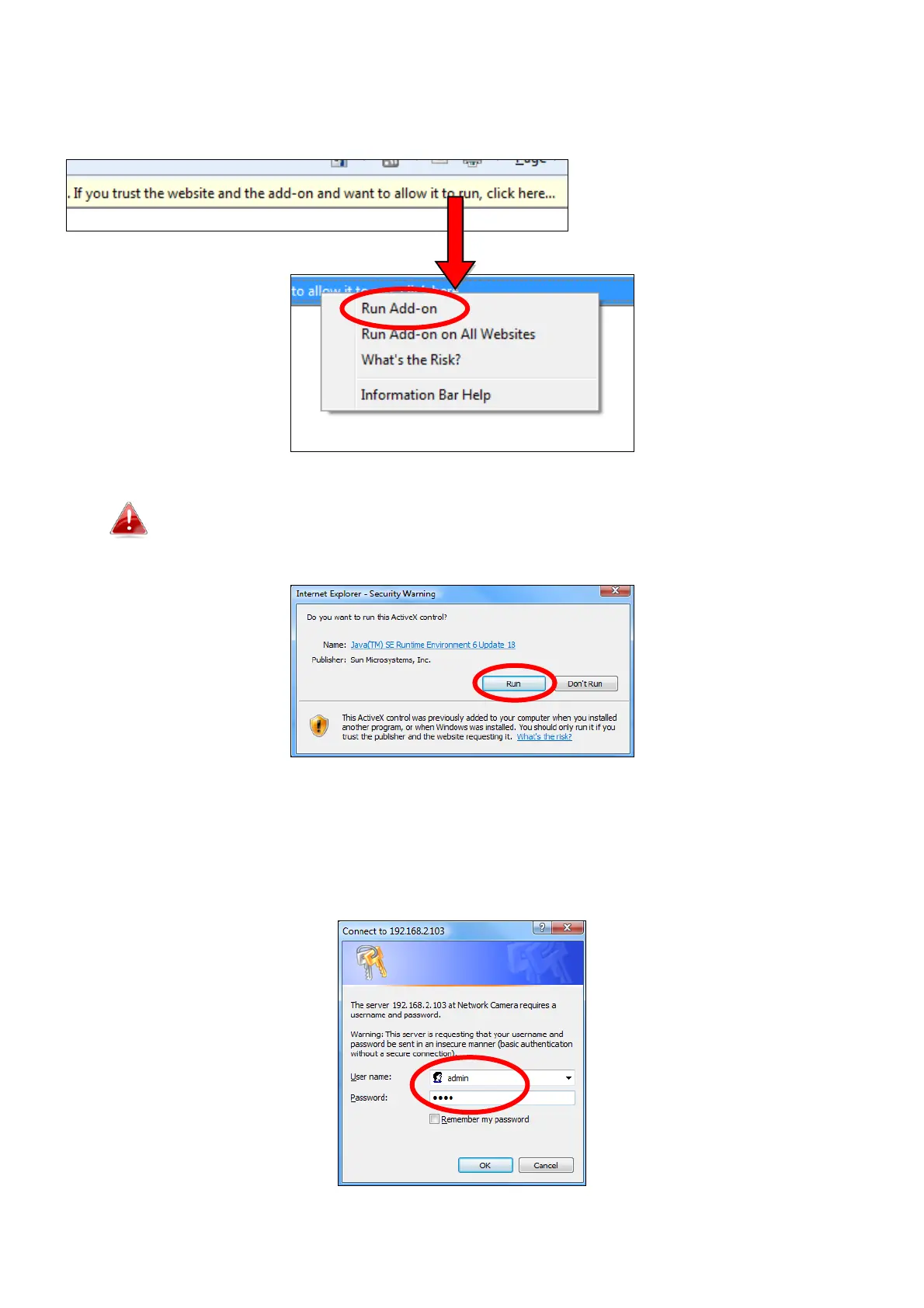
2. You may be prompted to allow a Java add-on to run. Please click the
message where it says “click here” and then click “Run Add-on”.
If any other security warnings/prompts appear, please select
“Run” or “Allow” or similar, depending on your browser.
3. Enter the username and password for your network camera (default
username: admin default password: 1234). The network camera’s web-
based management interface will then be displayed in your browser.


 To Next Page