Door Thickness
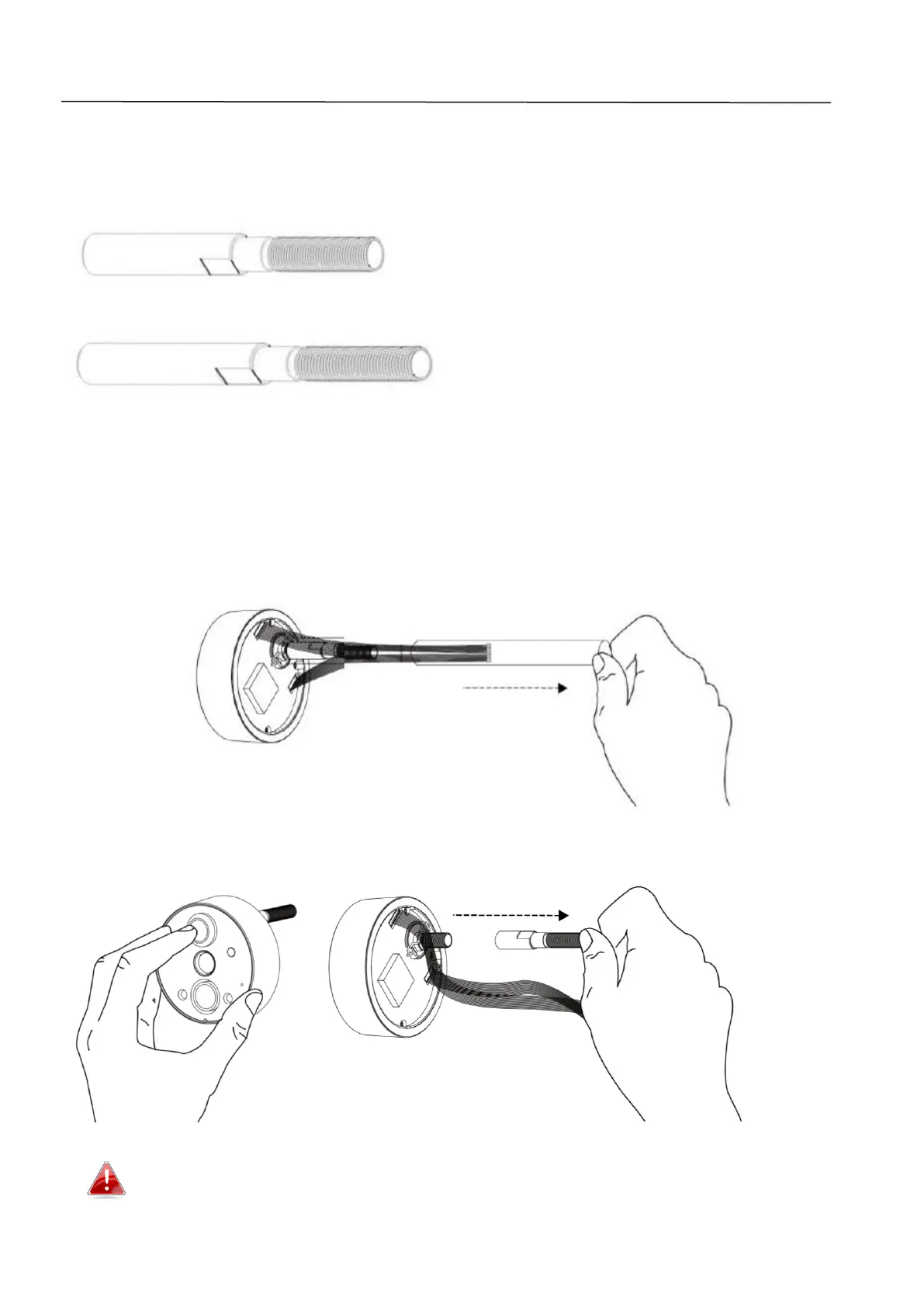
For doors with thickness 55 – 90mm there are two included extension bolts to
enable the camera viewer to fit your door. Either of the extension bolts can
replace the original bolt that’s attached to the unit.
The smaller bolt is for door thickness 55 – 75mm.
The longer bolt is for door thickness 75 – 90mm.
To use an extension bolt:
1. Remove the plastic tube from the camera viewer’s bolt. The cable inside
the plastic tube will fall loose.
2. Hold the lens in place and unscrew and remove the original bolt that’s
currently attached.
Make sure you hold the lens in place while you unscrew the bolt,
otherwise the lens will fall out.


 To Next Page