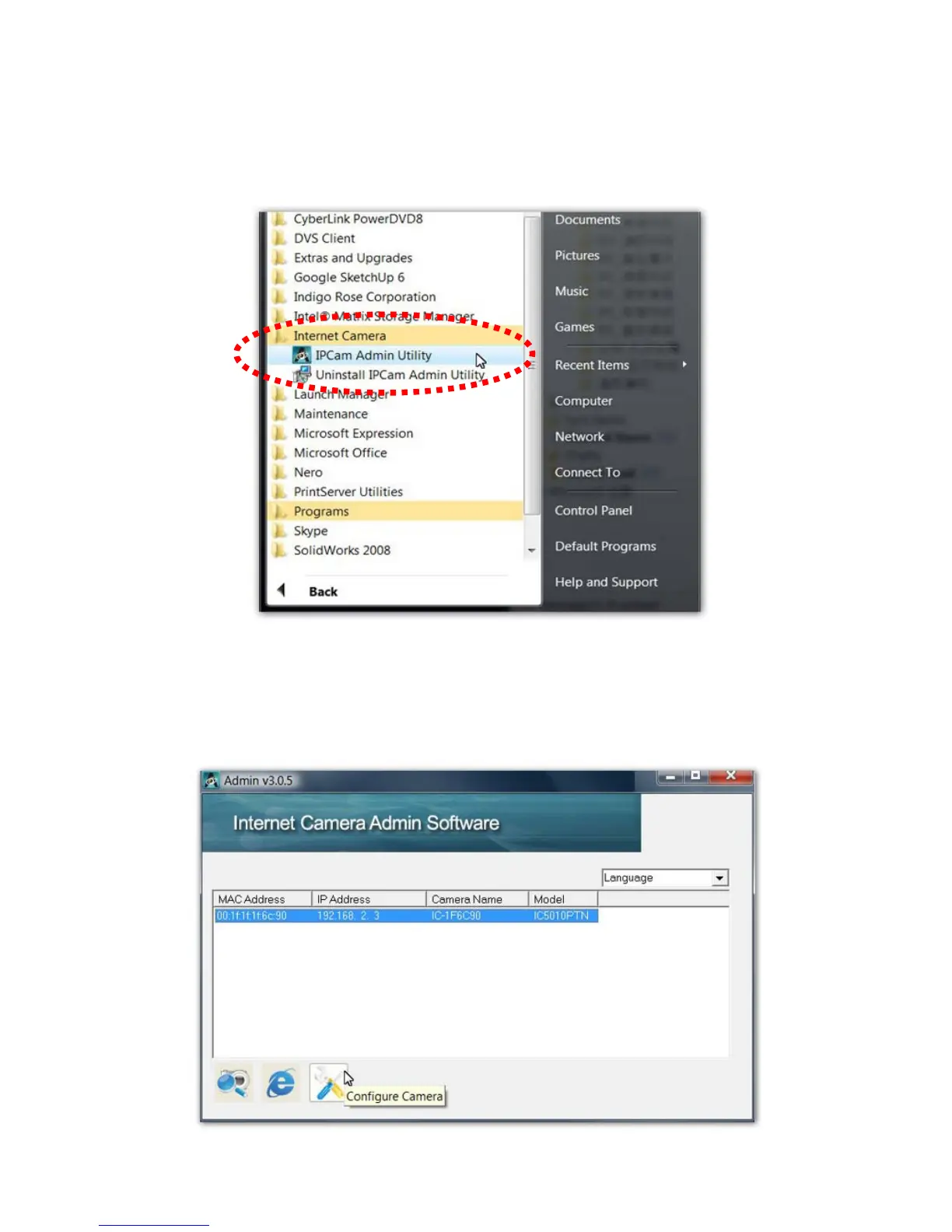
9. A new folder named ‘IP Camera’ in ‘All Programs’ will be created:
Admin Utility and Uninstall. You can use these 2 utilities to
connect to the IP camera and use the functions of the camera
without web browser.
10. When the installation is completed, the system will auto run the
‘Administrator Utility’. On the first page, the cameras found in the
network are listed in the window. Choose the one you want to
configure and click ‘Configure Camera’ icon to proceed.



 To Next Page