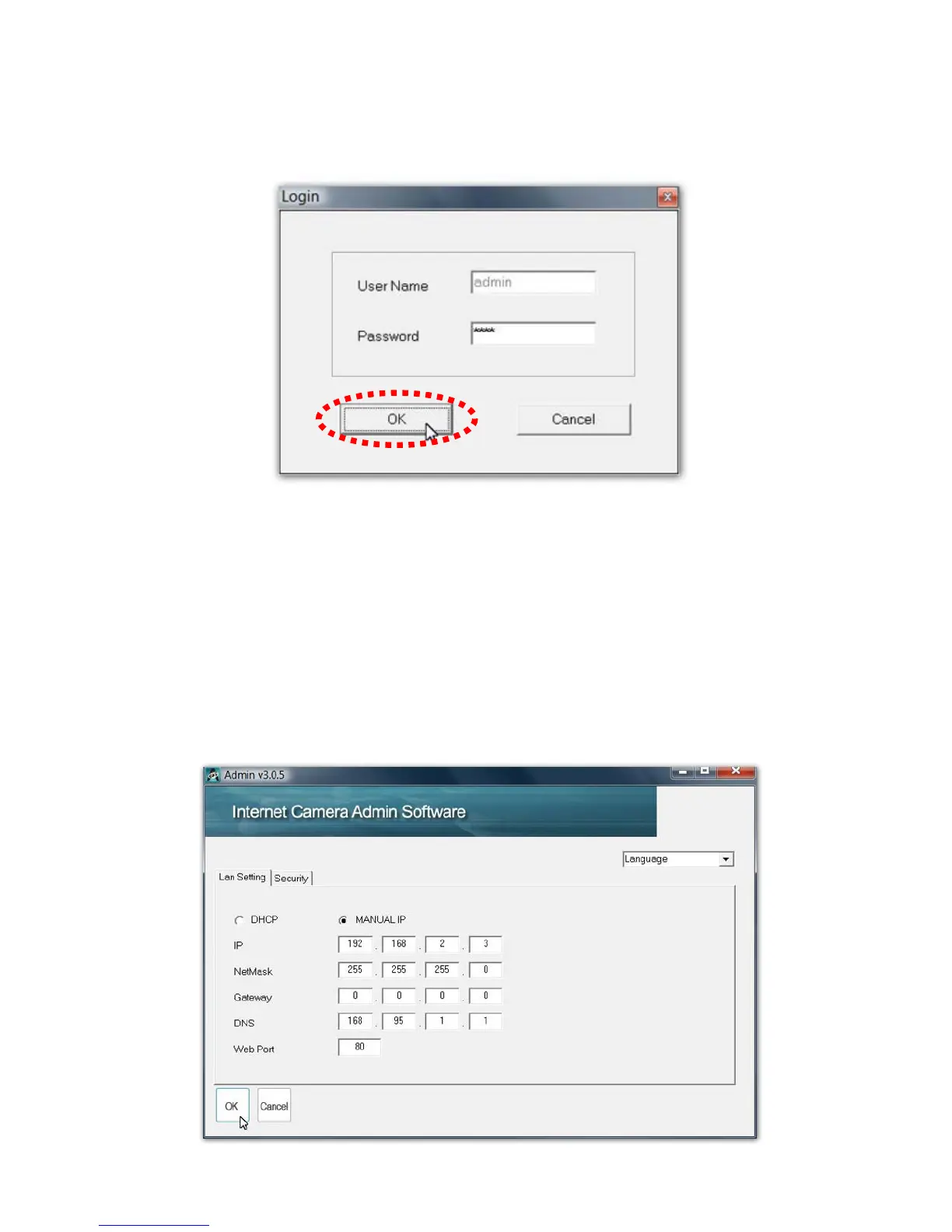
11. You’ll be prompted to input user name and password. The
default user name is ‘admin’ (you can not change it), and the
default password is ‘1234’, and then click ‘OK’ to continue.
12. IP Camera is working through the network (TCP/IP Protocol).
The IP address setting must be correct, or you cannot access
to the IP camera. The wizard program will detect the IP
address status of your network automatically and suggest a
free IP address for the IP Camera by DHCP. You can accept
the suggested value or enter the value manually. If you enter
the value manually, please be aware that the ‘Subnet Mask’
must be the same for both the camera and the PC. Click ‘OK’
to apply the configuration.



 To Next Page