Network Camera User’s Manual
31/59
Camera control (PT-111E / PT-112E only)
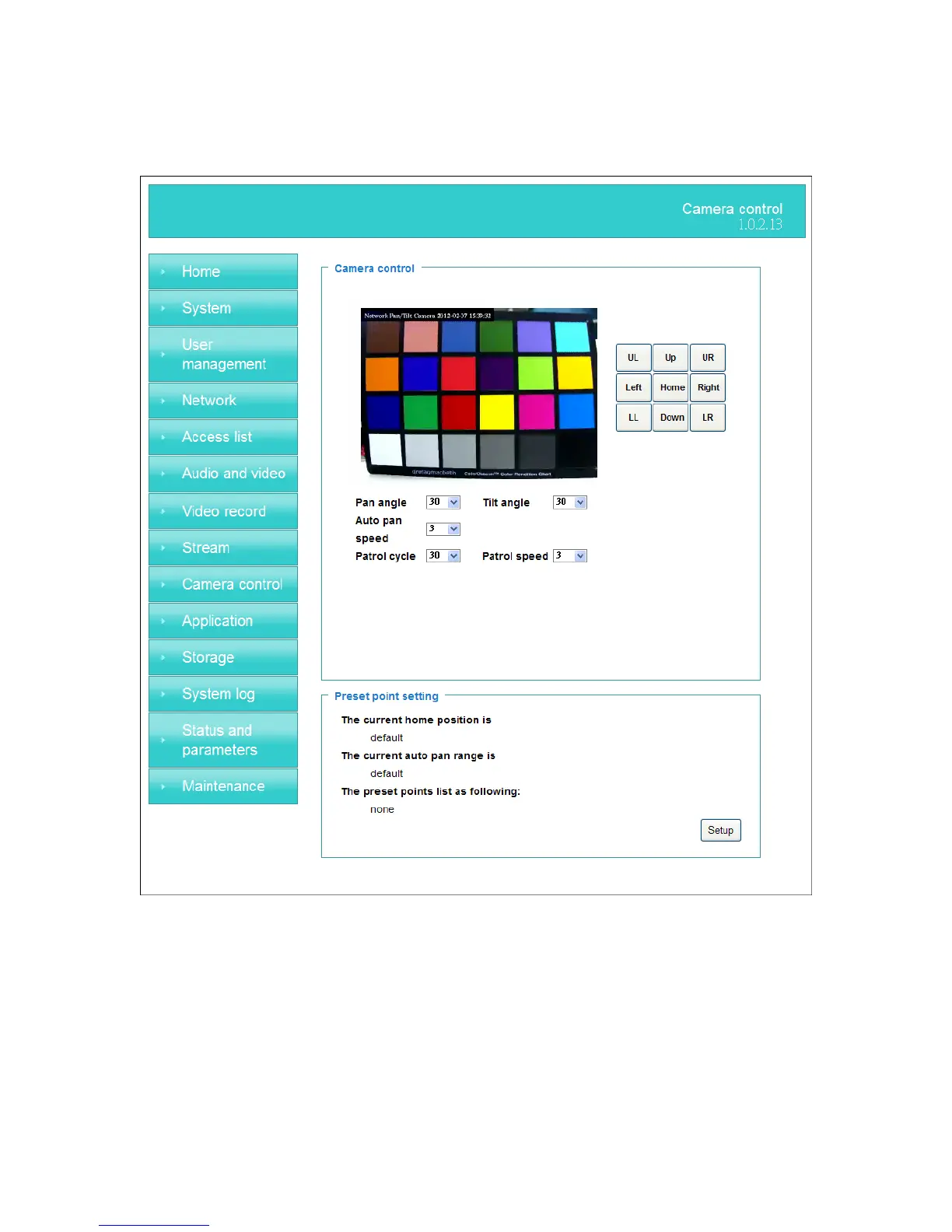
Camera control
The pan and tilt functions can be controlled with these buttons. The “Left” button
controls the camera to the left; the “Right”, “Up”, and “Down” buttons control the
camera accordingly.
(1) “UL”, “UR”, “LL” and “LR” buttons control the camera to an oblique angle.
And “Home” button controls the camera to the center.
(2)“Pan angle” This sets the range of the horizontal movement of the camera. The
larger value is setting, the larger movement of “Left” or “Right” is performing by the
camera.


 To Next Page