13
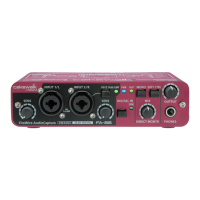
Front and rear panel
12.
Output volume
This adjusts the volume that is output from the
headphone jack (13)
and
Main
output jacks (22)
.
13.
Headphone jack
This jack outputs the mixed sound being input via the input jacks and the sound
being output from the computer (WAVE OUT 1/2 (in the case of WDM, EDIROL
FA-66 Out 1
➔
see p. 31)). The balance of these two is adjusted by the
direct
monitor volume (11)
.
Even if headphones are connected, the sound being sent from the rear panel’s
main
output jacks (MAIN OUT) (22)
will not be cut off.
FA-66_e.book 13 ページ 2006年1月12日 木曜日 午前11時32分


 To Next Page