53
Troubleshooting
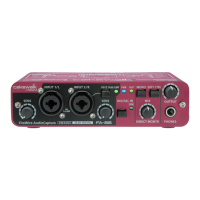
Are the input sensitivity knobs and direct monitor volume knob set
appropriately?
Turn the knobs toward the right to adjust the volume.
Is the output volume knob raised appropriately?
Turn the knob toward the right to adjust the volume.
Have you specified the audio data output destination in your playback
software?
You need to make settings in your software to select the FA-66 as the destination for
the output of audio data. For details on how to make this setting, refer to the
owner’s manual for the software you are using.
Could your computer have entered Standby (Suspend) mode or Sleep
mode?
In this case, after your computer wakes up, close all software that had been using
the FA-66, and then cycle the power to the FA-66.
If this does not solve the problem, close your software and then restart your
computer.
We also recommend that you set your computer so that it does not enter Sleep
mode.
Did you specify the correct audio data input source within the operating
system?
Depending on the software you are using, you may need to specify the FA-66 as the
audio data input source for your computer. For details on this setting, refer to
“Audio settings”
(p. 19) or
“Driver settings”
(p. 30).
A device connected to the input jacks can’t be heard through headphones
Sounds from the computer are not heard from the FA-66
Recording produces a silent file
FA-66_e.book 53 ページ 2006年1月12日 木曜日 午前11時32分


 To Next Page