Call: 888.505.8878 Online: edugear.com Email: support@edugear.com
5
Your Notebook Tour
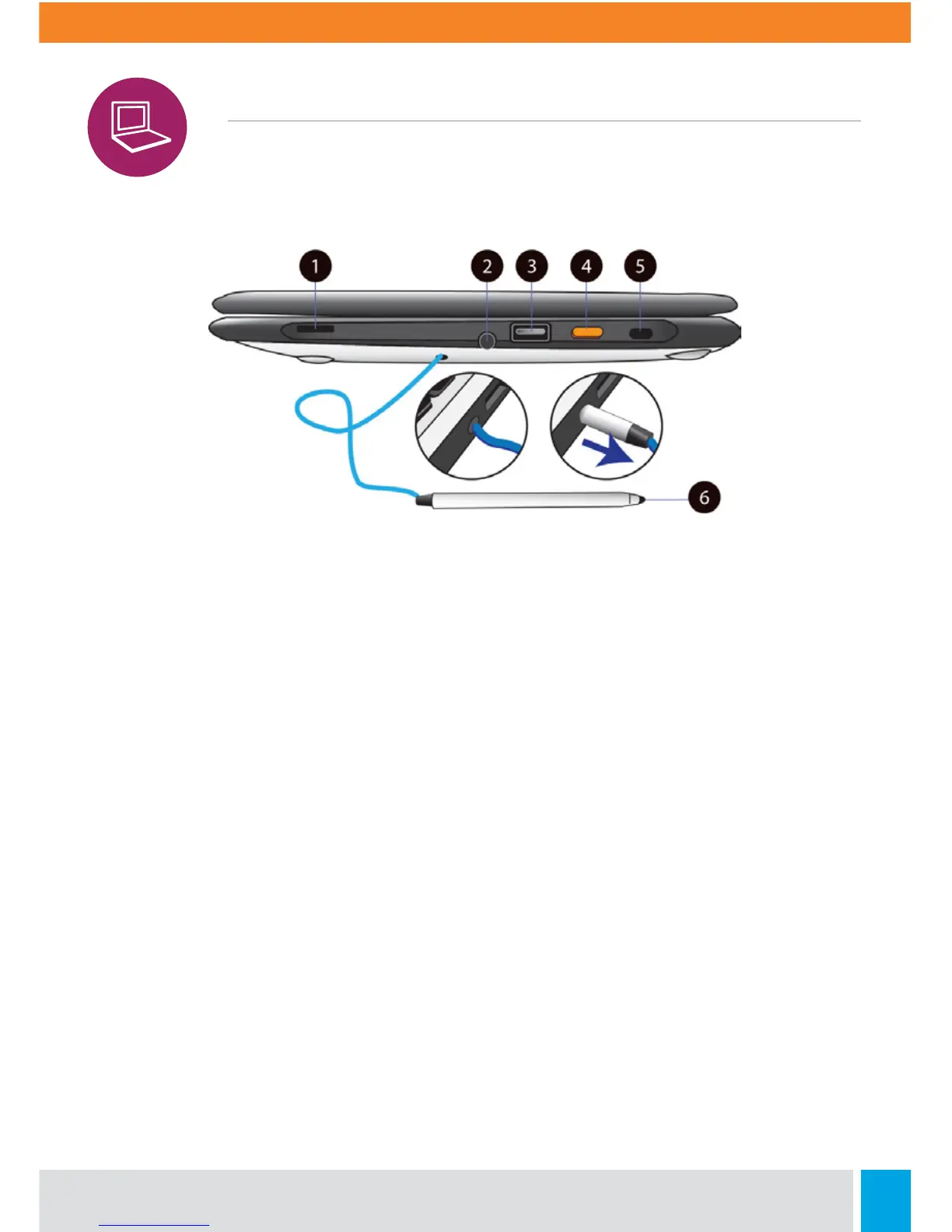
Right View
1. Speaker
The sound system has two speakers for
playing music, notification sounds, and
other audio data.
2. Stylus Hole
This is where you rest the provided stylus.
3. USB 2.0 Port
Plug your USB devices here.
4. Power button
Press it to power on/o your laptop.
5. Kensington Lock Slot
You can attach a Kensington lock here
to attach a cable from your laptop to a
stationary object such as table.
6. Stylus
Use it as an input device instead of your
fingers on the touchscreen.



 To Next Page