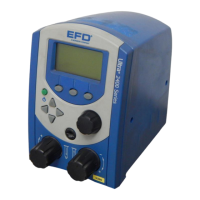
Features &
Controls:
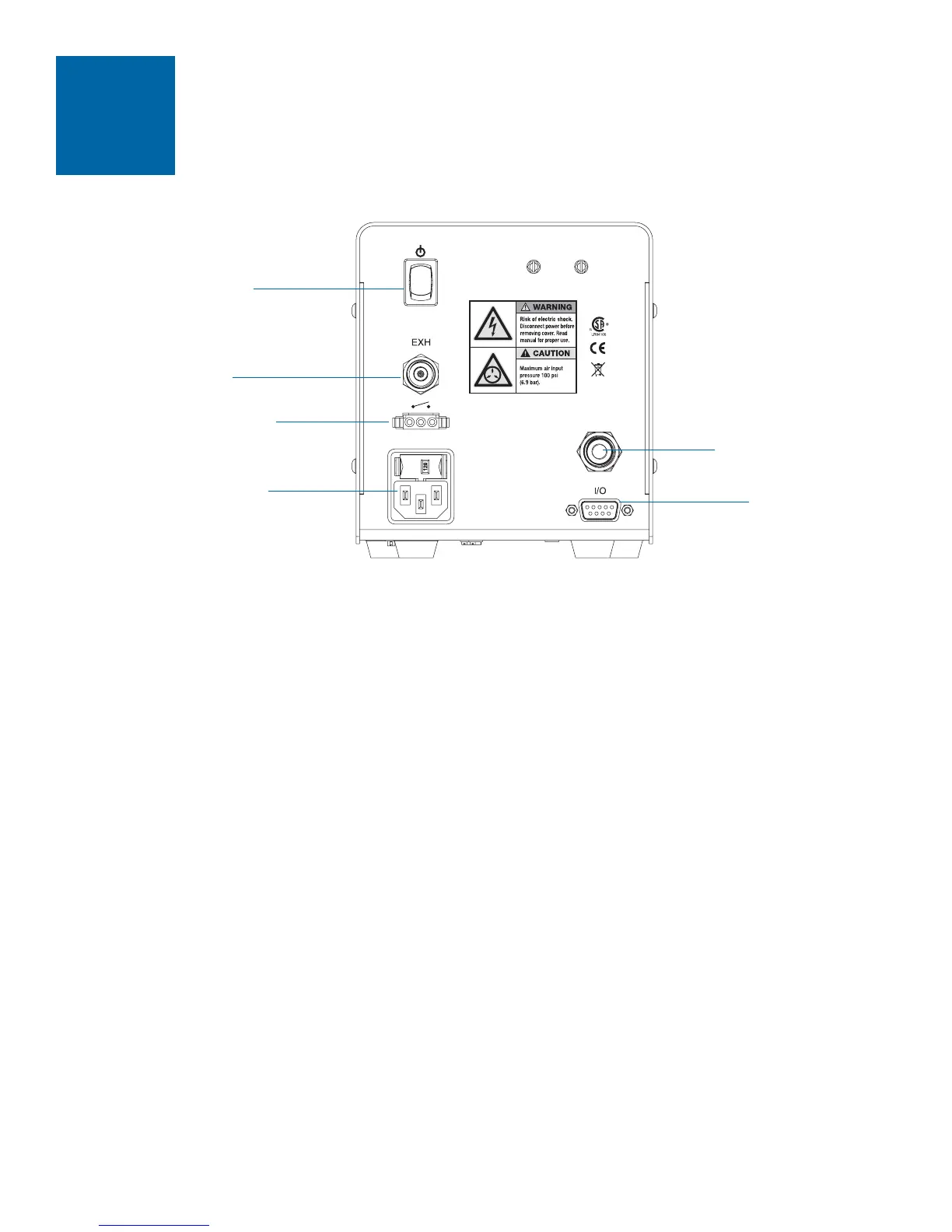
Back Panel
12
Air Input Port
• Push one end of the 6 mm air input hose into the back of the Ultra 1400. A standard air
hose is provided.
• Connect the other end of the air input hose to your plant air supply.
Note: Clean, dry filtered factory air is required to meet warranty. If your air supply is not filtered,
order the five micron filter regulator (specify EFD part #2000F755).
Warning! Bottled nitrogen can be used. If high pressure bottled air or nitrogen is used, a high
pressure regulator must be installed on the bottle and set at 100 psi (6.9 bar) maximum. In this
instance, the 2000F755 filter regulator is not required.
Foot Pedal / Finger Switch Port
Connect the foot pedal provided to the port on the back of the Ultra 1400. The foot pedal is
used to activate the dispense cycle.
Vacuum Transducer / Air Exhaust Port
The vacuum transducer and exhaust port is located on the back panel, above the connection
for the foot pedal.
If needed you can connect a cleanroom filter muffler to filter output air to meet Fed 209-B
(0.5 micron particulates). Specify EFD part #2170FT.
power cord
I/O connection
air input
foot pedal
exhaust / vacuum
power on / off


 To Next Page