UPS MKD700/1000 Manual
If the UPS is connected with the mains, testing service can be conducted by
pushing at the same time for about 3sec button (2) “Menu option” and button
(4) “Menu-up”. During this process, after a LED-text, the UPS switches for
about 10sec over to battery service.
Display/alarm signal:
Red LED (FAULT)
yellow LED (WARNING)
green LED (NORMAL).
Display „BAT INVERTER“ and yellow LED (WARNING) for about. 10sec.
No acoustic alert.
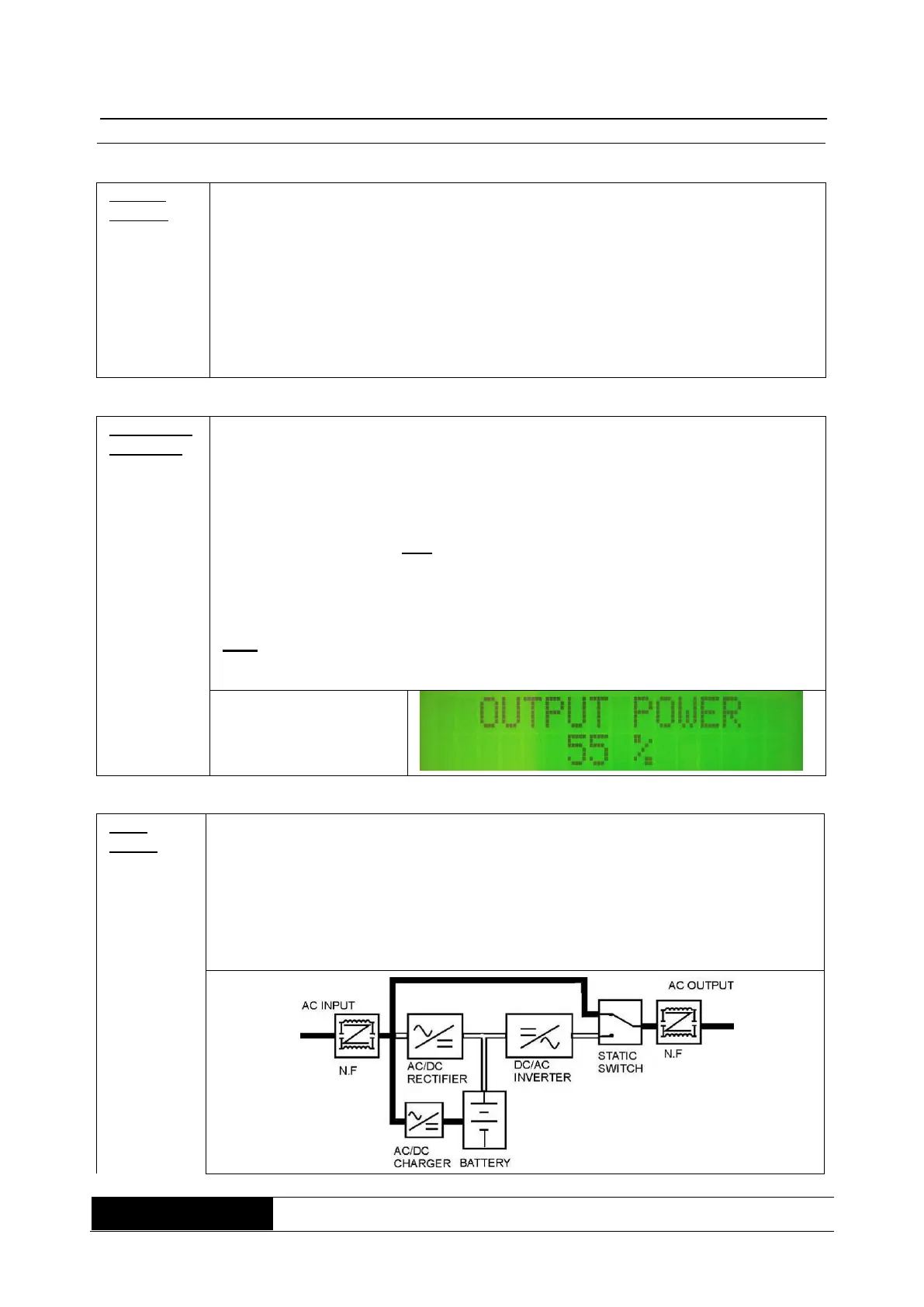
If there is overload at the UPS output, depending on overload the UPS
switches over to bypassing service, after max. 30sec. With the button 3
“Menu-down” (push it 8 times), you can switch over to overloading display.
(block figure, see fault mode)
Display/alarm signal, before switching over::
Green LED (NORMAL) and the yellow LED (WARNING) are glowing;
Acoustic alert sounds in the following sequence (A);
(beep -> long pause (4 sec.) -> beep -> ..., repeating).
Display/alarm signal, after switching over to bypassing mode:
only the yellow LED (WARNING) is glowing;
acoustic alert sounds in a continuous tone, sequence (D).
e.g. output load of
55% (reference value)
If there is a fault, the UPS switches immediately over to bypassing mode. Fault
mode can be released by overload, short circuit on the UPS output,
overheating, inverter-fault or DC/BUS-fault.
Display/alarm signal in bypassing mode:
In case of overload, the yellow LED (WARNING is glowing;
In case of overheating, inverter- or DC/BUS- fault, the red LED (FAULT) is
glowing; the acoustic alert sounds in a continuous tone, sequencing mode (D).



 To Next Page