
 Need help?
Do you have a question about the EFIX C5 GNSS and is the answer not in the manual?
Covers safety information, warnings, cautions, and regulatory compliance.
Details on receiver care, technical support, disclaimer, and user feedback.
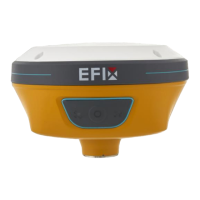
Introduces the C5 GNSS receiver and its capabilities.
Details the front panel and receiver ports.
Information on built-in battery, charging, and external power.
Lists accessories included in the Base Kit and Rover Kit.
Steps to connect the receiver to a computer via USB Type-C.
Instructions for connecting the receiver to a controller via Wi-Fi or Bluetooth.
Procedures for downloading logged data via FTP, Web Server, or USB.
Guidelines for setting up a base station for post-processing.
Guidelines for setting up a base station for real-time operation.
Guidelines for setting up a rover station for real-time operation.
Instructions and notes on using the receiver's tilt compensation feature.
Steps to connect to the receiver via Wi-Fi and log in to the web interface.
Provides receiver position, satellite tracking, and operational status.
View satellite tracking details and manage constellations.
Configure antenna, reference station, and receiver settings.
Set up and manage GNSS data logging and FTP push.
Configure receiver inputs and outputs, including RTK client settings.
Configure WiFi, Bluetooth, and radio settings.
Manage firmware, hardware versions, and registration.

 To Next Page
 General