Getting Started with C5
EFIX C5 GNSS USER GUIDE | 2022-03 P a g e | 17
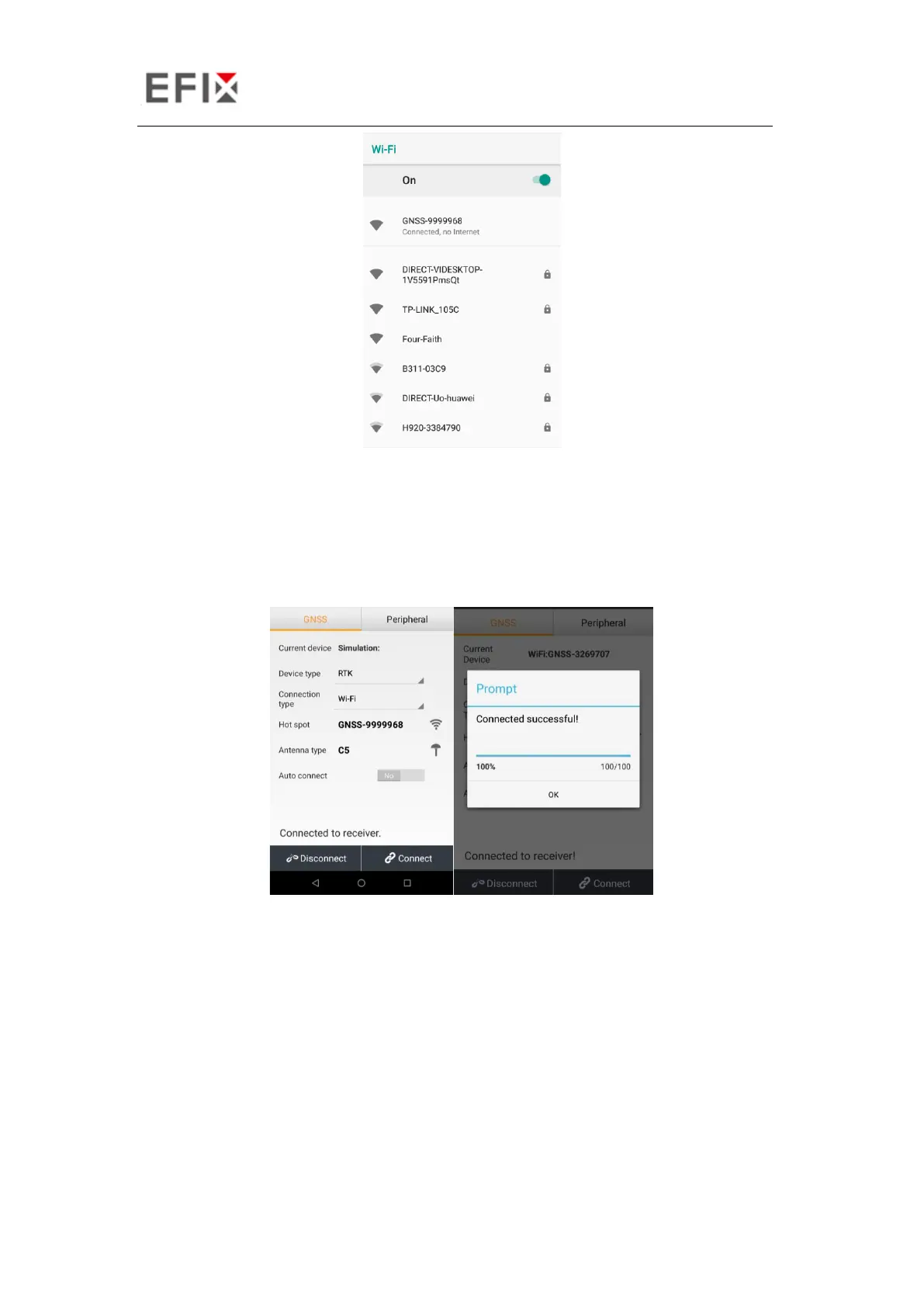
Tap the Connect button to build the connection.
2.6.2 Connecting via Bluetooth with eField Software
Turn on the controller → run eField → go to Config main menu → tap Connect.
In the Connect screen, select EFIX for the Manufacture field, C5 for Device Type field, Bluetooth
for Connection Type field.


 To Next Page