Configuring Through a Web Browser
EFIX C5 GNSS USER GUIDE | 2022-03 P a g e | 42
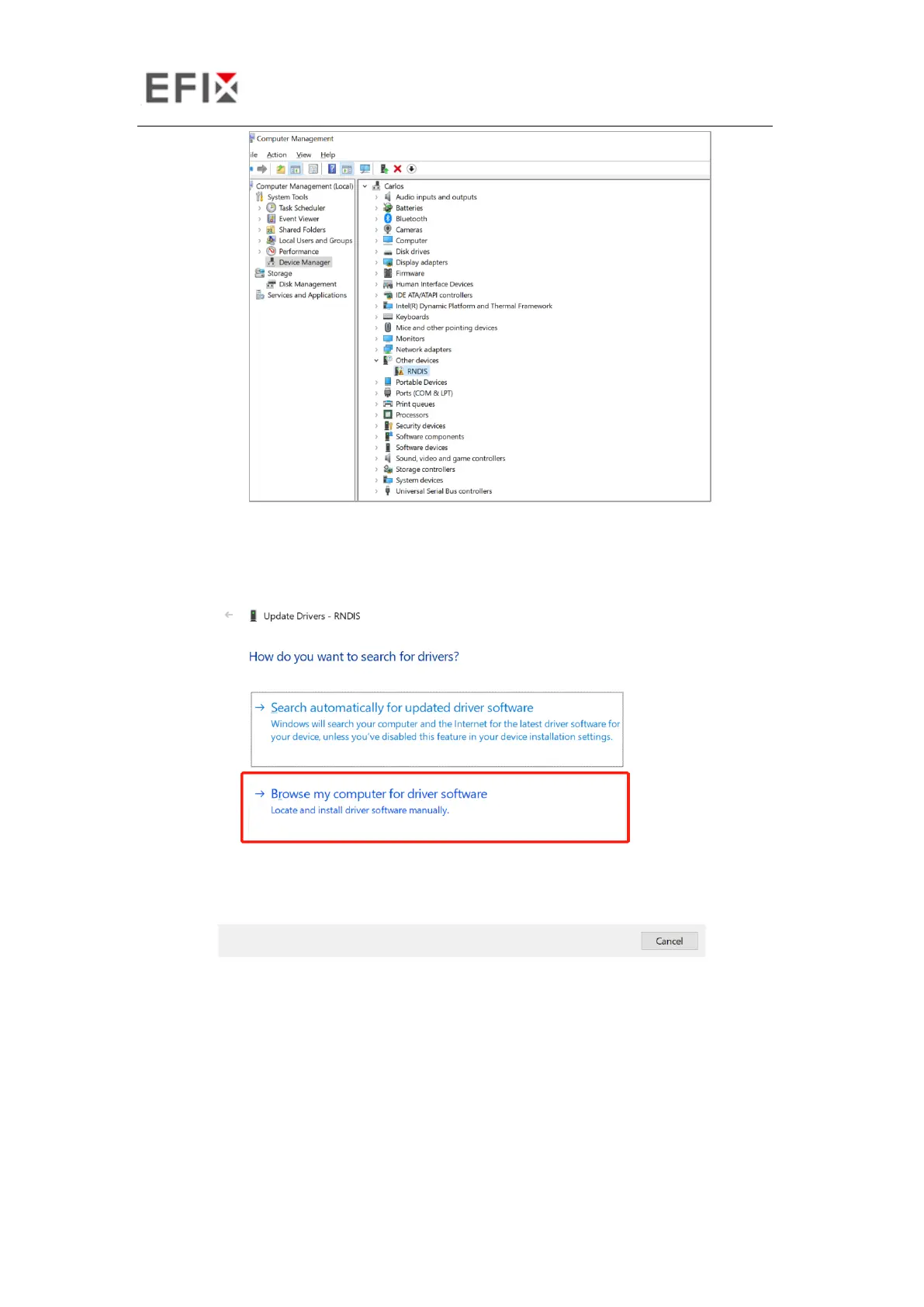
2. Install the driver for C5 RNDIS
a) Right click RNDIS, and select update driver, and choose Browse my computer for
driver software.
b) Select Let me pick from a list of available drivers on my computer, and click next


 To Next Page