Configuring Through a Web Browser
EFIX C5 GNSS USER GUIDE | 2022-03 P a g e | 54
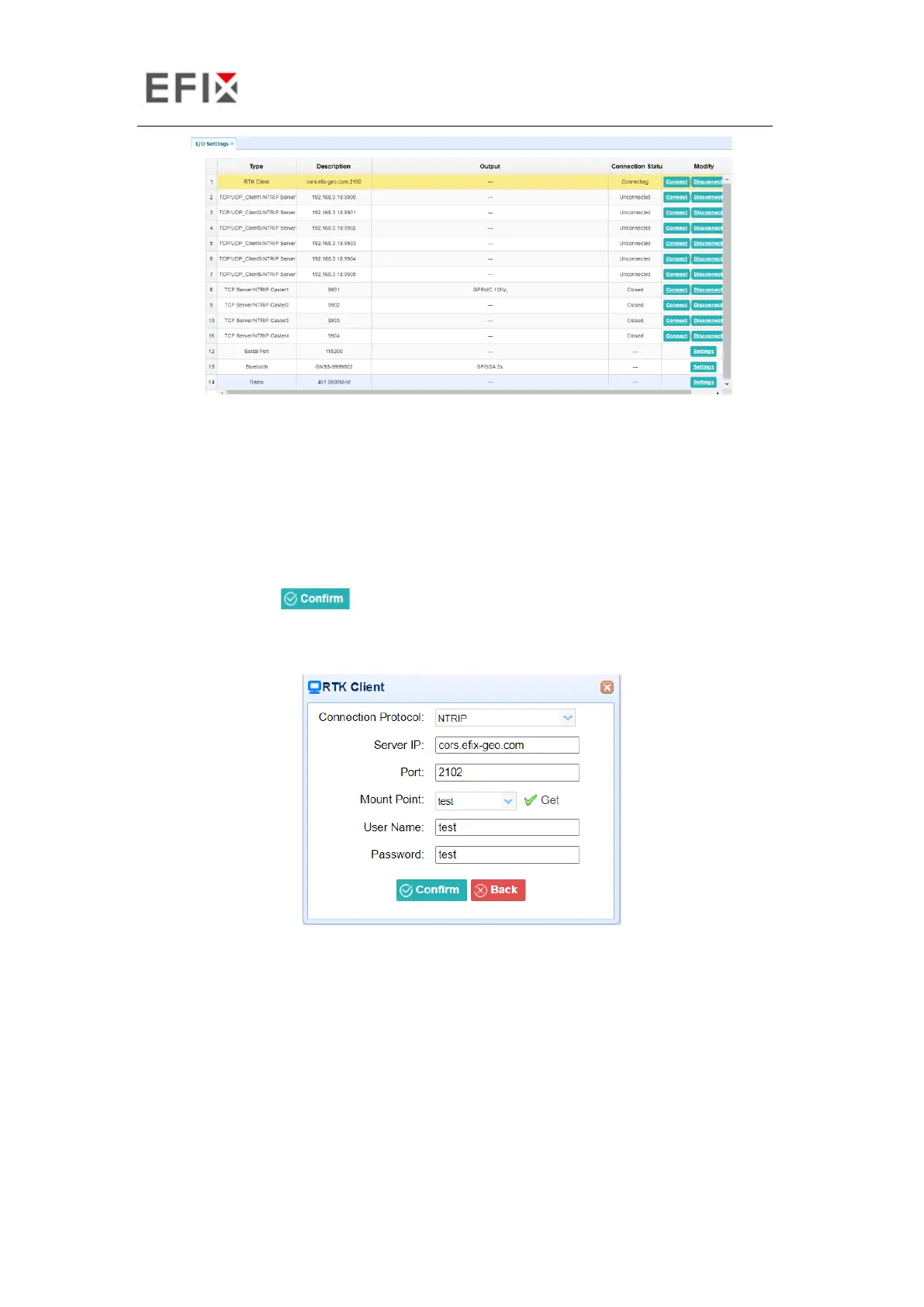
In this submenu, users can configure 6 types of input and output settings.
1. RTK Client
After configuring the settings of RTK client, users can log on CORS or APIS. Tap the Connect
button to the right → the IO Settings screen will appear → choose one of the connection
protocols among the NTRIP, APIS_BASE, APIS_ROVER and TCP → configure the related
parameters → click to log on CORS or APIS.
➢ Connection Protocol: NTRIP
➢ Connection Protocol: APIS_BASE


 To Next Page