EasyManua.ls Logo

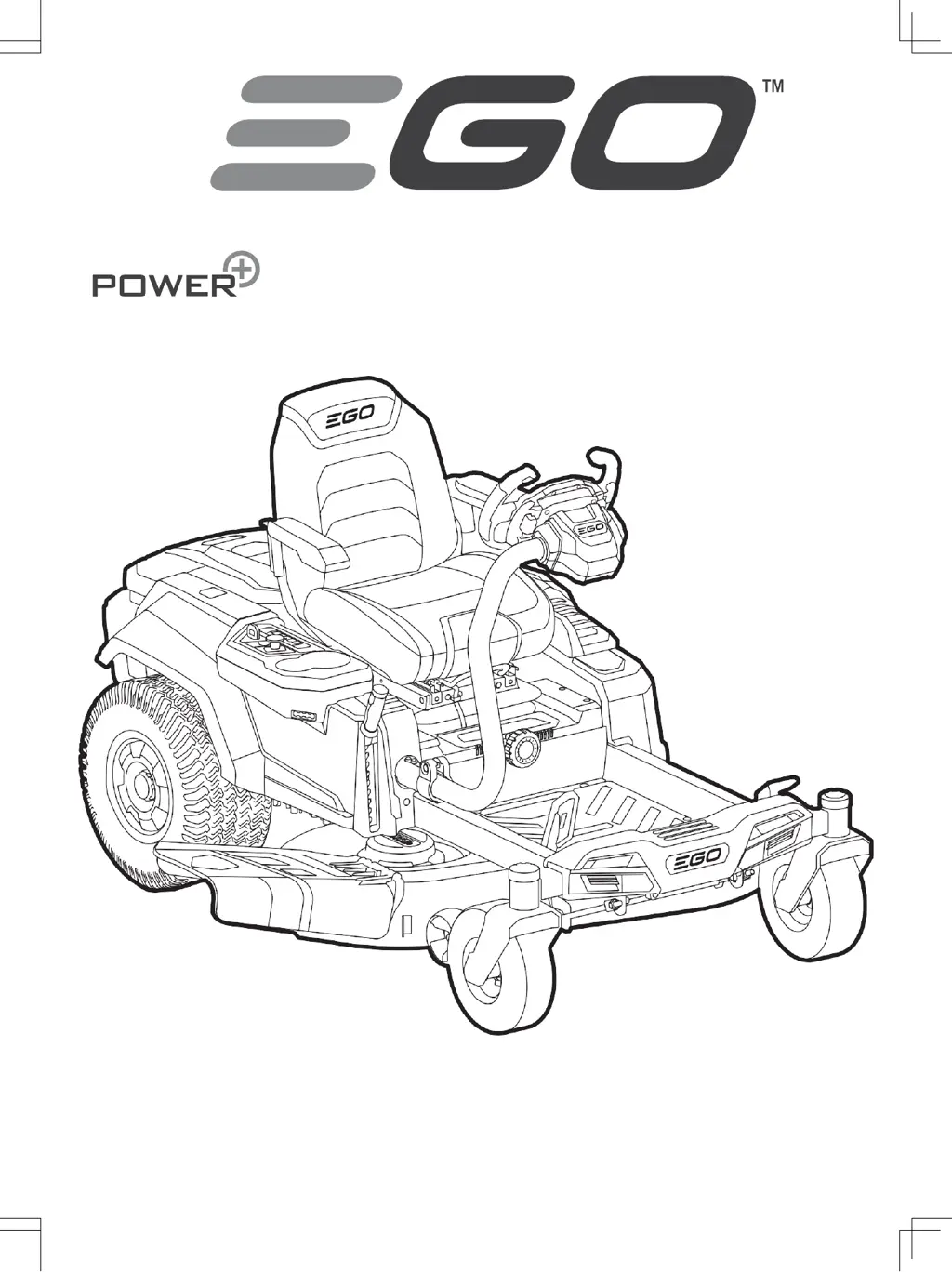
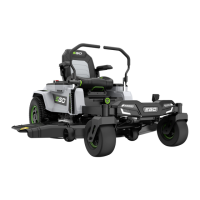
Ego Power+ ZERO TURN Z6 - User Manual

Ego Power+ ZERO TURN Z6
79 pages
Go to English
Print Icon
To Next Page IconTo Next Page
Loading...
ZERO TURN RIDE-ON MOWER
ZT4200E-S
Операторско ръководство
ZERO TURN КОСАЧКА Z6

Questions and Answers

  • S
    Sarah StephensSep 9, 2025
    Why is Ego Power+ Lawn Mower actual grass cutting height is not aligned with the claimed height?
    • W
      Whitney PowellSep 9, 2025
      If the actual cutting height of your Ego Power+ Lawn Mower doesn't match the setting: * Loosened mower deck nuts: Follow the instructions in section “LEVELING THE MOWER DECK” to make correct front-to-rear adjustment for the mower deck and securely tighten the nuts on the suspension linkage. * Damaged mower deck: Follow the instructions in section “REMOVING THE MOWER DECK” to have mower deck replacement.
  • W
    William TorresAug 23, 2025
    What to do if Ego Power+ ZERO TURN Z6 Lawn Mower fails to start blades when PTO switch is activated?
    • D
      Donna AvilaAug 23, 2025
      If your Ego Power+ Lawn Mower blades won't start when you activate the PTO switch, and the PTO switch icon blinks, check these: * Insufficient battery power: Use enough EGO batteries as instructed in the manual. * PTO switch position: Push the PTO switch down and then up to restart the blade motors. * Mower overload: Start grass cutting at a lower blade speed, and increase speed after blades are rotating. * Cold weather: Store the mower and battery in a warm environment and restart when warmed up. * Driving at “TRAVEL” speed: When the mower is driving at “TRAVEL” speed, the blade motors will automatically stop.
  • A
    amandastewartSep 6, 2025
    Why Ego Power+ Lawn Mower does not mulch properly?
    • T
      Terri NelsonSep 7, 2025
      If your Ego Power+ Lawn Mower isn't mulching properly: * Wet grass: Wait until the grass dries before mowing. * Cutting too much grass: Raise the deck cutting height.
  • G
    garciasavannahSep 5, 2025
    Why is Ego Power+ Lawn Mower LCD screen fails to be illuminated with all icons on?
    • M
      Marie MartinezSep 5, 2025
      If the LCD screen on your Ego Power+ Lawn Mower fails to illuminate with all icons, it could be due to: * Start/stop button pressed briefly: The LCD screen will only display the “fuel gauge” when the start/stop button is pressed briefly. * Start/stop button pressed not for sufficient time: The LCD screen will turn on after the start/stop button has been pressed for sufficient time.
  • M
    monroematthewSep 3, 2025
    How to fix Ego Power+ ZERO TURN Z6 Lawn Mower not tracking straight?
    • B
      bushdanaSep 3, 2025
      If your Ego Power+ Lawn Mower isn't tracking straight: * Check tire pressures: Ensure the air pressure in both rear wheel tires is correct, according to the specifications. * Driving speed imbalance: Calibrate the steering wheel following the instructions in section “CALIBRATING THE MOWER TRACKING SYSTEM.”
  • J
    Jason ReyesSep 2, 2025
    Why Ego Power+ ZERO TURN Z6 Lawn Mower battery indicators are still on when the mower is turned off?
    • E
      Elizabeth RoweSep 2, 2025
      If the battery indicators on your Ego Power+ Lawn Mower remain on after turning it off: * Normal operation: No action is needed. The battery indicators will go off when the mower shuts off after a period. * Parking-brake issue: Set the parking-brake pedal in the braking position before leaving the mower on the slope.
  • B
    Brandon SmithAug 30, 2025
    Why does Ego Power+ ZERO TURN Z6 Lawn Mower audio indicator continues sounding?
    • W
      waltonmichaelAug 30, 2025
      The audio indicator on your Ego Power+ Lawn Mower may continue sounding because: * The mower is in Limp-home mode with blades still on: Push the PTO switch down to turn off the blade motors. The audio indicator will stop sounding when the blade motors are turned off. * The mower stopped on a slope, and the operator is off the seat without setting the parking brake: Set the parking-brake pedal in the braking position before leaving the mower on the slope.
  • B
    Bobby ChenAug 29, 2025
    What to do if Ego Power+ ZERO TURN Z6 fails to drive when accelerator pedal is depressed?
    • R
      Russell KellyAug 29, 2025
      If your Ego Power+ Lawn Mower doesn't move when you press the accelerator, there are several potential causes: * The batteries' combined Ah might not meet the requirement: Use enough EGO batteries, following the instructions in the manual. * The parking brake might be engaged: Fully depress the parking brake pedal to release it. * The paddles might not be correctly engaged: Pull both left and right paddles toward you and release them until the mower status indicator shines green. * You might not be sitting on the seat: Ensure you are correctly seated. * Debris might be clogging the accelerator pedal's path: Check and remove any debris. * In cold weather, driving function may not start: Store the mower and battery in a warm environment and restart when warmed up.
  • L
    lambertmicheleAug 27, 2025
    What to do if Ego Power+ ZERO TURN Z6 Lawn Mower cannot be started after cleaning?
    • R
      Richard HorneAug 27, 2025
      If your Ego Power+ Lawn Mower won't start after cleaning: * Improper cleaning: Follow the instructions in section “GENERAL MAINTENANCE” to clean the mower correctly. * Accidental rain exposure: If the mower caught in rain accidentally, leave it in the air to dry or use compressed air to dry it.
  • F
    fmendozaAug 27, 2025
    What to do if Ego Power+ ZERO TURN Z6 Lawn Mower cannot be charged via charging port?
    • N
      Natalie WhiteAug 27, 2025
      If your Ego Power+ Lawn Mower isn't charging via the charging port and the mower status indicator is solid red: * Check charger connection: Reconnect the charger plug to see whether the mower can be charged normally. * Check power outlet: No action is needed. Wait until the power recovers.

Summary

Safety and Instructions

Read All Instructions

Emphasizes the importance of reading all instructions before use.

Safety Symbol Explanation

Explains the purpose and meaning of safety symbols used in the manual.

Specifications and Symbols Reference

Safety Symbols Reference

Lists and explains various safety symbols used in the manual.

Technical Specifications

Provides detailed technical data and specifications of the mower.

Mower Description

Component Identification

Lists and describes the numbered components of the mower as shown in Fig. A1.

Assembly and User Interface

LCD Screen Overview

Explains the various icons and indicators on the mower's LCD screen.

Assembly Procedures

Details the steps for installing the seat and steering wheel.

Adjustments and Pre-Operation

Attaching Mulching Plug

Instructions for attaching the mulching plug to the mower deck.

Mower Adjustments

Covers adjustments for cutting deck height, anti-scalp wheels, seat, and steering wheel.

Mower Operation

Starting, Stopping, and Limp-Home Mode

Details the procedures for starting, stopping, and understanding Limp-Home mode.

Driving and Safety Precautions

Explains safe driving practices and potential hazards.

Maintenance and Control Systems

Maintenance Schedule and Procedures

Outlines the required maintenance tasks and their intervals.

Using Cruise Control (CCS)

Explains how to activate and use the Cruise Control System on the mower.

Maintenance Procedures

General Cleaning and Deck Maintenance

Covers cleaning the mower housing and deck, and maintaining the deck and blades.

Blade Replacement and Deck Leveling

Details replacing cutting blades and leveling the mower deck.

System Calibration and Handling

Tracking System Calibration and Reset

Covers calibrating tracking system and resetting to factory settings.

Storage and Transport

Provides guidance on storing and transporting the mower.

Troubleshooting Mower Operation

Mower Fails to Drive

Addresses issues when the mower does not drive when the accelerator pedal is depressed.

Mower Stops Driving

Solutions for when the zero turn ride-on mower stops driving unexpectedly.

Troubleshooting Driving and Control

Mower Stops Driving and Mode Adjustment

Addresses issues with the mower stopping and driving mode adjustment.

Troubleshooting Blade and Audio Issues

Blade Start and Operation Problems

Solutions for when blades fail to start or stop working during cutting.

Audio Indicator Issues

Addresses problems related to the audio indicator continuing to sound.

Troubleshooting Indicators and Performance

Blade and Audio Indicator Issues

Solutions for blades stopping, audio indicators sounding, and battery indicators remaining on.

Battery Indicator Status

Explains the meaning of battery indicators remaining on when the mower is off.

Troubleshooting Display and Cutting

LCD Screen and Cutting Issues

Addresses problems with the LCD screen, uneven cutting, and incorrect cutting height.

Mulching Performance

Solutions for when the mower does not mulch properly.

Troubleshooting Performance and Charging

Vibration, Debris, and Run Time

Addresses issues like excessive vibration, debris, and short battery run time.

Tracking, Brake, and Charging Problems

Solutions for tracking issues, parking brake problems, and charging faults.

Troubleshooting Operation and Controls

Charging and Starting Issues

Addresses problems with charging time, battery charging, and starting after cleaning.

Operation and Control Issues

Solutions for deck clogging, traction loss, parking brake, wash port, sounds, and steering.

Troubleshooting Control Functions

CCS and Reverse Driving Issues

Solutions for CCS function problems and failure to drive in reverse.

Mower Status and Fault Codes

Status Indicators and Icons

Explains the meaning of various LCD display icons like LED lights, USB, Fuel Gauge, Hour Meter, Load, Reverse, and Safety Key.

Battery and Overload Status Codes

Battery Compartment Icons

Explains blinking icons for occupied and empty battery compartments.

Overload Indicator Faults

Addresses issues when the overload indicator blinks, including blade overload and debris.

Temperature and Battery Overheating Codes

Temperature Icon Blinking

Explains temperature icon blinking due to mower overheating or cold conditions.

Temperature and Battery Overheating

Addresses combined blinking of temperature and battery icons due to battery overheating.

Low Power and Parking Status Codes

Low Power and Fuel Gauge Indicators

Explains blinking indicators for low power, fuel gauge, and battery status.

Parking and Brake Pedal Status

Addresses blinking auto-parking icon and brake pedal icon display.

Seat, Switch, and Energy Status Codes

Seat Sensor and PTO Switch Issues

Explains seat sensor icon and blinking PTO switch icon issues.

Energy Regeneration and CCS Status

Addresses energy regeneration and CCS icon blinking status.

Driving Motor Fault Codes

Left Driving Motor Failures

Details fault codes and causes for left driving motor failure.

Right Driving Motor Failures

Details fault codes and causes for right driving motor failure.

Blade, Pedal, Steering, and Brake Fault Codes

Blade Motor and Accelerator Pedal Faults

Covers fault codes for blade motors and accelerator pedal failures.

Steering, Brake, and Drive Faults

Addresses fault codes for steering, parking brake, and general driveability issues.

Charging and System Fault Codes

Charging and Battery Box Faults

Details fault codes for charging port, battery box, and related issues.

Switch and Screen Faults

Addresses fault codes for start/stop switch and LCD screen.

Warranty Information

EGO Warranty Policy

Provides information on how to find the full terms and conditions of the EGO Warranty policy.

Ego Power+ ZERO TURN Z6 Specifications

General IconGeneral
BrandEgo Power+
ModelZERO TURN Z6
CategoryLawn Mower
LanguageEnglish

Related product manuals