EasyManua.ls Logo

Ei Electronics Ei650iRF - User Manual

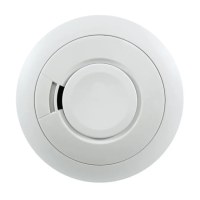
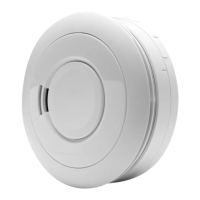
Ei Electronics Ei650iRF
62 pages
Print Icon
To Next Page IconTo Next Page
Loading...
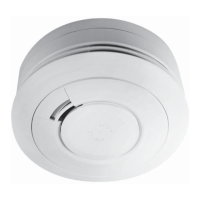
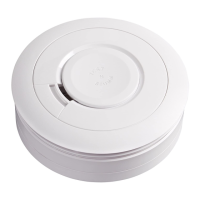
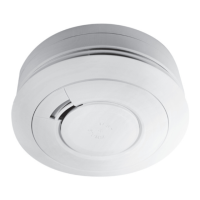
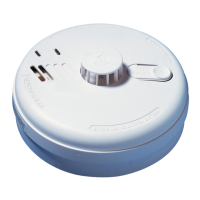
Ei650 Series
SmokeAlarm
Operating Instructions

Other manuals for Ei Electronics Ei650iRF

Questions and Answers

  • B
    Brittany HansonAug 8, 2025
    What to do if my Ei Electronics Security System has reached maximum dust compensation?
    • B
      barbara64Aug 8, 2025
      If your Ei Electronics Security System gives 4 short chirps with 4 yellow LED flashes when the button is pressed, it means it has reached the maximum dust compensation. To solve this, remove the alarm from the mounting plate, leave it disconnected for 5 minutes, and then reinstall it, ensuring the air is clean (free from dust and smoke). The dust compensation will then operate quickly, within 60 seconds.
  • K
    Kimberly SosaAug 18, 2025
    What to do if my Ei Electronics Security System sensor has a fault?
    • D
      Devin TranAug 18, 2025
      If your Ei Electronics Security System gives 2 short chirps with 2 yellow LED flashes every 48 seconds, it indicates a fault has been detected. In this case, the alarm must be returned for repair or replacement.
  • J
    John HendersonAug 29, 2025
    How to temporarily silence fault chirps on Ei Electronics Security System?
    • M
      Melanie RichardsAug 29, 2025
      If you press the button on an Ei Electronics Security System that is giving fault chirps and yellow LED flashes, the alarm will be silenced (Fault Hush Mode) for 12 hours.

Summary

Quick Guide to Smoke Alarms

Choosing a Location for Your Smoke Alarm

Positioning Guidelines

Details optimal placement on ceilings and walls for effective detection.

Avoid These Locations

Lists areas where smoke alarms should not be installed to prevent false alarms.

Smoke Alarm Installation

Alarm Mounting Procedure

Step-by-step guide for physically mounting the smoke alarm.

Testing, Maintenance, and Readiness

Manual Alarm Testing Procedure

How to perform a manual test to ensure the smoke alarm functions correctly.

Interpreting Smoke Alarm Signals

Fault Indicators and Low Battery

Explains signals indicating alarm faults or low battery.

Troubleshooting Common Issues

Alarm Activates Without Reason

Addresses issues where the alarm activates without apparent cause.

Alarm Fails Test Button

Guides on what to do if the alarm fails the test function.

Ei Electronics Ei650iRF Specifications

General IconGeneral
Battery LifeUp to 10 years
Alarm Sound Level85 dB at 3 meters
Test ButtonYes
Hush FeatureYes
Operating Temperature0°C to 40°C
TypeSmoke Alarm
ConnectivityRF
Wireless InterconnectYes
Sensor TypeOptical
Standards ComplianceEN 14604

Related product manuals