EasyManua.ls Logo

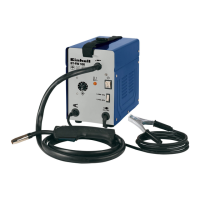
EINHELL BT-FW 100 - User Manual

EINHELL BT-FW 100
20 pages
Print Icon
To Next Page IconTo Next Page
Loading...
Art.-Nr.: 15.752.20 I.-Nr.: 11022
BT-FW
100
Original operating instructions
Flux Cored Welding Set
Anleitung_BT_FW_100_GB_SPK7__ 13.03.13 13:12 Seite 1

Questions and Answers

  • C
    Cheryl McguireAug 4, 2025
    What to do if the EINHELL BT-FW 100 Welding System feed roller turns, but doesn't feed wire?
    • J
      Justin AllenAug 4, 2025
      If the EINHELL Welding System's feed roller turns but no wire is fed, several issues could be the cause: * Incorrect roller pressure. * The roller brake is set too firmly. * The feed roller is dirty or damaged. * The hose package is damaged. * The contact tube is the wrong size, dirty, or worn. * The welding wire is welded to the gas nozzle or contact tube. To resolve this, check and adjust the roller pressure and brake setting, clean or replace the feed roller and contact tube, inspect the wire guide jacket for damage, and release any welding wire stuck to the gas nozzle or contact tube.
  • M
    michaelparksAug 11, 2025
    What to do if the EINHELL BT-FW 100 feed roller does not turn?
    • T
      Theodore IrwinAug 11, 2025
      If the feed roller on your EINHELL Welding System isn't turning, there are two possible reasons: * The power supply isn't connected. * The wire feed controller is set to 0. To solve this, check the power connection and the wire feed controller setting.
  • C
    Cassandra MartinAug 19, 2025
    Why does my EINHELL Welding System stop working after long use and the thermostat light is on?
    • B
      bmorrisSep 12, 2025
      If your EINHELL Welding System stops working after extended use and the thermostat control light is on, it likely overheated because it was used for too long without allowing sufficient reset time. To fix this, let the welding set cool down for at least 20 to 30 minutes.
  • A
    Audrey ThompsonAug 27, 2025
    Why is the weld quality very poor with my EINHELL BT-FW 100 Welding System?
    • C
      Chris WhiteheadAug 27, 2025
      A very poor weld on your EINHELL Welding System can be caused by an incorrect current or feed setting. Verify and adjust these settings accordingly.

Summary

Safety Regulations

General Safety Precautions

Covers handling, usage, environment, mains connection, and basic arc hazards.

Arc Welding Hazards and Protection

Details dangers like radiation, sparks, vapors, and required personal protection.

Constricted and Wet Area Safety

Safety measures for working in constricted, wet, or hot environments.

Appropriate Safety Clothing

Guidelines on wearing suitable protective clothing, gloves, and head protection.

Radiation and Burn Protection Measures

Information on protecting against radiation and burns from the welding arc.

Sources of Danger During Arc Welding

Electrical Safety and Work Practices

Guidelines for electrical connections, accident procedures, and contact points.

Layout and Items Supplied

Component Identification

Lists and identifies main parts and assembly materials of the welding set.

Intended Use

Product Application and Limitations

Defines proper use of the flux cored welding set and warranty limitations.

Technical Data

Equipment Specifications

Provides key technical specifications like mains connection, current, voltage, and weight.

Before Starting the Equipment

Assembly Procedures

Guide for assembling carrying strap, welding screen, and fitting wire spool.

Mains and Earth Connection

Instructions for connecting the equipment to power supply and earth terminal.

Wire Guide Unit Setup

Details on wire types, spool capacity, and inserting wire spool and guide.

Operation

Setting Welding Parameters

Guidance on adjusting welding current and wire feed speed for optimal results.

Electrical Connections and Welding Process

Referencing connections and steps for initiating the welding process.

Cleaning, Maintenance, and Spare Parts

Equipment Cleaning and Servicing

Instructions for cleaning, maintenance, and available servicing for the set.

Ordering Replacement Parts

Information required when ordering spare parts for the equipment.

Disposal and Recycling

Environmentally Friendly Disposal

Guidelines for proper disposal and recycling of the equipment and its packaging.

Troubleshooting

Common Faults and Solutions

Lists common faults, causes, and recommended remedies for the welding set.

Key to Symbols

Understanding Safety and Technical Symbols

Explains various symbols used in the manual related to standards, warnings, and technical specifications.

EINHELL BT-FW 100 Specifications

General IconGeneral
BrandEINHELL
ModelBT-FW 100
CategoryWelding System
LanguageEnglish

Related product manuals