13
(2) How to upgrade firmware
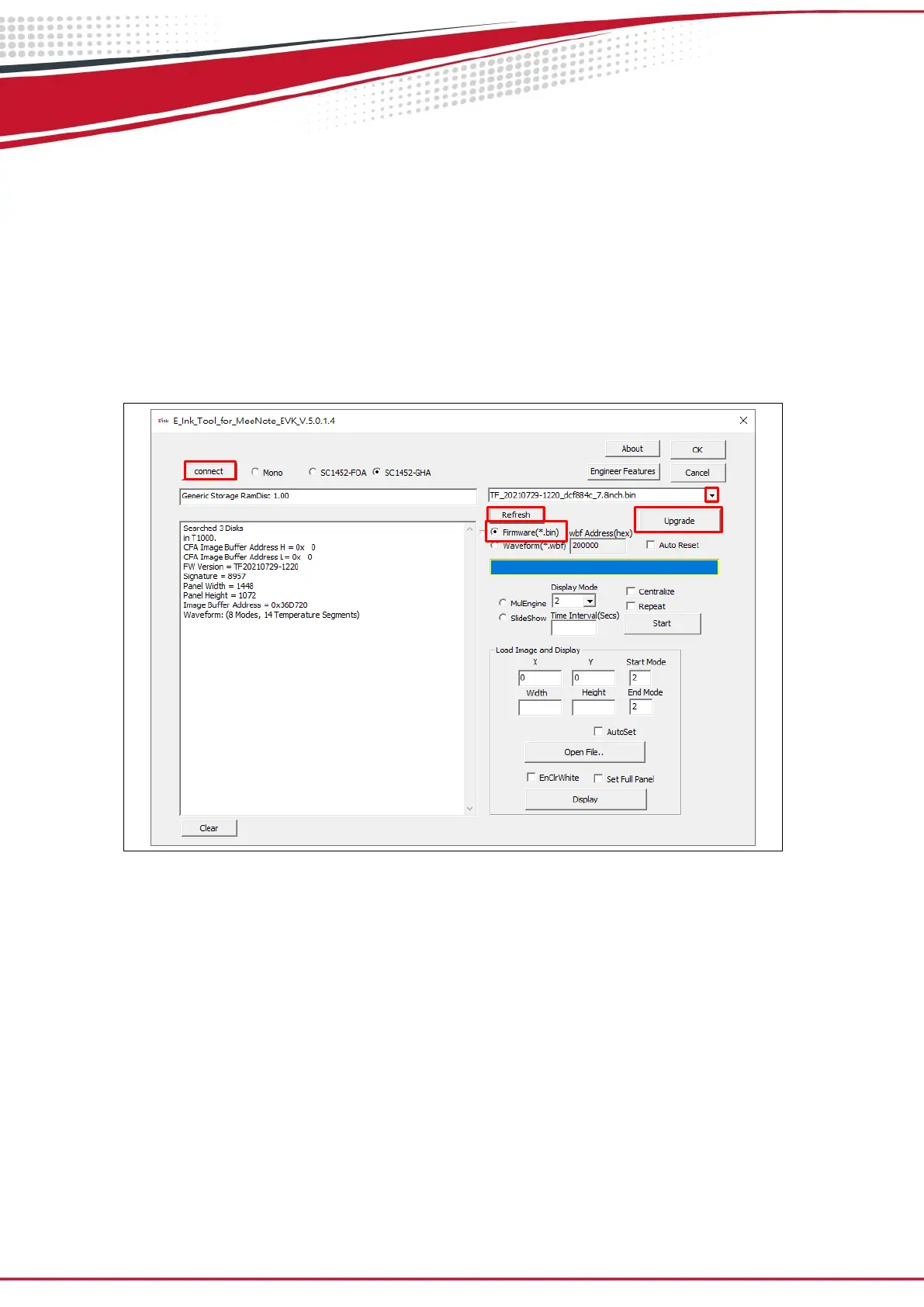
Execute E_Ink_Tool_for_MeeNote_EVK_V5.0.1.4.exe (refer to Figure 3.5)
Click the “connect” button (step 1)
Choose “Firmware(*.bin) (step 2)
Click “Refresh” and choose the FW you want to use. (step 3&4)
Click “Upgrade” (step 5)
If update is success, please re-plug the power adapter and USB cable (reset)
Figure 3.5


 To Next Page