12
4 Appendix:
(1) How to minimize artifact
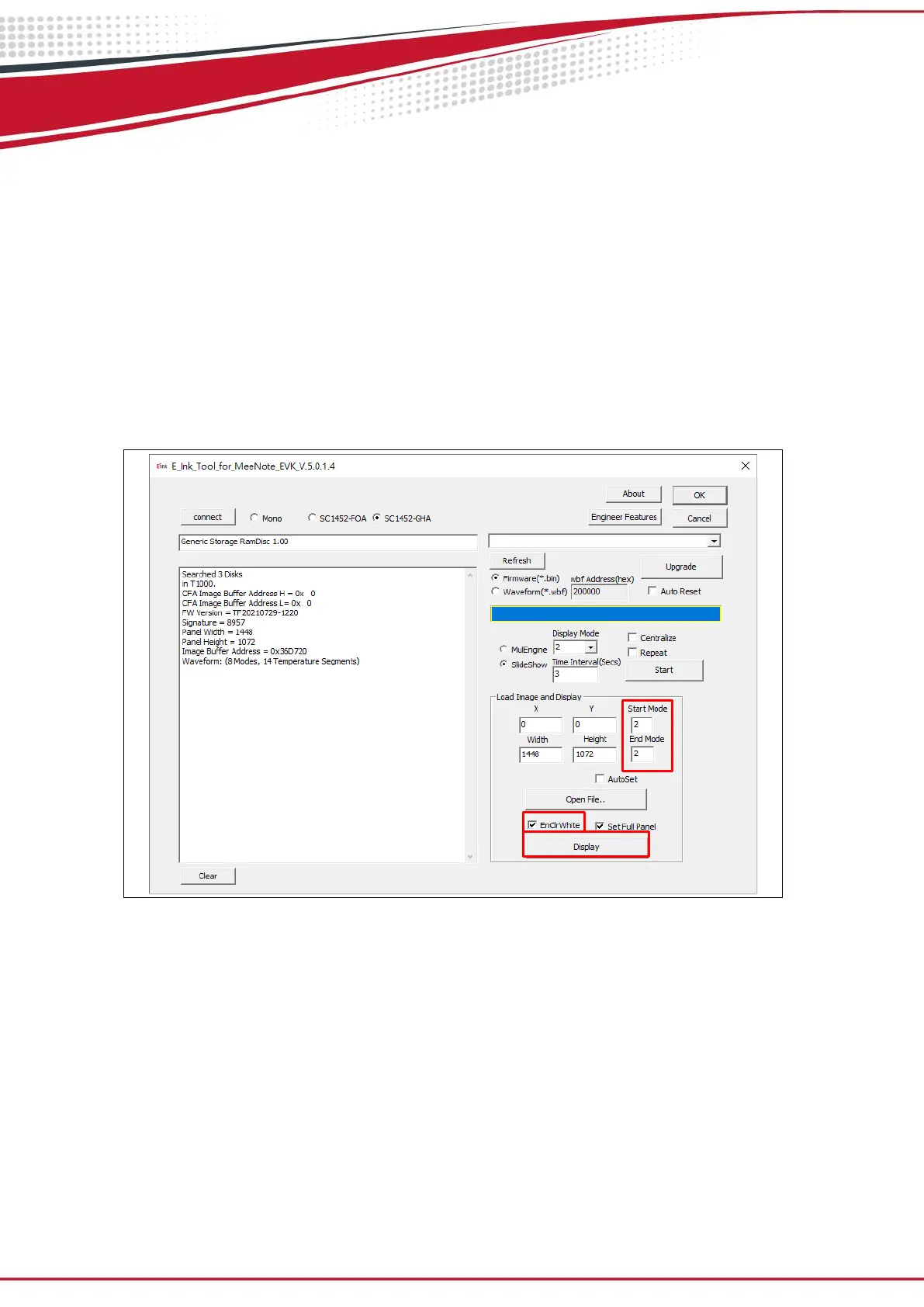
Execute E_Ink_Tool_for_MeeNote_EVK_V5.0.1.4.exe and select SC1452-FOA or
SC1452-GHA (refer to Fig 3.4)
Select “EnClrWhite” option
Set “Start mode” and “End mode” to 2,
Click “Display” button, ePaper display will show white picture. Repeat above
steps if necessary. Unselect “EnClrWhite” option after done with minimizing
artifact.
Figure 3.4


 To Next Page