17
5 How to use MeeNote function
(1) Installation
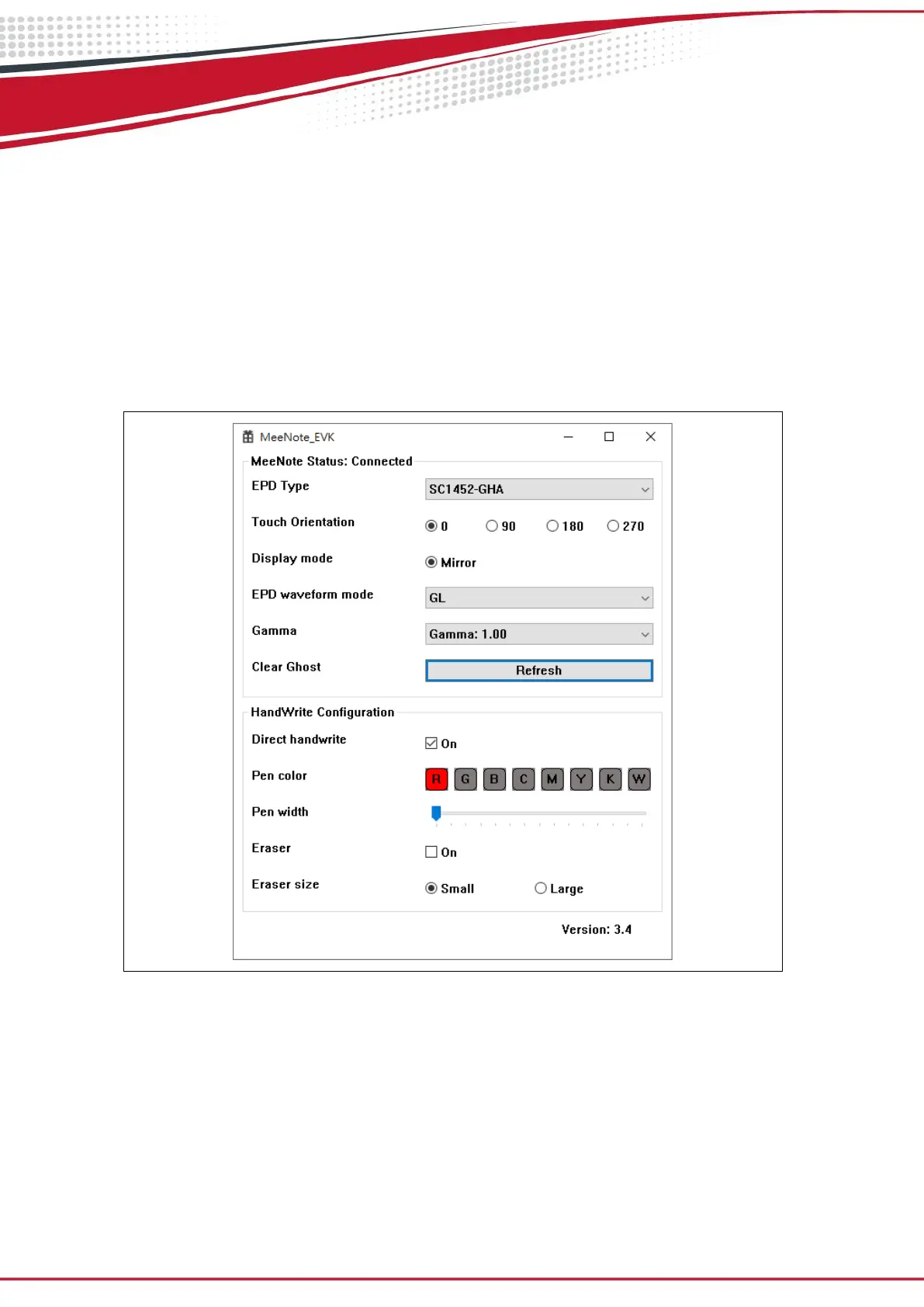
1. Launch MeeNote_EVK.exe
2. Press power key to boot up MeeNote EVK board.
3. Connect your NB and MeeNote EVK board with USB cable.
4. Choose the EPD Type to “SC1452-FOA” or “SC1452-GHA”
5. Wait for a moment then you will see the EPD starting mirror the content
from Windows.
Figure 3.8


 To Next Page