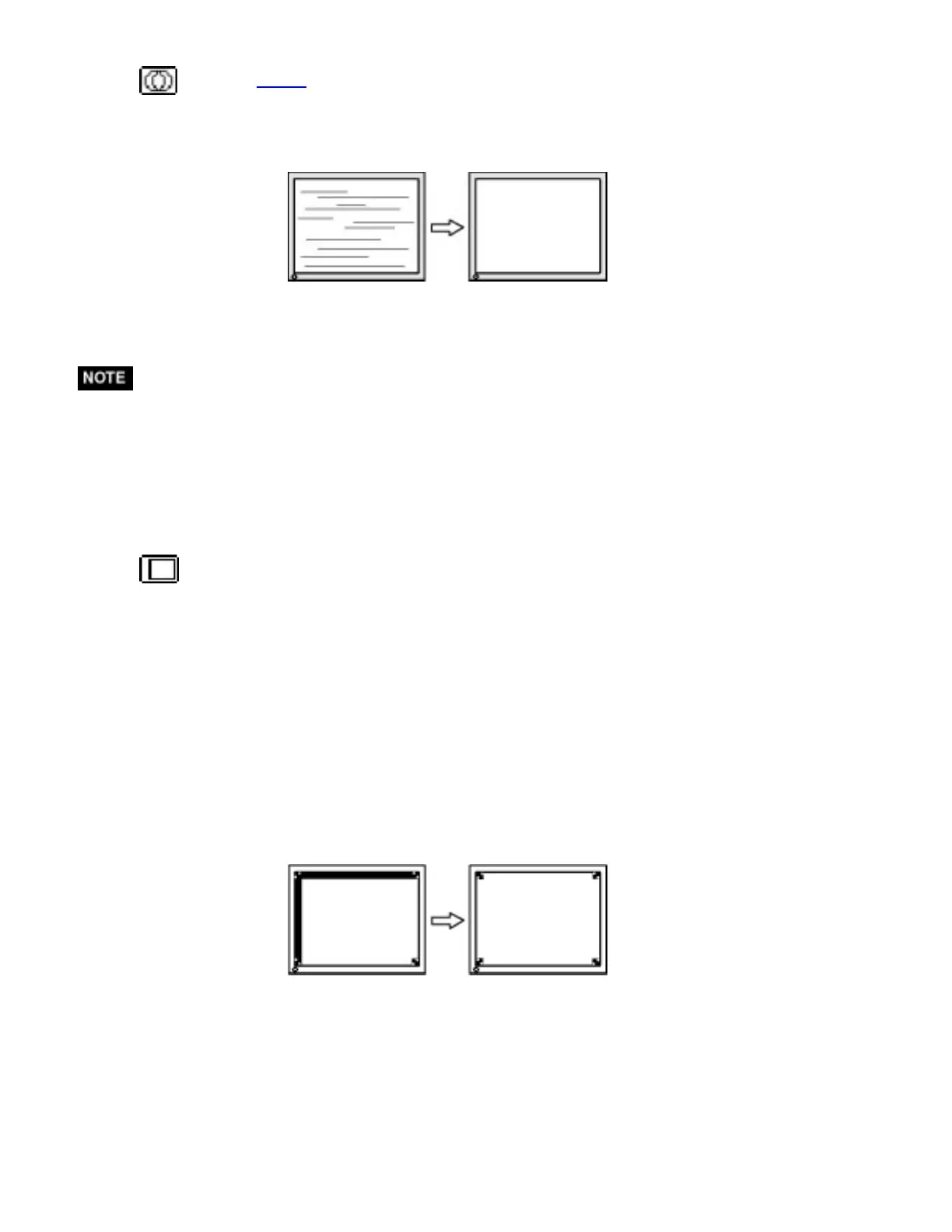
(2) Horizontal bars appear on the screen.
=> Use the <Phase> adjustment.
Select the <Phase> and eliminate the horizontal flickering, blurring or bars by
using the Right and Left buttons.
* Horizontal bars may not completely disappear from the screen depending on the
PC.
(3) The screen position is incorrect.
=> Use the <Position> adjustment.
The correct displayed position of the monitor is decided because the number and
the position of the pixels are fixed. The <Position> adjustment moves the image
to the correct position.
Select <Position> and adjust the position by using the Up, Down, Right and Left
buttons.
If vertical bars of distortion appear after finishing the <Position> adjustment,
return to <Clock> adjustment and repeat the previously explained adjustment
procedure. ("Clock" => "Phase" => "Position").




 To Next Page