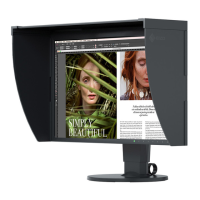
Why are characters blurred on my Eizo ColorEdge CG277 Monitor?
- RrjenningsSep 12, 2025
If characters are blurred on your Eizo monitor, check whether the PC is configured to meet the resolution and vertical scan frequency requirements of the monitor.
Why are characters blurred on my Eizo ColorEdge CG277 Monitor?
If characters are blurred on your Eizo monitor, check whether the PC is configured to meet the resolution and vertical scan frequency requirements of the monitor.
How to fix incorrect color on Eizo ColorEdge CG277 Monitor with DisplayPort or HDMI input?
To correct the color on your Eizo monitor with DisplayPort or HDMI input: * Use “Screen” - "Color Space" under the Adjustment menu to adjust it. * For HDMI signal input, change the “Signal Format” setting.
Why is there no audio output from my Eizo ColorEdge CG277?
This Eizo monitor does not support the HDMI/DisplayPort audio signals.
Details the monitor's physical and technical capabilities, including screen size and connectivity.
Identifies and explains the monitor's front and rear controls, indicators, and ports.
Describes the contents of the provided utility disk and software for calibration.
Explains how to navigate menus, perform basic adjustments, and use functions.
Covers compatible resolutions and formats for digital and video signals.
Allows selection of predefined color modes for different applications and workflows.
Details how to adjust brightness, color temperature, gamma, and color gamut.
Explains how to configure settings like overdrive to reduce afterimages in moving images.
Sets color space and expands signal output range for optimal image display.
Configures HDMI-specific settings like noise reduction and film detection.
Allows customization of menu language, orientation, and display position.
Enables skipping of specific display modes during source switching.
Controls the display of the EIZO logo on monitor startup.
Prevents accidental changes by locking control buttons.
Adjusts the Digital Uniformity Equalizer for screen uniformity.
Resets color adjustments or all settings to factory defaults.
Configures CAL or Standard mode for the self-calibration process.
Sets the internal clock for scheduled calibration tasks.
Defines the frequency and timing for automatic self-calibration.
Specifies desired white point, color gamut, and gamma for calibration.
Initiates the manual execution of the self-calibration process.
Reviews the results of previous self-calibration attempts.
Allows manual switching between different input sources.
Configures automatic or manual input signal detection.
Skips inactive input signals during source switching.
Manages USB upstream port switching between multiple connected PCs.
Manages monitor power states based on external device activity.
Adjusts the brightness of the power and function indicators.
Controls power saving features specific to the DisplayPort connection.
Addresses issues where the screen displays no image or has power indicator problems.
Solves common display issues like brightness, blurriness, afterimages, or noise.
Helps resolve issues with menus, USB detection, or audio output.
Diagnoses issues related to the calibration sensor and self-calibration execution.
Guides on mounting external monitor arms or stands.
Explains how to utilize the monitor's USB hub functionality.
Displays detailed monitor information like model, serial number, and firmware version.
Provides detailed technical specifications for the monitor.
Lists registered trademarks and intellectual property.
Details licensing and copyright information for the product.
Includes FCC and Canadian compliance statements.
Provides guidance on ergonomic setup and choosing monitor arms.
| Screen Size | 27 inches |
|---|---|
| Resolution | 2560 x 1440 |
| Panel Type | IPS |
| Brightness | 300 cd/m² |
| Contrast Ratio | 1000:1 |
| Response Time | 6 ms (Gray-to-Gray) |
| Inputs | DVI-D, HDMI, DisplayPort |
| Built-in Calibration Sensor | Yes |
| Aspect Ratio | 16:9 |
| Viewing Angles | 178°/178° |
| Calibration | Hardware Calibration |
| Stand Adjustments | Height, tilt, swivel, pivot |
| Color Gamut | Adobe RGB 99% |
| USB Ports | 2 upstream, 2 downstream |


Loading...