13
Chapter 1 Introduction
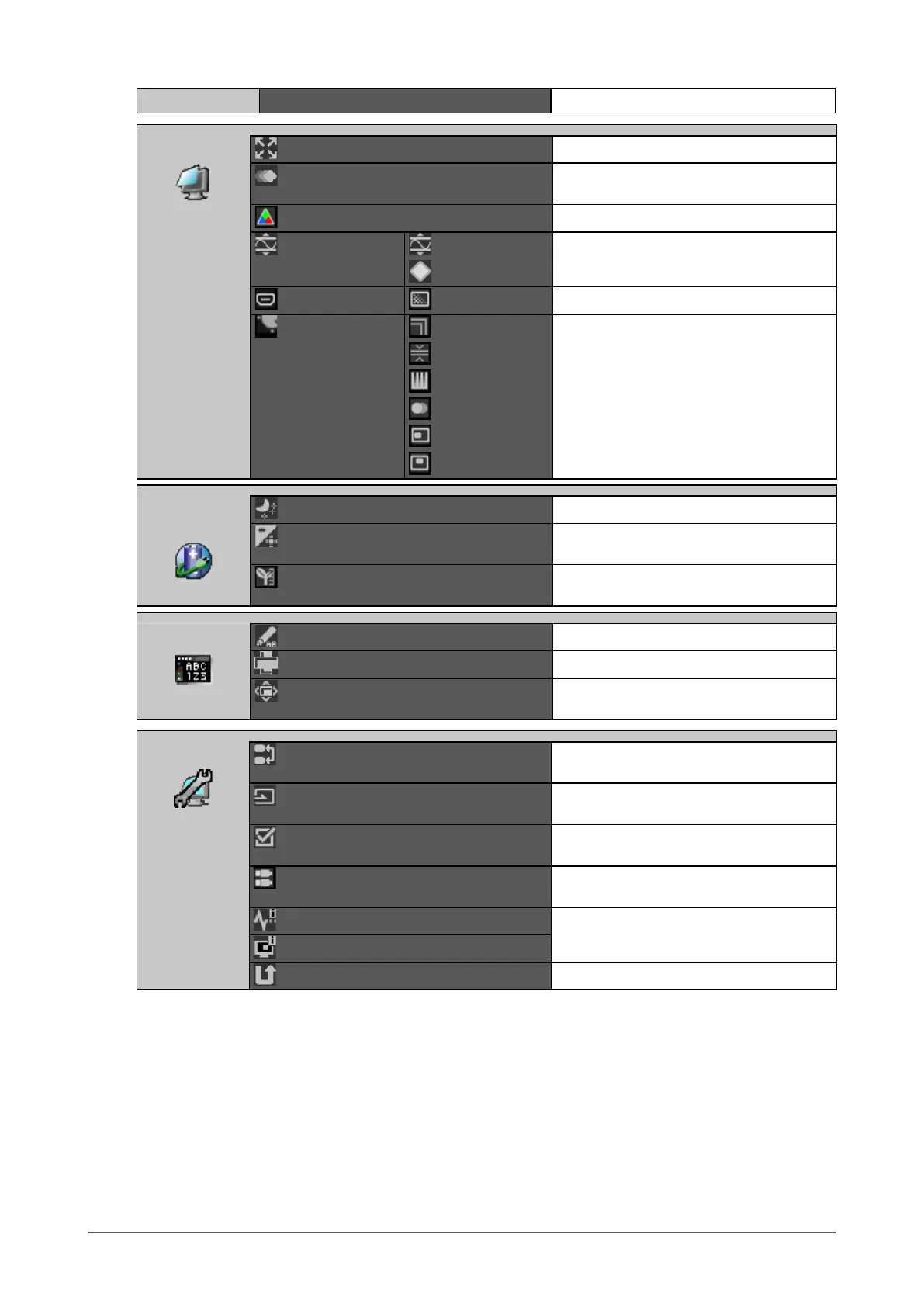
Main Menu Item Reference
Screen
Screen Size
“To select screen size” (page 16)
Overdrive
“2-5. Conguring Moving Image
Performance” (page 29)
Color Space
“2-6. Specifying Color Space” (page 29)
Range Extension Range Extension
“2-7. Expanding Signal Output Range” (page
30)
Super White
HDMI Settings
*2
Noise Reduction
“2-8. Setting HDMI” (page 31)
Analog Adjustment Auto Adjustment
“2-2. Adjusting Screens” (page 18)
Range Adjustment
Clock
Phase
Hor. Position
Ver. Position
Power
Manager
Power Save
“5-1. Setting Power Save” (page 39)
Indicator
“5-2. Adjusting the Brightness of Indicator”
(page 40)
EcoView Index
“5-3. Checking the Power Saving Level”
(page 40)
Menu Settings
Language
“Selecting the Language” (page 32)
Orientation
“Setting Orientation” (page 32)
Menu Position
“To change adjustment menu display
position” (page 32)
Tools
Input Selection
“4-2. To set input signal selection” (page
37)
Input Skip
“4-3. Skipping Unused Input Signals” (page
37)
Mode Skip
“3-2. Skipping Unused Display Modes”
(page 33)
USB Selection
“4-4. Switching USB Port Automatically”
(page 38)
Signal Info
“7-5. Showing Monitor Information” (page
51)
Monitor Info
All Reset
“3-7. Reset to default” (page 35)
*1 Functions available for adjustment and setting in Standard Mode (page 22) are displayed.
*2 This function is available with HDMI signal input.


 To Next Page