9
Chapter 1 Introduction
●
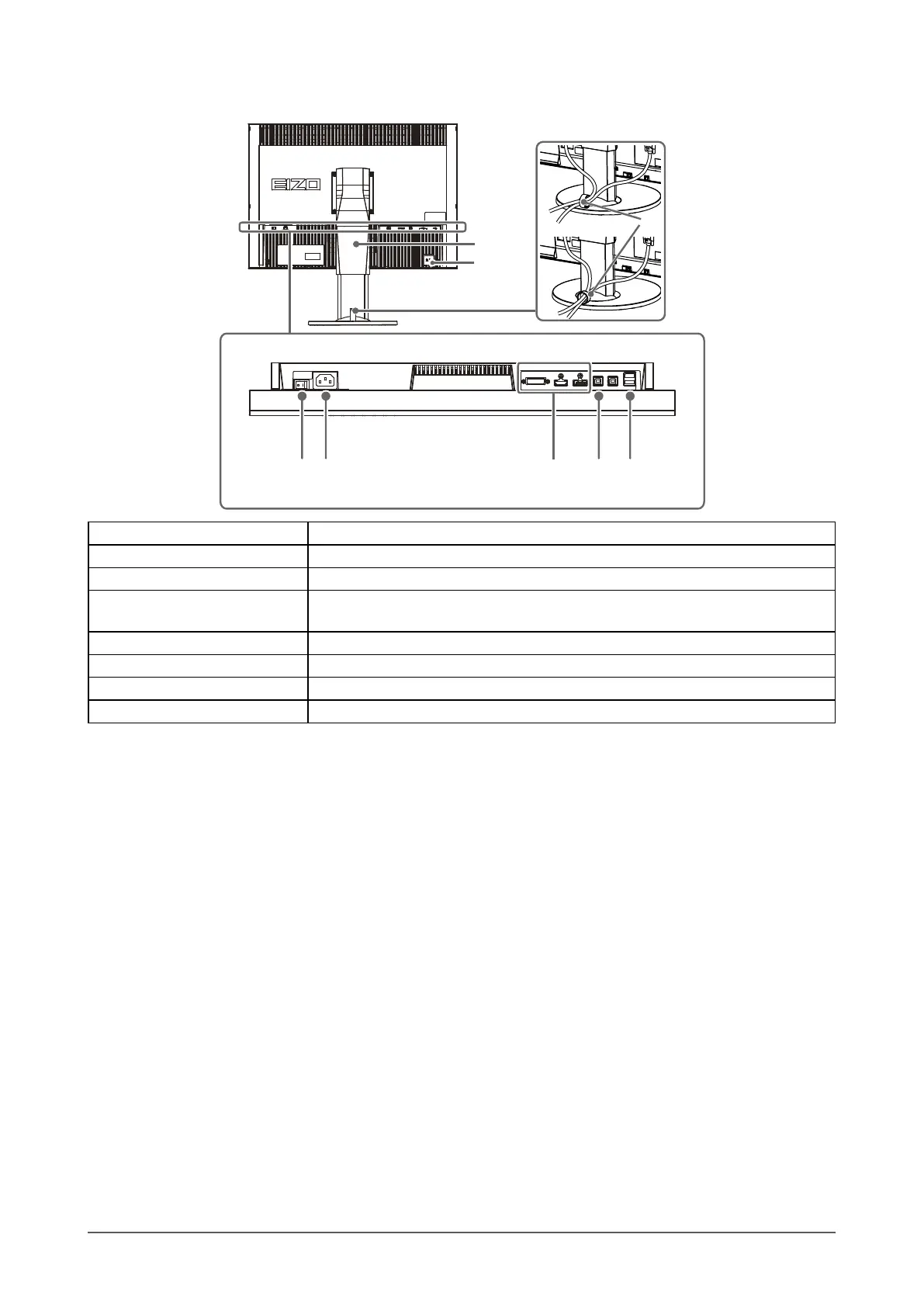
Rear
14
13
8 9 10 11
12
15
8. Main power switch Turns the main power on or off.
9. Power connector Connects the power cord.
10. Input signal connectors Left: DVI-I connector / Center: HDMI connector / Right: DisplayPort connector
11. USB upstream port
Connects the USB cable to use the software that needs USB connection, or to use
USB hub function (page 50).
12. USB downstream port Connects a peripheral USB device.
13. Stand
*2
Used to adjust the height and angle of the monitor screen.
14. Security lock slot Complies with Kensington’s MicroSaver security system.
15. Cable holder Covers the monitor cables.
*2 An optional arm (or an optional stand) can be attached by removing the stand section (see “7-1. Attaching the Optional Arm”
(page 45)).


 To Next Page