51
Chapter 7 Reference
●
Procedure
1. Connect the signal cable between a PC and the monitor, and turn on the PC.
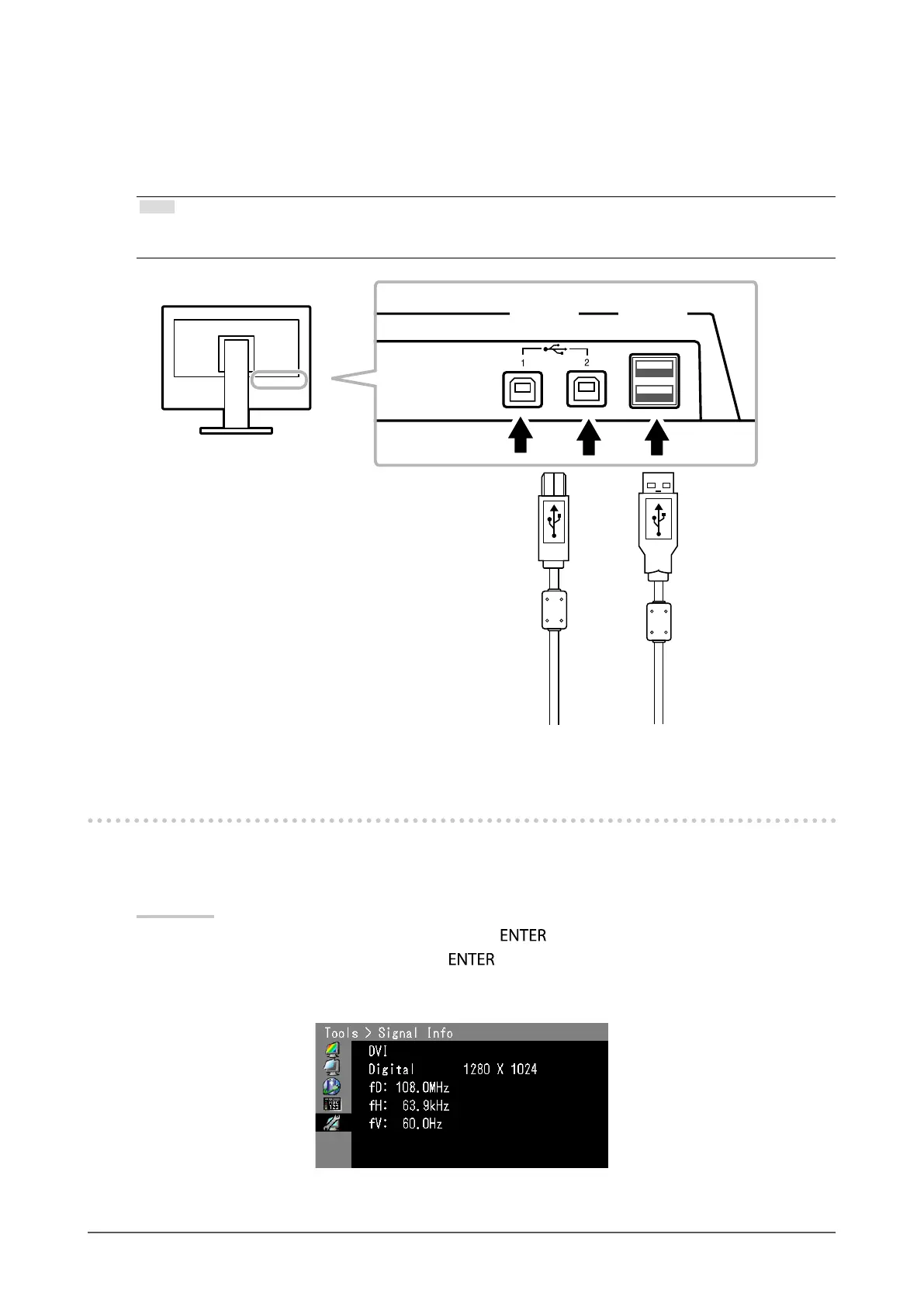
2. Using the USB cable, connect the computer’s downstream port and the monitor’s upstream port 1.
3. Connect the peripheral USB device to the USB downstream port of the monitor.
Note
• By default, USB upstream port 1 is enabled. To connect two PCs, see “4-4. Switching USB Port Automatically” (page
38).
USB
downstream
port
USB
upstream
port
7-5. Showing Monitor Information
●
Displaying signal information
This function displays the information about the current input signals displayed.
Procedure
1. Choose “Tools” from the Adjustment menu, and press
.
2. Choose “Signal Info” from “Tools”, and press
.
The “Signal Info” appears.
(Example)


 To Next Page