EasyManua.ls Logo

Eizo ColorEdge CS240 - User Manual

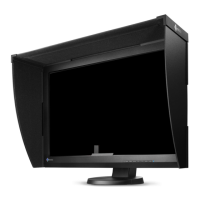
Eizo ColorEdge CS240
77 pages
Print Icon
To Next Page IconTo Next Page
Loading...
Important
Please read PRECAUTIONS, this User’s Manual, and the Setup Guide
(separate volume) carefully to familiarize yourself with safe and
effective usage.
Please refer to the Setup Guide for basic information ranging from
connection of the monitor to a PC or external device to using the
monitor.
The latest software and User’s Manual are available for download
from our web site:
http://www.eizo.com
Cover

Table of Contents

Questions and Answers

  • C
    Courtney FernandezSep 3, 2025
    Why doesn't the auto adjustment function work on my Eizo ColorEdge CS240?
    • D
      Diana SullivanSep 4, 2025
      The auto adjustment function may not work on your Eizo Lcd monitor for these reasons: * It does not work during digital signal input. * It is intended for use on Macintosh and AT-compatible PCs running Windows. * It may not work properly when an image is displayed only on a part of the screen or with a black background. * It may not function correctly with some graphics boards.
  • D
    Daniel LeeSep 18, 2025
    Why is there no audio output from my Eizo ColorEdge CS240 Lcd monitor?
    • G
      Gina BennettSep 18, 2025
      This Eizo Lcd monitor does not support HDMI/DisplayPort audio signals.
  • M
    michael27Sep 16, 2025
    Why is no mode menu displayed on my Eizo ColorEdge CS240 Lcd monitor?
    • J
      Jon VillarrealSep 16, 2025
      If no mode menu is displayed on your Eizo Lcd monitor: * Check whether the operation lock function is enabled. * If ColorNavigator is running, exit the software, as operation buttons are locked when it's active.
  • D
    David TaylorSep 14, 2025
    Why doesn't the adjustment menu appear on my Eizo ColorEdge CS240 Lcd monitor?
    • R
      Russell HammondSep 14, 2025
      If the adjustment menu does not appear on your Eizo Lcd monitor: * Check whether the operation lock function is enabled. * If ColorNavigator is running, exit the software, as operation buttons are locked when it's active.
  • J
    Jody PowersSep 12, 2025
    How to fix whole screen flickering or blurring on my Eizo Lcd monitor?
    • V
      veronicafrySep 12, 2025
      To remove flickering or blurring on your Eizo Lcd monitor, use “Phase” in the Setting menu to adjust it.
  • M
    Michael AriasSep 12, 2025
    How to correct an incorrect display position on my Eizo ColorEdge CS240 Lcd monitor?
    • D
      Daniel MoralesSep 12, 2025
      To correct an incorrect display position on your Eizo Lcd monitor: * Use “Position” in the Setting menu to correct the image position. * If the problem persists, use the graphics board’s utility (if available) to change the display position.
  • M
    Madeline DanielsSep 9, 2025
    How to fix an image that doesn't display on the entire screen of my Eizo Lcd monitor?
    • M
      Matthew DavidsonSep 9, 2025
      To make the image display on the entire screen of your Eizo Lcd monitor, change the “Screen Size” setting.
  • J
    Jamie GreenSep 7, 2025
    What to do if the color shown on my Eizo ColorEdge CS240 is not correct (DisplayPort or HDMI input)?
    • T
      Terry SosaSep 7, 2025
      If the color shown on your Eizo Lcd monitor is incorrect when using DisplayPort or HDMI input: * Use “Screen” - “Color Space” under the Adjustment menu to adjust it. * For HDMI signal input, change the “Signal Format” setting.
  • M
    Margaret KellySep 5, 2025
    Why does the display position of the windows change on my Eizo ColorEdge CS240 (DisplayPort input)?
    • D
      Debra HillSep 5, 2025
      To stop the display position of windows from changing on your Eizo Lcd monitor when using DisplayPort input, set “DP Power Save” to “Off” in the Adjustment menu.
  • T
    Tara CraigAug 20, 2025
    What to do if my Eizo ColorEdge CS240 has no picture and the power indicator doesn't light?
    • J
      James HooperAug 21, 2025
      If your Eizo Lcd monitor displays no picture and the power indicator is off, try the following: * Ensure the power cord is properly connected. * Press the power button. * Turn on the main power switch. * Turn the main power off, wait a few minutes, and then turn it back on. * Increase the “Brightness” and/or “Gain” in the Adjustment menu. * Switch the input signal. * Operate the mouse or keyboard. * Check if the PC is turned on. * If a device connected via DisplayPort / HDMI has a problem, resolve it, turn off the monitor, and then turn it on again.

Summary

Chapter 1 Introduction

1-1. Features

Key specifications and capabilities of the monitor, including size, resolution, and panel type.

1-2. Controls and Functions

Identifies front and rear controls, power indicator, and their functions for operating the monitor.

1-4. Basic Operations and Functions

Explains fundamental operations like displaying and adjusting the menu, and using button guides.

Chapter 2 Adjusting Screens

2-1. Setting Resolution

Lists compatible resolutions and formats for PC and video signals, and how to set them.

2-2. Adjusting Screens

Covers digital and analog signal adjustments, including auto adjustment for analog signals.

2-4. Adjusting Color

Details how to adjust brightness, temperature, gamma, and color gamut for optimal color reproduction.

Chapter 4 Connecting Multiple External Devices

4-2. To set input signal selection

Configures automatic or manual selection of input signals based on connected devices.

Chapter 6 Troubleshooting

6-1. No picture

Addresses issues where the screen remains blank or displays a "No Signal" message.

6-2. Imaging problems (for both digital and analog)

Covers common image quality issues like brightness, blurriness, afterimages, and dots.

6-3. Imaging problems (for digital only)

Addresses digital-specific image problems like incorrect colors or display position changes.

6-4. Imaging problems (for analog only)

Covers analog-specific issues like incorrect display position, vertical bars, or flickering.

Chapter 7 Reference

7-6. Specifications

Comprehensive technical specifications of the monitor, including panel, video, power, and physical dimensions.

Eizo ColorEdge CS240 Specifications

General IconGeneral
3DNo
Color gamut99 %
Pixel pitch0.27 x 0.27 mm
Aspect ratio16:10
Response time7.7 ms
Backlight typeW-LED
Display diagonal24.1 \
Display resolution1920 x 1200 pixels
Display technologyLED
Viewable size, vertical324 mm
Contrast ratio (dynamic)-
Contrast ratio (typical)1000:1
Display number of colors1.073 billion colors
Viewable size, horizontal518.4 mm
Digital vertical frequency23.75 - 63 Hz
Digital horizontal frequency15 - 78 kHz
Display brightness (typical)350 cd/m²
Supported graphics resolutions1920 x 1200 (WUXGA)
On/off switchYes
USB hub version2.0
DVI-I ports quantity1
VGA (D-Sub) ports quantity0
USB Type-A downstream ports quantity4
CertificationCB, CE, TUV/GS, cTUVus, FCC-B, ICES-003-B, VCCI-B, RCM, RoHS, WEEE, GOST-R
Product colorBlack
Market positioningGraphics design
Pivot angle0 - 90 °
Tilt angle range-5 - 35 °
Number of OSD languages9
Panel mounting interface100 x 100 mm
On Screen Display (OSD) languagesCHI (SIMPL), CHI (TR), DEU, ENG, ESP, FRE, ITA, JPN, SWE
AC input voltage100 - 240 V
AC input frequency50 - 60 Hz
Power consumption (max)68 W
Power consumption (standby)0.5 W
Power consumption (typical)27 W
Operating temperature (T-T)0 - 35 °C
Operating relative humidity (H-H)20 - 80 %
Weight and Dimensions IconWeight and Dimensions
Depth (with stand)245 mm
Height (with stand)553 mm
Weight (with stand)8700 g
Depth (without stand)71 mm
Width (without stand)575 mm
Height (without stand)398 mm
Weight (without stand)6000 g

Related product manuals