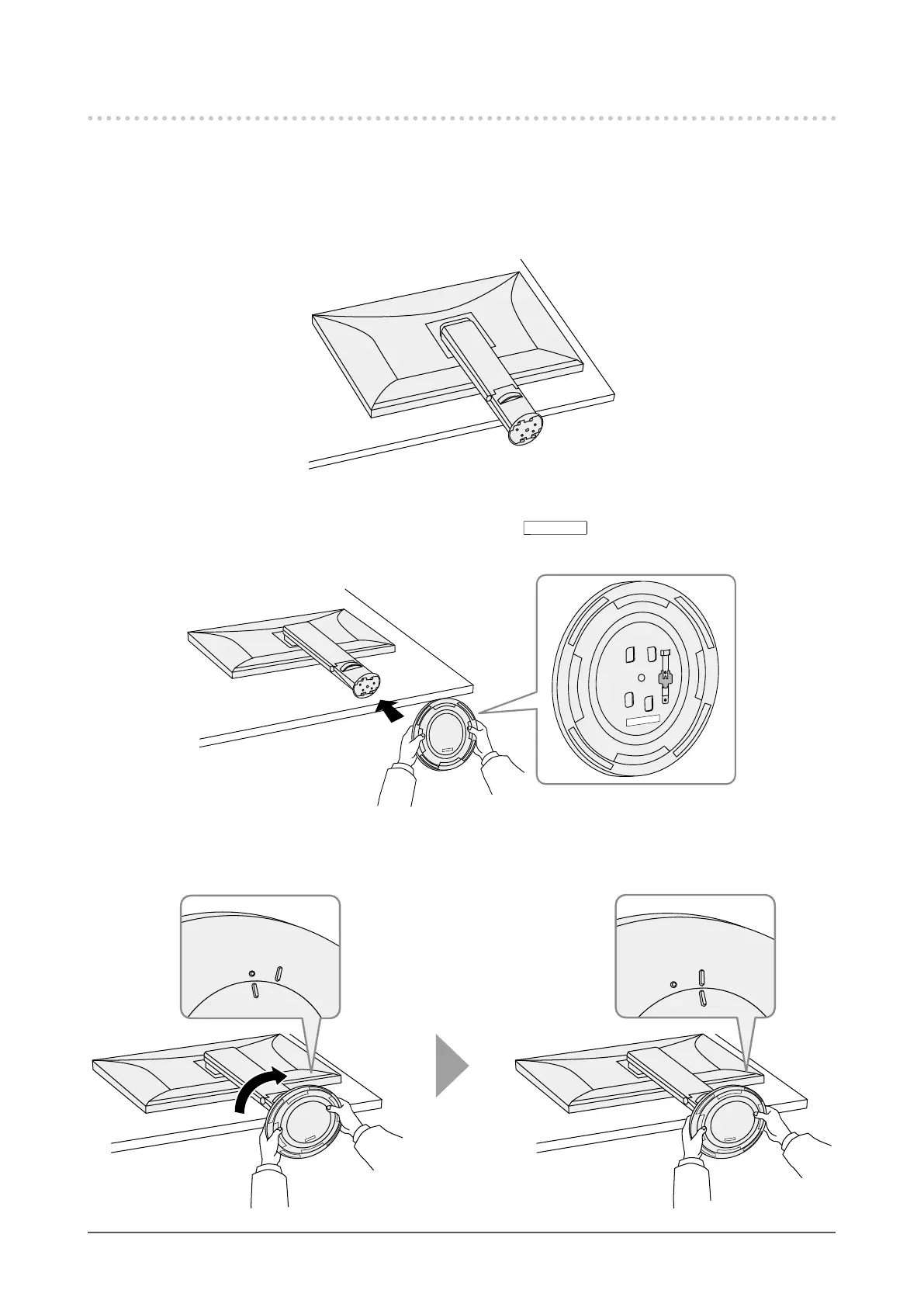
6-5. Attaching the Stand Base
The once removed the stand base can be attached to the monitor again with the following procedures.
1.
Lay the LCD monitor on a soft cloth spread over a stable and at surface with
the LCD panel surface facing down.
2.
Hold the stand base so that the back label (
FRO NT
) is aligned as shown in the
diagram, and attach the stand base onto the stand brace.
3.
Turn the stand base clockwise until it makes a clicking sound.
FRONT
FRONT
Click!
36
Chapter 6 Attaching/Removing the Stand












 To Next Page