23
Chapter 3 Advanced Adjustment/Setting
Function Description
Auto
Range
Adjust
Every color gradation (0 to 255) can be displayed by automatically adjusting the
signal output level. Selecting “Auto Range Adjust” displays a message. Select “Yes”
to enable this function.
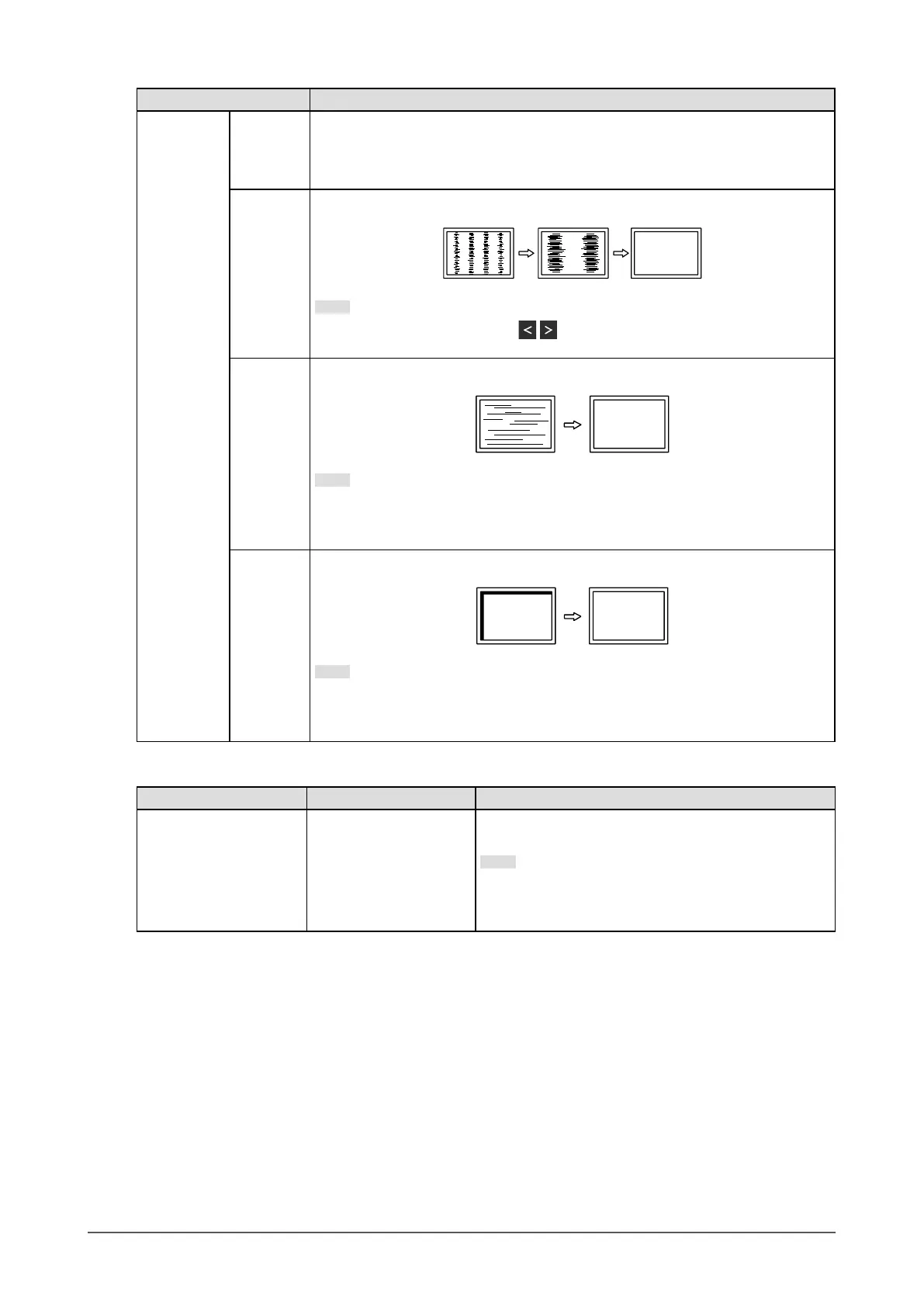
Clock
Flickering of vertical lines on the screen or part of the screen can be reduced.
Note
• Use the operation switches ( ) to make ne adjustments so as not to miss
any adjustment points.
Phase
Flickering and blurring over the entire screen can be reduced.
Note
• Flickering and blurring may not be completely eliminated depending on your
PC or graphics board.
• After setting, adjust the “Clock” again if vertical bars appear.
Hor.
Position
Ver.
Position
The display position (horizontal and vertical) of the screen can be adjusted.
Note
• Since the number of pixels and pixel positions are xed on the LCD monitor,
only one position is provided to display images correctly. Position adjustment
is made to shift an image to the correct position.
*5 Only enabled during D-sub input
Function Setting Range Description
Sound Source Stereo Mini Jack
DisplayPort
*6
HDMI
*7
The audio source can be changed when receiving
DisplayPort signal input or HDMI signal input.
Note
• This setting is xed to “Stereo Mini Jack” when
receiving DVI signal input, HDMI (PC signal) input,
or D-Sub signal input.
*6 Only enabled during DisplayPort input
*7 Only enabled during HDMI (video signal) input



 To Next Page