34
Chapter 6 Reference
6-2. Detaching / Attaching the Cable Holder
●
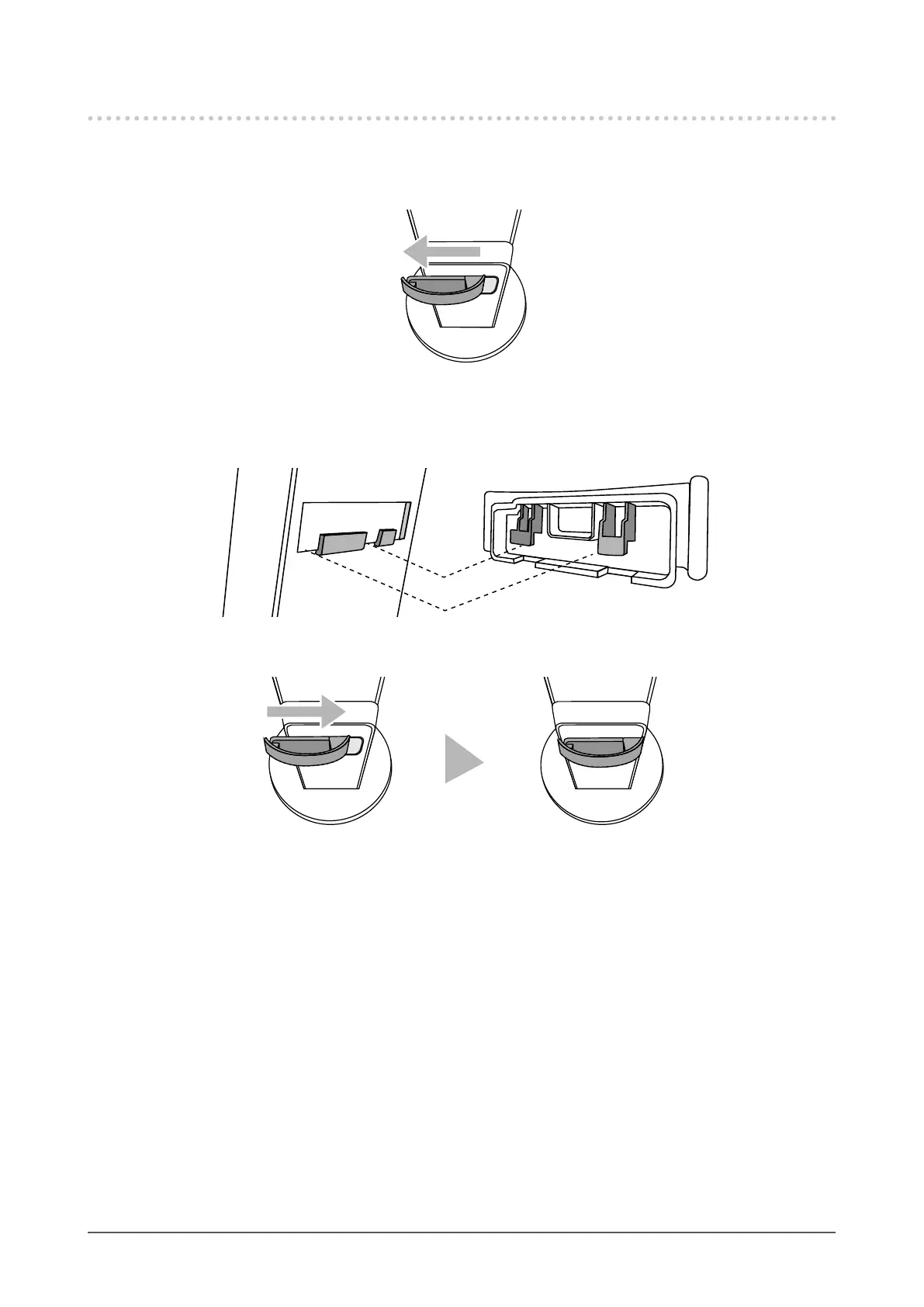
Detaching the cable holder
1. Slide the cable holder to the left, and detach it from the stand.
●
Attaching the cable holder
1. Align the tabs of the cable holder with the attachment parts of the stand.
2. Slide the cable holder to the right, and attach it to the stand.










 To Next Page