35
Chapter 6 Reference
6-3. Detaching / Attaching the Cable Cover
●
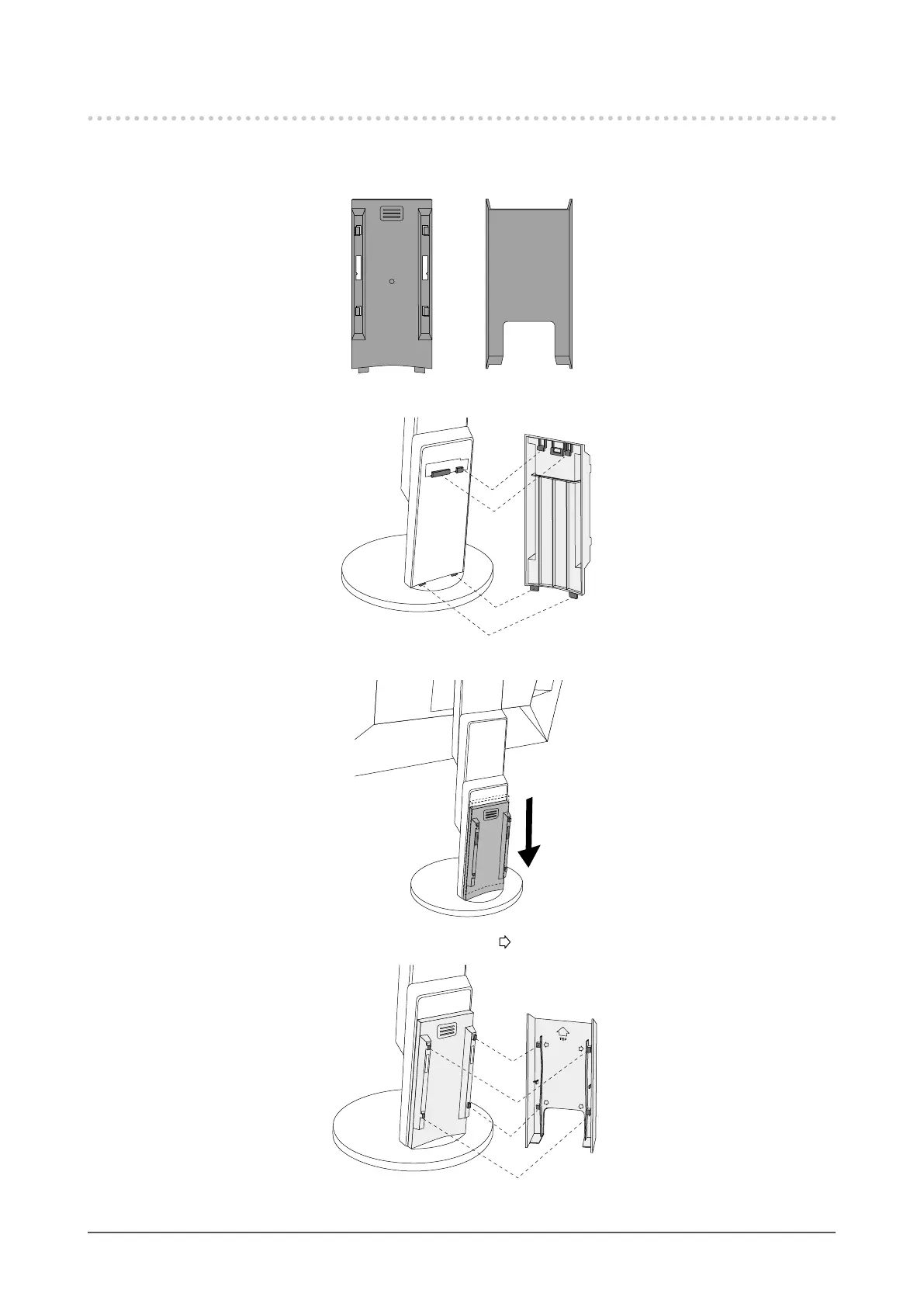
Attaching the cable cover
A
B
1. Align the tabs of (A) with the attachment parts of the stand.
A
2. Slide (A) downward to secure the tabs to the attachment parts of the stand.
3. Check the tabs of (B) (four locations indicated by ) and the attachment locations of (A).
B
A
4. Pass the cables between (A) and (B), and align (B) with (A) to t in.










 To Next Page