6
English
Prior to use Installation TroubleshootingSetting/Adjustment
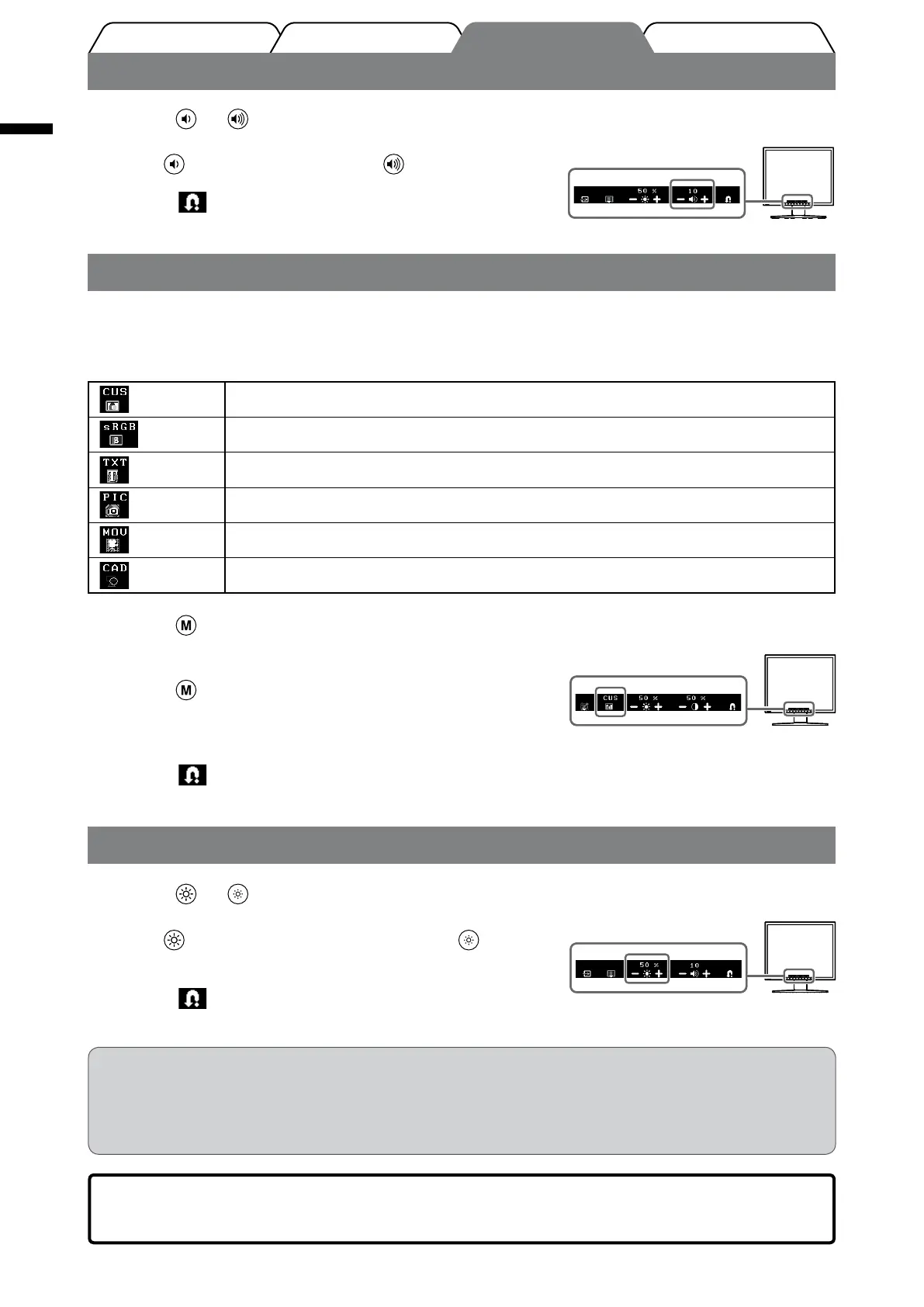
Adjusting Speaker Volume
1
Press or .
The adjustment menu appears.
Press
to turn down the volume, or to turn it up.
2
Select .
The adjustment is completed.
Selecting Display Mode (FineContrast Mode)
FineContrast allows you to select the best display mode easily according to monitor’s application.
For details of FineContrast, refer to the User’s Manual on the CD-ROM.
FineContrast Mode
(CUS) Custom mode. Available to change all setting values.
(sRGB) sRGB mode. Suitable for color matching with sRGB compatible peripherals.
(TXT) Text mode. Suitable for displaying texts for word processing or spreadsheets.
(PIC) Picture mode. Suitable for displaying images such as photos or picture images.
(MOV) Movie mode. Suitable for playing back animated images.
(CAD) CAD mode. Suitable for displaying CAD drawings.
1
Press .
The adjustment menu appears.
2
Press again while the adjustment menu is
displayed.
Each time you press the button, the mode is switched.
3
Select .
The mode selected is set.
Adjusting Brightness
1
Press or .
The adjustment menu appears.
Press
to increase screen brightness or press to
decrease.
2
Select .
The adjustment is completed.
NOTE
• Screen will be adjusted automatically to the appropriate brightness that accepted environment as the
sensor on the lower side of the monitor detects the surrounding brightness with the BrightRegulator
function.
For details, refer to the User’s Manual on the CD-ROM.
The basic settings and adjustments are completed. For advanced settings/adjustments,
refer to the User’s Manual on the CD-ROM.
Speaker volume adjustment screenSpeaker volume adjustment screen
Current FineContrast modeCurrent FineContrast mode
Brightness adjustment screenBrightness adjustment screen








 To Next Page