SMS Gateway User Manual
Shenzhen Ejoin Technology Co.,Ltd. 19
Figure 3.3.6-3 SIM Number
3.3.7 Billing Settings
This is the billing system page, this billing system is widely used in querying balance
automatically which can remind customers to recharge or replace the no balance SIM cards.
The theory of this billing system: every SIM card will get an accurate balance from USSD or
SMS response, then the system will deduct money in every billing period by tariff which you
set, so it may take some deviation.
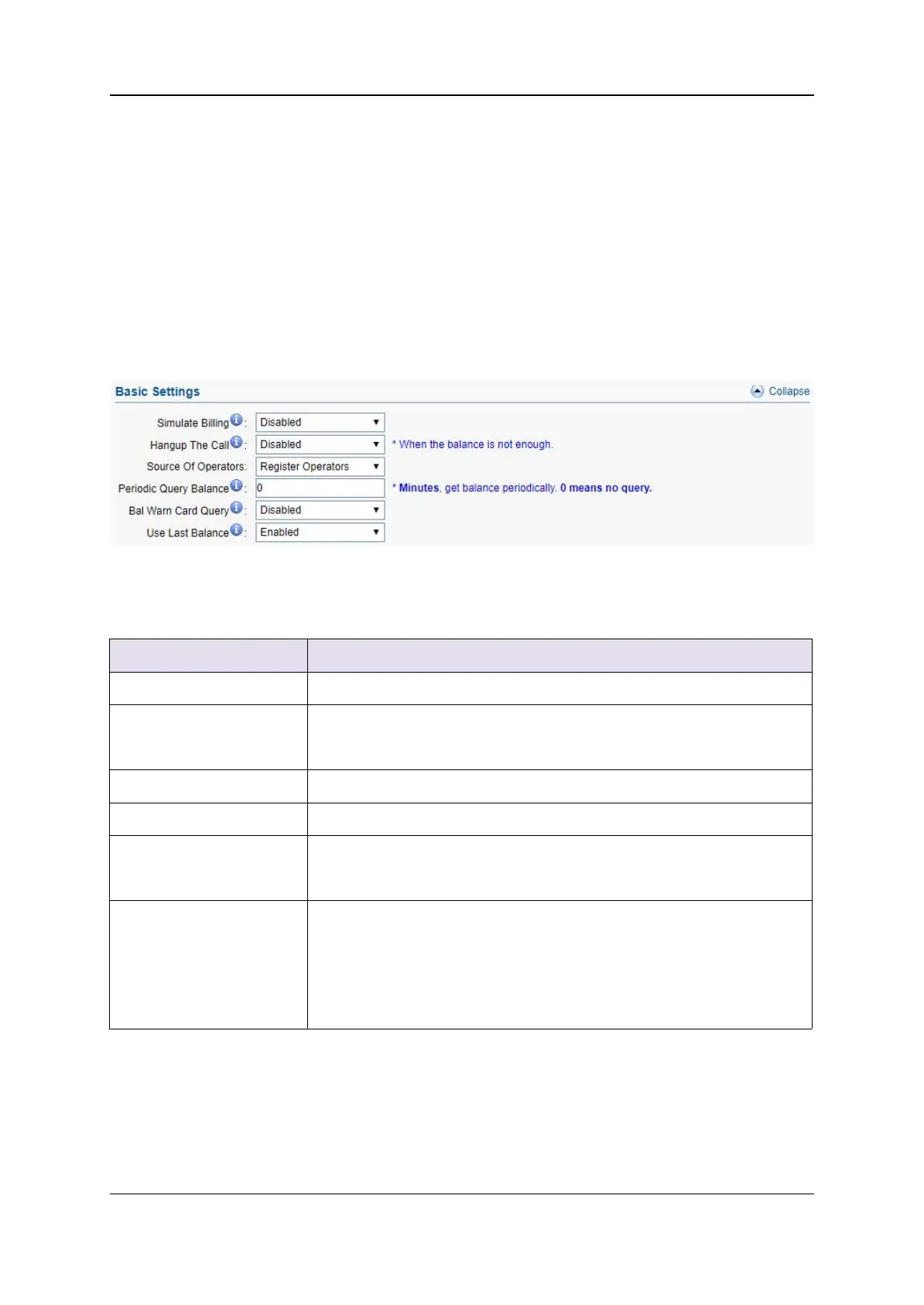
Figure 3.3.7-1 Basic Settings
Enable it, the billing system will be up.
If it is enabled, the call will be hang up when the balance is lower
than invalid balance value.
When operator ID and IMSI are different, can use this settings
Get balance periodically, it may be more accurate.
If it is enabled, it will query the balance when lower than caution
balance value.
Enable: query balance failed, use last balance
Disable: query balance failed, balance show N/A, the sim can’t
be used if it is lower than invalid balance value and it show
yellow sim LED
Table 3.3.7-1



 To Next Page