SMS Gateway User Manual
Shenzhen Ejoin Technology Co.,Ltd.
51
Figure 3.7.1-2 Allowed IP settings
3.7.2 Role Mgmt
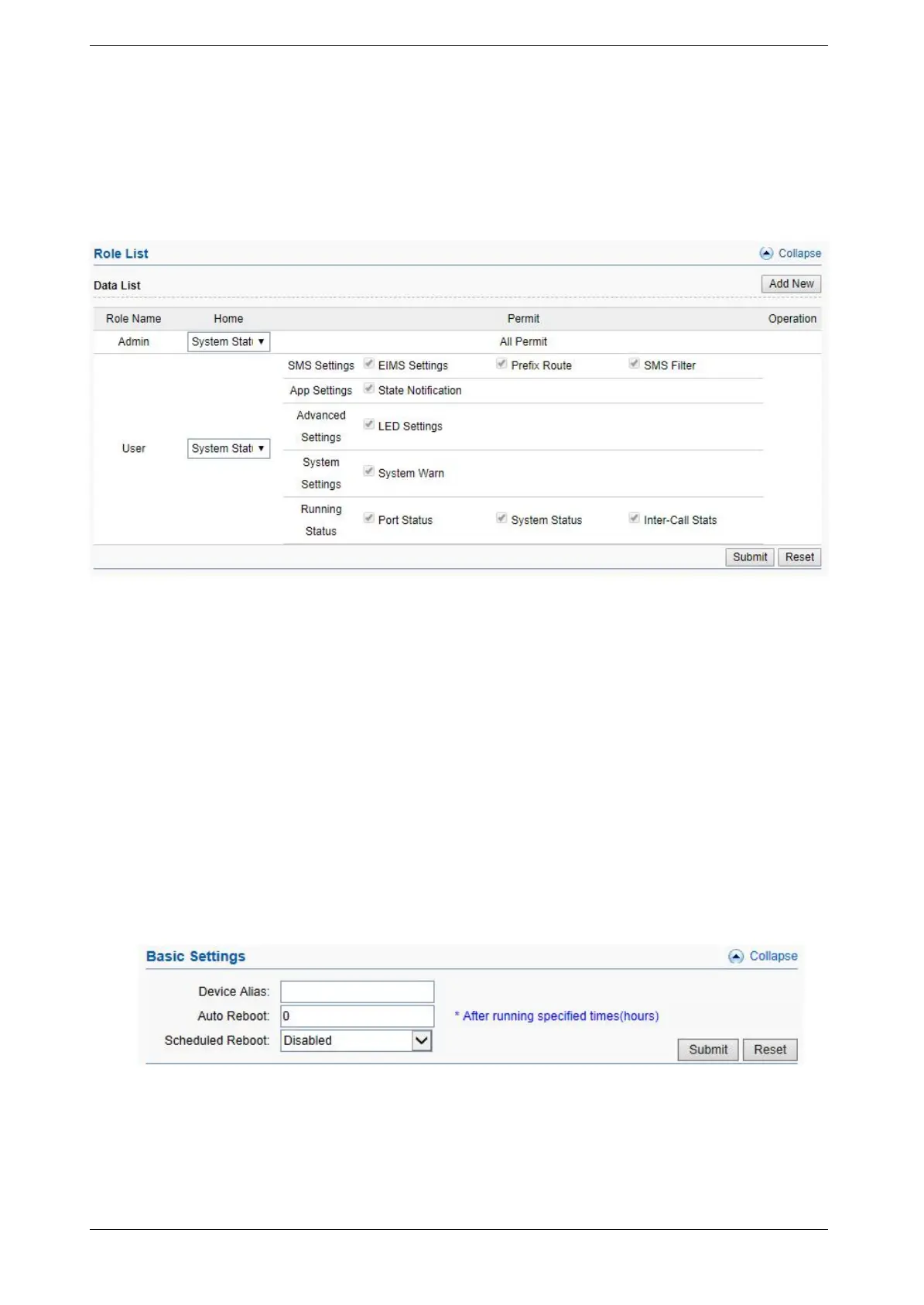
Add new role here, and choose the page the role need to control.
Figure 3.7.2-1 Role List
3.7.3 Device Mgmt
Basic Settings
You are allowed to set an alias for device. You can also manage your gateway to reboot
automatically as you like. There are two types for you to choose, one is after gateway running
specified time, and the other one is scheduled reboot.
Figure 3.7.3-1 Basic Settings
Date and Time
You can choose your time zone or change the NTP server address here. There are three
method to get time, manual means set the time manually, NTP means get the time from time



 To Next Page