SMS Gateway User Manual
Shenzhen Ejoin Technology Co.,Ltd.
37
Figure 3.4.7-1 Basic Settings
client: device work as smpp client
server: device work as smpp server, if device is in NAT, need to forward
the device smpp port first.
Smpp account for smpp client register.
Device receive sms, will encoding by the code.
The code of delivery report.
Destination address, when device receive sms, will send the sms to smpp
client and the recipient address will be the dest addr.
NPI and TON set to 0X01 if enabled.
Smpp client registered in device, will show transceiver
Select all ports means all ports with one smpp account.
Figure 3.4.7-1 Basic Settings
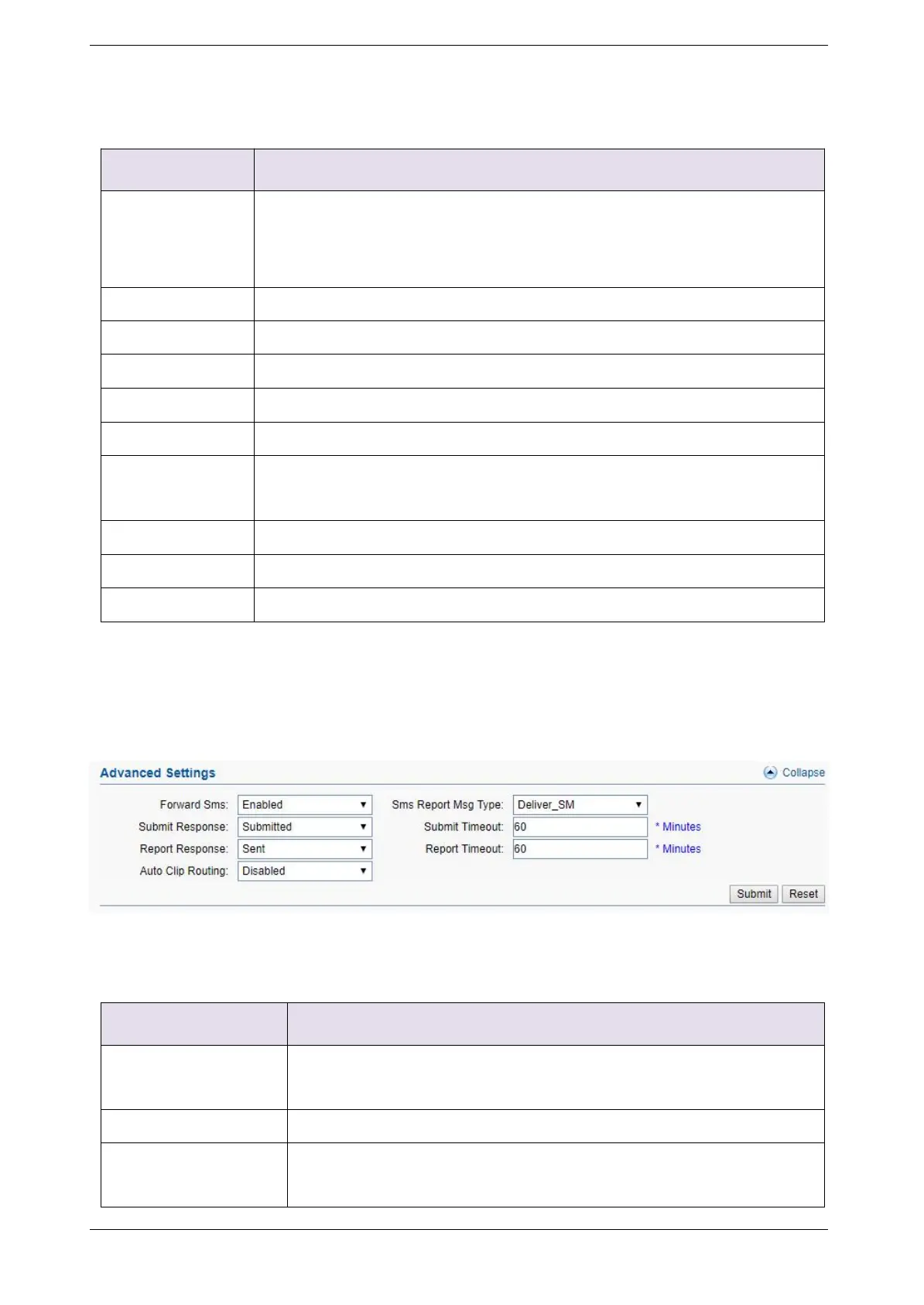
Advanced settings
Figure 3.4.7-2 Advanced Settings
Enabled: forward sms to smpp client.
Disabled: don’t forward sms to smpp client.
Sms report message type, default is Deliver_SM.
Submitted: when device receive request, send back submit ok.
Sent: when device send sms to smsc successfully, send back submit



 To Next Page