30
2.23 Wi-Fi network connection
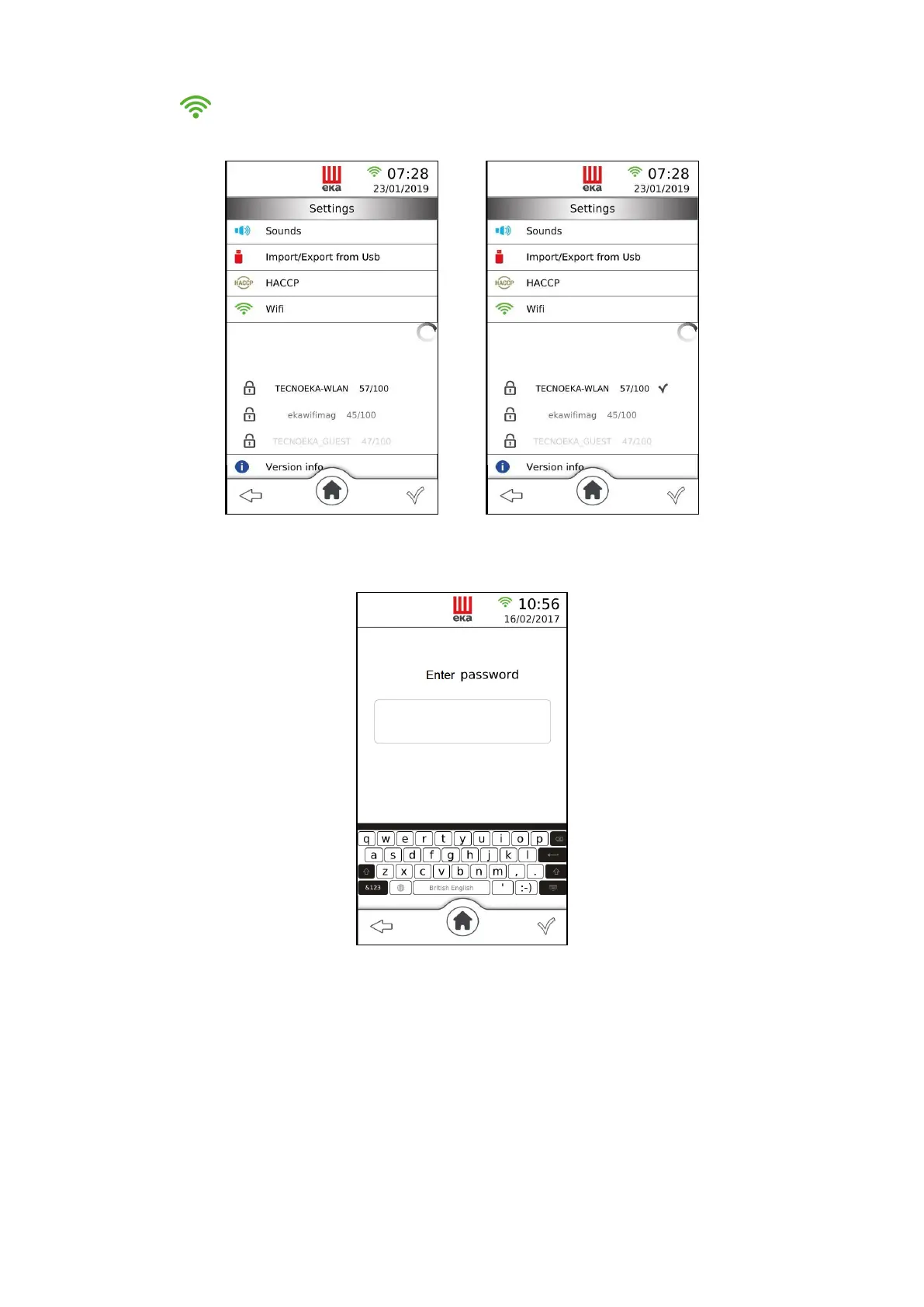
Touching the “ ” icon the list of available Wi-Fi networks appears (Fig.41)
Touch the name of the internet connection to which you want to connect and then touch the “” symbol
to confirm (Fig.42).
Fig.41 Fig.42
If the selected Wi-Fi network is password protected, the password request screen appears (Fig.43), proceed
with the insertion of the password using the alphanumeric keypad and confirm by touching the symbol
“”.
Fig.43





 To Next Page