8
2.2 Touch Screen control operation
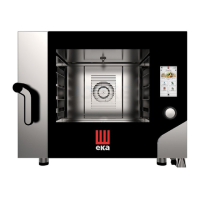
The oven is equipped with a Touch Screen control and an adjustment knob.
The Touch Screen control works by touching the icon of the displayed parameter and/or function with your
finger (only use dry and clean fingers and no other tool such as knives, forks or other objects in general).
Turning the adjustment knob clockwise/anti-clockwise changes the selected operating parameter,
modifying the value shown on the display. Pressing it slightly (“push” function) confirms the selected
operating parameter and corresponding set value, switching automatically to the next operating parameter.
Stand-by and “lock” of display
If the oven is not used (no operation is being performed), the stand-by mode is automatically activated
after 5 minutes.
In this configuration, the current time is shown in the center of the display. To reactivate the functional
mode of the oven, just double tap display.



 To Next Page