EasyManua.ls Logo

ELAC AIR-X - User Manual

ELAC AIR-X
48 pages
Go to English
Print Icon
To Next Page IconTo Next Page
Loading...
AIR-X
Bedienungsanleitung
Operating Instructions
www.elac.com
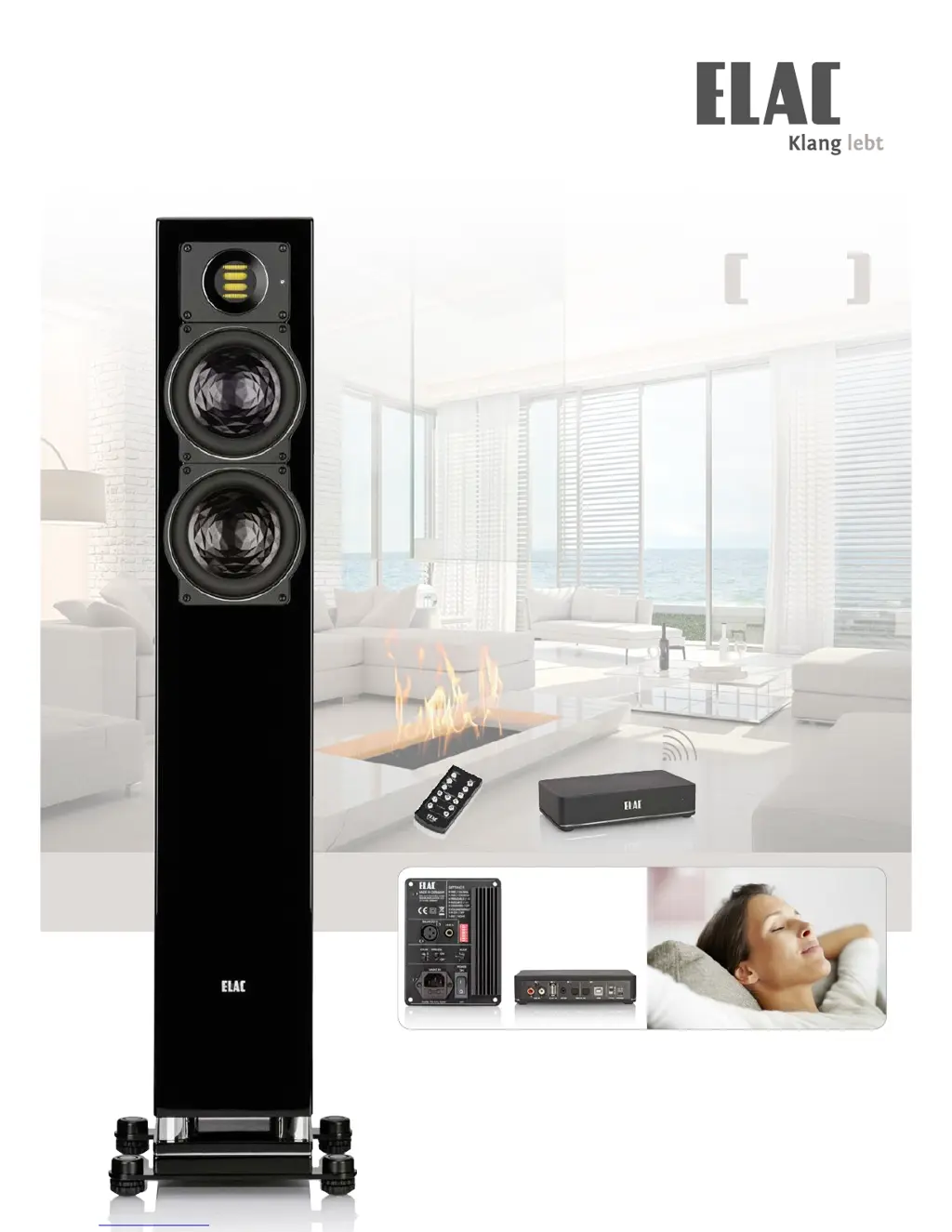
Audiophile & Wireless
Völlig losgelöst und dennoch stets verbunden.
Detailverliebt und dennoch das Ganze im Blick.
Anspruchsvoll und dennoch voller Spielfreude.
Break free – stay connected: ELAC AIR-X

Table of Contents

Questions and Answers

  • J
    James MurrayAug 17, 2025
    What to do if there is no signal on my ELAC AIR-X?
    • J
      James WilliamsAug 17, 2025
      If you are not getting any signal on your ELAC Speakers, there could be several reasons. First, ensure the speakers are properly connected to the mains and the socket is working. Check that the power switch is in the "ON" position. Verify the input connections and try different RCA cables. Also, check the source signal by testing another audio component through the same input. Make sure the volume isn't set to minimum and that mute isn't activated. If using a transmitter, ensure it's set to the same TX ID as the receiver. Finally, confirm that the correct input channel is selected using the remote control.
  • P
    perrydanielAug 19, 2025
    Why are my ELAC AIR-X Speakers making a loud hum?
    • C
      Christine SalazarAug 19, 2025
      If your ELAC speakers are producing a loud hum, it is likely due to contact issues in the signal connections, such as RCA connectors or cable extension adapters. To resolve this, carefully inspect all connections. As a precaution against loud noises during troubleshooting, reduce the speaker volume to a low setting. You might also need to adjust the outer rings of the RCA connectors to ensure a secure connection.
  • R
    Ryan DavidsonAug 22, 2025
    Why is the sound distorted on my ELAC AIR-X Speakers?
    • A
      Ashley JonesAug 22, 2025
      If the sound from your ELAC speakers is distorted, especially with devices that have a high output level, adjust the output level of your source to a maximum of 2 Volts. If you're unsure how to do this, it's best to contact the manufacturer's support for assistance.
  • C
    Crystal BarajasAug 25, 2025
    What to do if my ELAC AIR-X Speakers are too quiet or distorted?
    • J
      james62Aug 26, 2025
      If the sound from your source is too quiet or distorted even when the level setting is turned up fully, it might be because the volume of the active loudspeaker is set too low. To fix this, turn down the output level from the source to approximately 50%, then increase the volume of the active loudspeaker using the remote control until the sound in the room reaches a comfortable level.
  • I
    Ian DavisAug 27, 2025
    How to reduce volume that is too high on my ELAC AIR-X Speakers?
    • Z
      zpadillaAug 27, 2025
      If the volume level in the room is too high even when the output level from the source is turned down low, it's likely that the volume of the active loudspeaker is set too high. First, set the volume of the active loudspeaker to its minimum. Then, turn up the output level from the source to approximately 50%. Finally, increase the volume of the active loudspeaker using the remote control until the sound in the room reaches a comfortable level.
  • R
    Ronald HillAug 30, 2025
    Why is there no stereo sound on my ELAC Speakers?
    • B
      boydalexanderAug 30, 2025
      If the sound isn't in stereo on your ELAC speakers, it's probably because the channel selector switches are set to the same channel on both loudspeakers. To fix this, select the correct channel on each loudspeaker: "L" for the left loudspeaker and "R" for the right loudspeaker.
  • D
    Devin BrewerSep 2, 2025
    Why can I hear the wrong channel on my ELAC AIR-X Speakers?
    • A
      Ann Cook MDSep 2, 2025
      If the right channel can be heard through the left loudspeaker (or vice versa) on your ELAC speakers, the channel selector switch is likely not in the correct position. To resolve this, select the correct channels on all loudspeakers.
  • K
    Kimberly BrownSep 5, 2025
    Why is the level too low with analog input on my ELAC Speakers?
    • K
      kimberly51Sep 5, 2025
      If the level is too low when using the analog input on your ELAC speakers, the output level from the source (preamplifier, CD player) may be too low. Check the level setting on the source device and increase it.
  • S
    Sara JohnsonSep 7, 2025
    Why is the level too low with digital input on my ELAC AIR-X?
    • N
      Nicholas WilliamsSep 7, 2025
      If the level is too low when using the digital input on your ELAC speakers, a digital volume controller might be active in the source device. Increase the digital output level of your source device.
  • R
    ryoungSep 10, 2025
    Why do my ELAC Speakers have a low hiss?
    • B
      baileycynthiaSep 12, 2025
      If you hear a low hiss from your ELAC speakers, it might be coming from the source. To check if the hiss is internal to the speaker, switch the power switch to "OFF", disconnect all input cables, and then switch the power back "ON" to the normal settings. A soft hiss should be audible only when your ear is close to the loudspeakers, but not from your normal listening position.

Summary

Introduction and System Overview

Key Features of ELAC AIR-X

Highlights the unique selling points and capabilities of the ELAC AIR-X wireless system.

Understanding AIR-X Connections

Details the various input options available for connecting different audio sources to the AIR-X system.

Detailed Controls and Connections

AIR-X BASE Unit Interface

Explains the functions of all ports and controls on the AIR-X BASE transmitter unit.

AIR-X SPEAKER Unit Interface

Details the inputs, switches, and controls found on the AIR-X SPEAKER unit.

Quick Setup Guides

Connecting via RCA Input

Step-by-step instructions for setting up the system using RCA analog audio cables.

Connecting to a PC via USB

Guide for establishing a connection between the AIR-X system and a computer using USB.

Connecting via Optical Input

Instructions for connecting the system using digital optical TOSLINK audio cables.

Connecting Bluetooth Dongle

Guide for integrating an optional Bluetooth receiver with the AIR-X BASE.

Connection and Startup Procedures

AIR-X BASE Connection Details

Comprehensive explanation of each connection port and power supply for the AIR-X BASE.

Speaker Connections and Operation

Speaker Input and Mode Selection

Details RCA, balanced inputs, mode selection, and room/wireless switch functions on the speaker.

Speaker Power and Fuse Details

Explains mains voltage, phase, fuse replacement, and power switch operation for the speaker.

Speaker Settings Configuration

Placement and Sound Profile Settings

Guides on configuring speaker placement (FREE, CONSOLE, ON-WALL) and sound adjustments.

Day;Night LED and Auto-Power Mode

Explains LED brightness settings and auto-power function control.

Dynamic Loudness and Tone Controls

Details Dynamic Loudness, fixed volume, IR sensor, and treble/bass adjustments.

Remote Control Operation

Using the Remote Control Functions

Provides instructions on using the remote for power, volume, source selection, and other functions.

Example Configurations

Stereo and Multi-Room Setup Examples

Illustrates different setup scenarios for stereo and multi-room audio systems.

Wireless Technology and Safety

Auto-Power Functionality Explained

Explains the automatic power-on/off function and how to manage it.

Troubleshooting Guide

Resolving Audio Drop-outs

Provides solutions for common issues like audio drop-outs and frequency hopping.

Loudspeaker Placement and Setup

Optimal Placement for Sound Quality

Offers guidance on optimal placement for bookshelf and floor-standing loudspeakers for best acoustics.

Technical Specifications Explained

Understanding Specification Terms

Explains the meaning of various technical specifications relevant to the loudspeakers.

Service, Care, Warranty, and Disposal

Product Care and Maintenance

Provides instructions on cleaning and maintaining the loudspeakers for longevity.

Warranty and Product Quality

Details warranty terms and the rigorous product quality control procedures.

Disposal and Recycling Guidelines

Offers guidance on responsible disposal and recycling of the product and packaging.

ELAC AIR-X Specifications

General IconGeneral
BrandELAC
ModelAIR-X
CategorySpeakers
LanguageEnglish

Related product manuals