DMX OPERATOR PRO
8
Section: 6 Basic Control Parts (Cont.)
• ONE/MIX/SEQ button:
This button is used to select between the three modes for the Par Can section.
• Speed Fader:
This fader is used to adjust a desired hold rate during playback.
• Fade Fader:
This fader is used to adjust a desired fade time during playback.
• Audio Fader:
The Audio fader is used to adjust the internal microphones sensitivity for Par Can Chase playback.
• Master Fader:
The Master fader is used to proportionally control the output for Par Can channels 129-136.
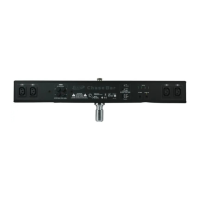
6.2 Rear panel
• POWER ON / OFF :
The Power switch is used to turn the console ON and OFF.
• DC INPUT :
DC 9 ~15V, 500mA min. Power Supply (Included)
• AUDIO LINE INPUT :
0.1V~1Vp-p. RCA line level input.
• DMX polarity select
Use this switch to select desired DMX polarity (2-,3+ / 2+,3-).
• DMX OUT :
3 pin XLR output to send DMX data to fixtures.
• MIDI IN :
This input receives MIDI information from a MIDI device.
• FOG MACHINE INPUT :
Connect a compatible fog machine for on board monitoring and triggering.
• CF CARD socket:
The CF card socket is for our optional compact flash card used to store and exchange information.
The model number for the optional CF card is “32MB/CARD”. (The card is proprietary and only
available through any Elation Professional authorized dealer).
• EXT STEP CONTROL INPUT :
This input is for an optional external foot controller. The model number for the optional foot
controller is “DMX PRO-FC”. Available through any Elation Professional authorized dealer.




 To Next Page