24
12. Control unit operation – Setup settings
Elcomed
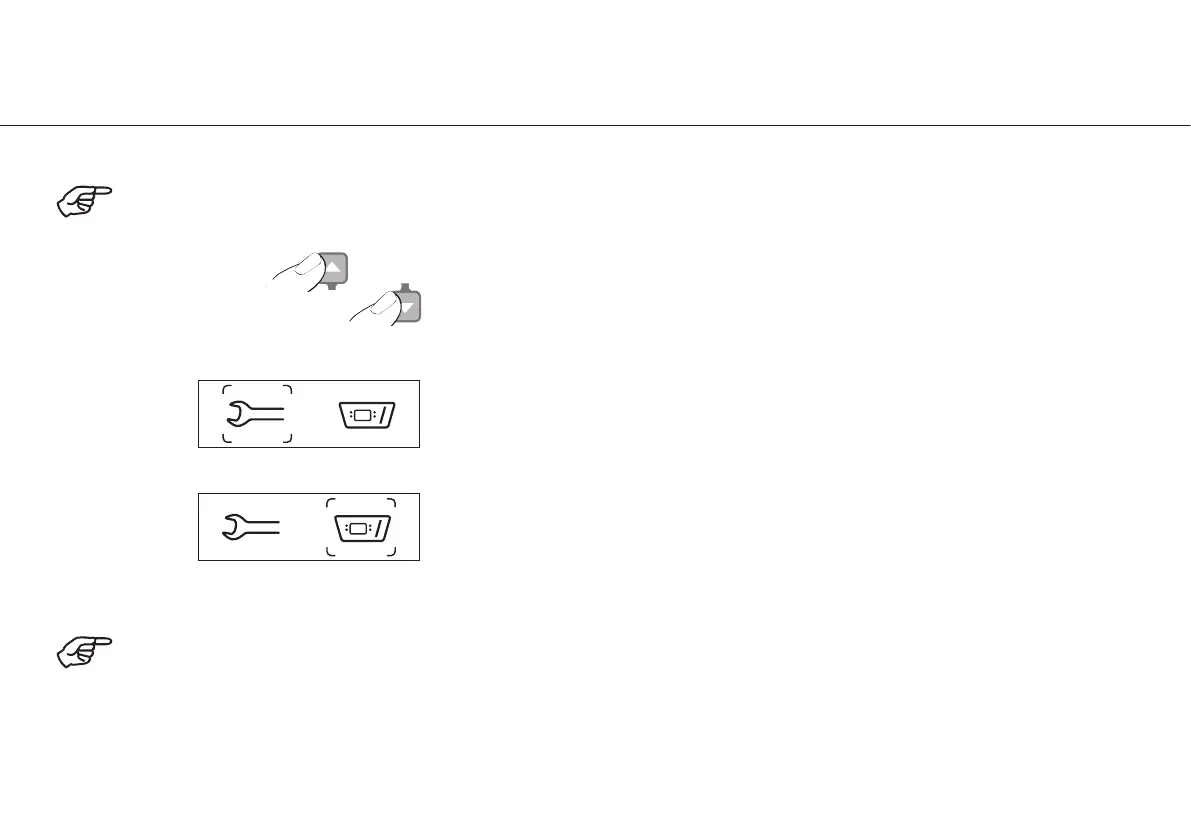
Select General settings or
Elcomed settings
General settings are active
Confirm with the PLUS button
For a description of the General settings see pages 25 – 31
Elcomed settings are active
Confirm with the PLUS button
For a description of the Elcomed settings see pages 32 – 37
Calling up the setup settings
Simultaneously press shift buttons s and t for 2 seconds.
Press the MINUS button to move from the setup settings to the main menu.
Ensure when switching on the Elcomed that the LED display of the buttons and the display itself fully lights up.
Elcomed


 To Next Page