25
13. Control unit operation – General settings
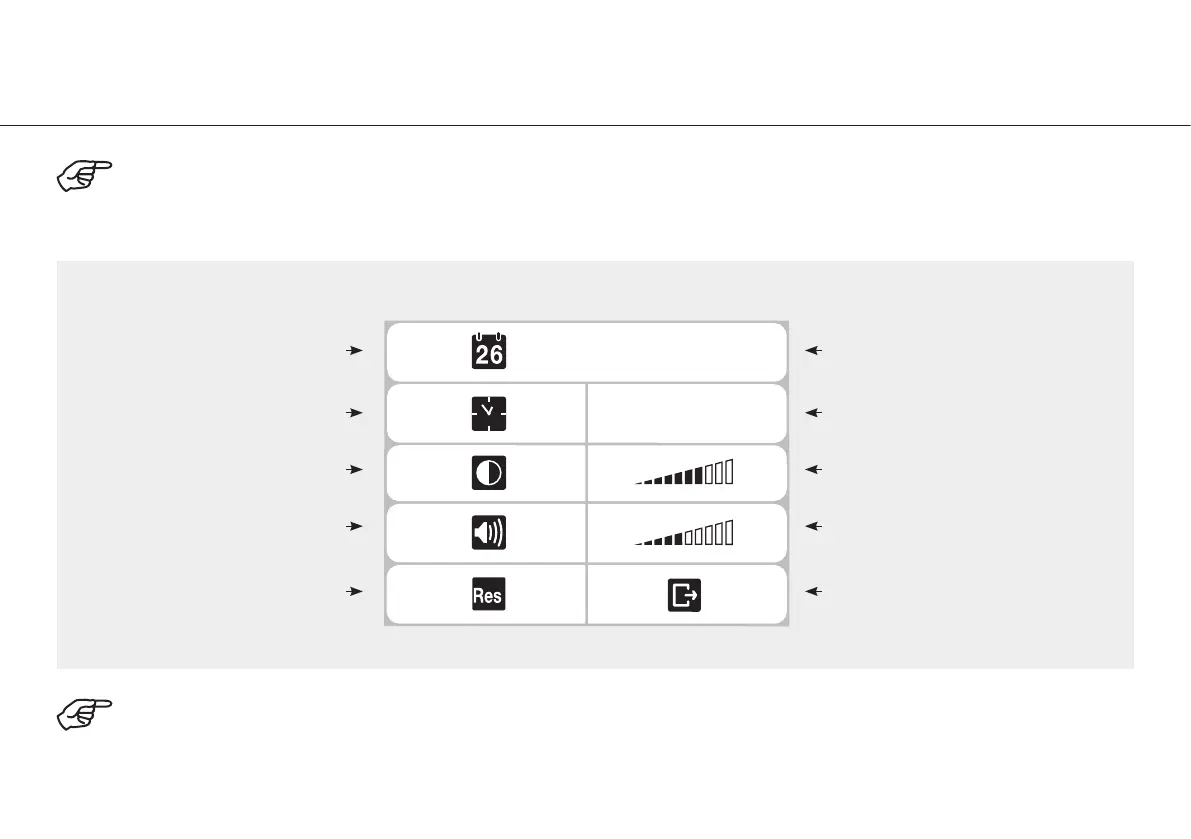
Press shift button s or t to select the desired menu. Press the PLUS / MINUS button to set the menu functions.
The selected functions light up in green.
To exit the general settings, select Return with shift button t.
Confirm with the PLUS / MINUS button.
Date
PM
03:57:12
06.04.2009
Time
Contrast
Volume
Reset
Date settings
Time settings
Contrast display
Volume display
Return


 To Next Page