32
14. Control unit operation – Elcomed settings
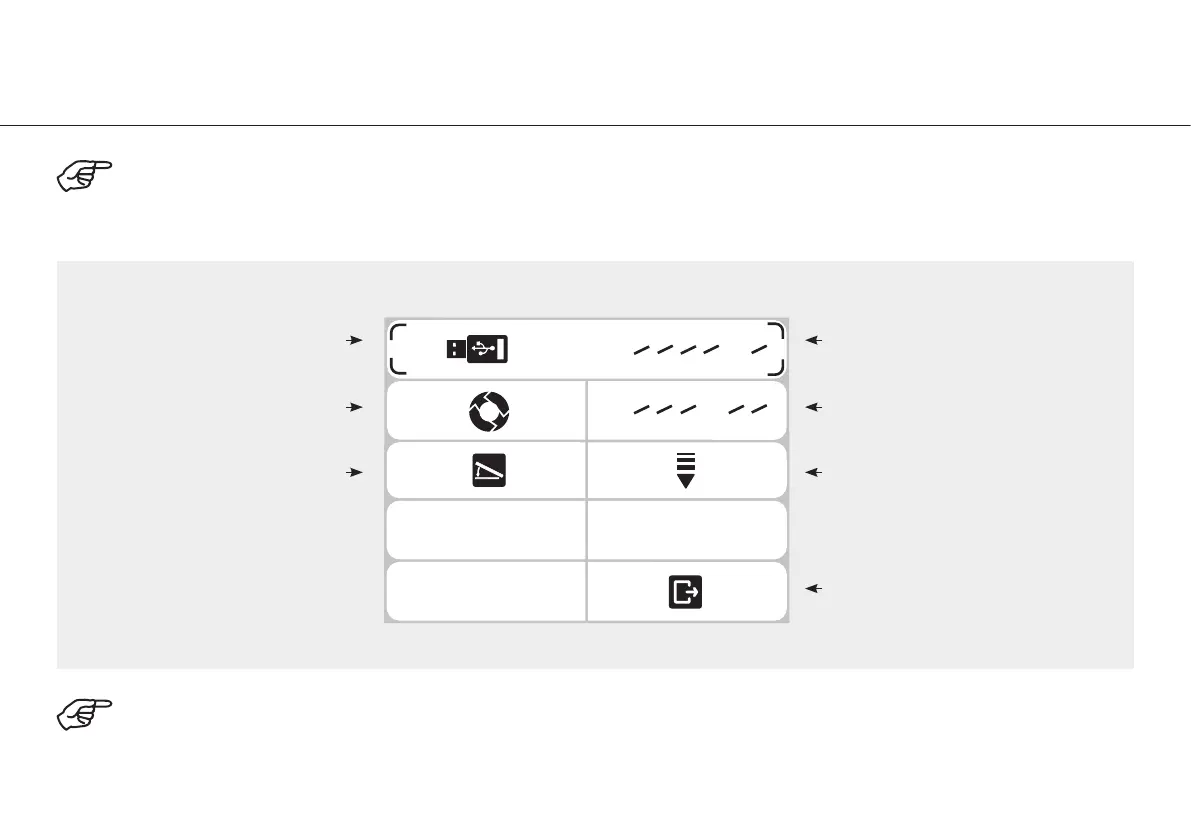
Press shift button s or t to select the desired menu. Press the PLUS / MINUS button to set the menu functions.
The selected functions light up in green.
To exit the Elcomed settings, select Return with shift button t.
Confirm with the PLUS / MINUS button.
Documentation
P 1 2 3 4 5 6
P 1 2 3 4 5 6
M
Thread cutter function
Foot control
Programs (P1 – P6),
Documentation setting
Programs (P1 – P6),
Thread cutter setting
Variable or On / Off
Return


 To Next Page