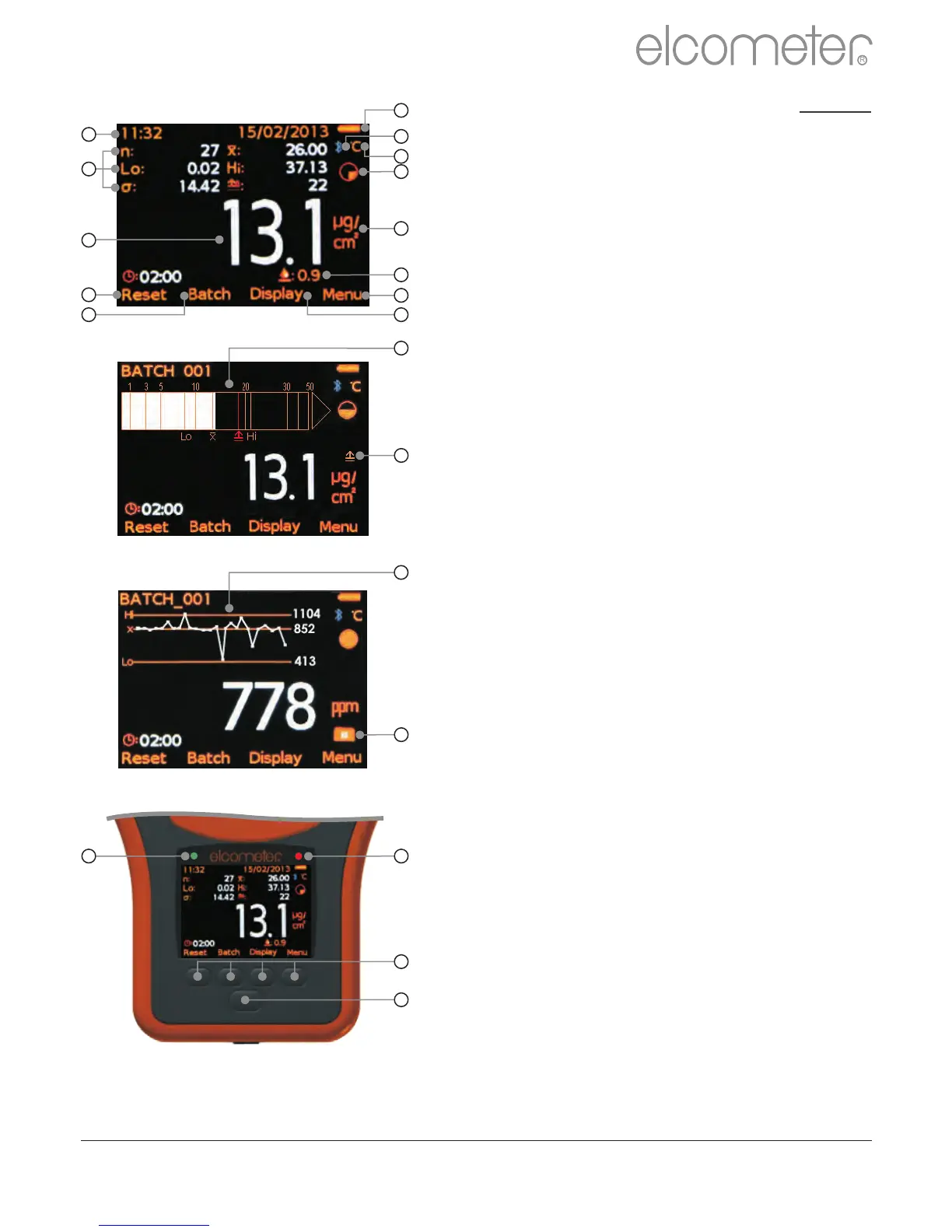
Auto Temperature
Compensation On (°C / °F)
Filter Paper Size (full, half, quarter)
Units of Measurement
2
Model S - µg/cm
2 2
Model T - µg/cm , mg/m , ppm, µS/cm,
mS/cm, % Salinity
Calibration Offset On
(offset value displayed)
Timer Softkey with Timer
Counter above
(start, stop, reset - displayed when timer
is enabled)
User Selectable Statistics
(up to 8 can be displayed)
Batch Name
(displayed when in batching)
Date & Time
(displayed when not in batching, if enabled)
Run Chart (last 20 readings)
Red LED (reading outside limit;
flashes every 5 seconds up to 2 minutes
when timer enabled)
Green LED (flashes at 2:00 and 2:10
minutes when timer enabled)
For a complete list of icons, see
“Gauge Icons” on pages 55 - 56
www.elcometer.com
R
en
12
a
b
c
d
e
f
g
h
i
j
k
l
m
n
o
p
q
r
s
t
u



 To Next Page