APPENDIX 1
LOADING THE SPC DRIVERS
All SPC devices link to the PC via a USB connection. This provides fast reliable
communications, and requires no additional configuration by the user. However,
in most cases the PC must load the necessary driver files before it will recognise
the SPC connected to it. Almost all communication problems can be traced to
missing or incorrect drivers.
Normally the load process is automatic, but depending on PC settings, web
connection and Windows platform, there may be occasions when drivers do not
load as they should. In this situation some manual intervention may be
necessary. In the event that the PC does not recognise an SPC device, please
proceed as detailed below.
Windows 7:
Windows 7 is designed to obtain any driver files that it needs from the web via
the ‘windows update’ function. If the PC has a web connection, and this
behaviour has not been disabled, driver file installation is automatic and
seamless.
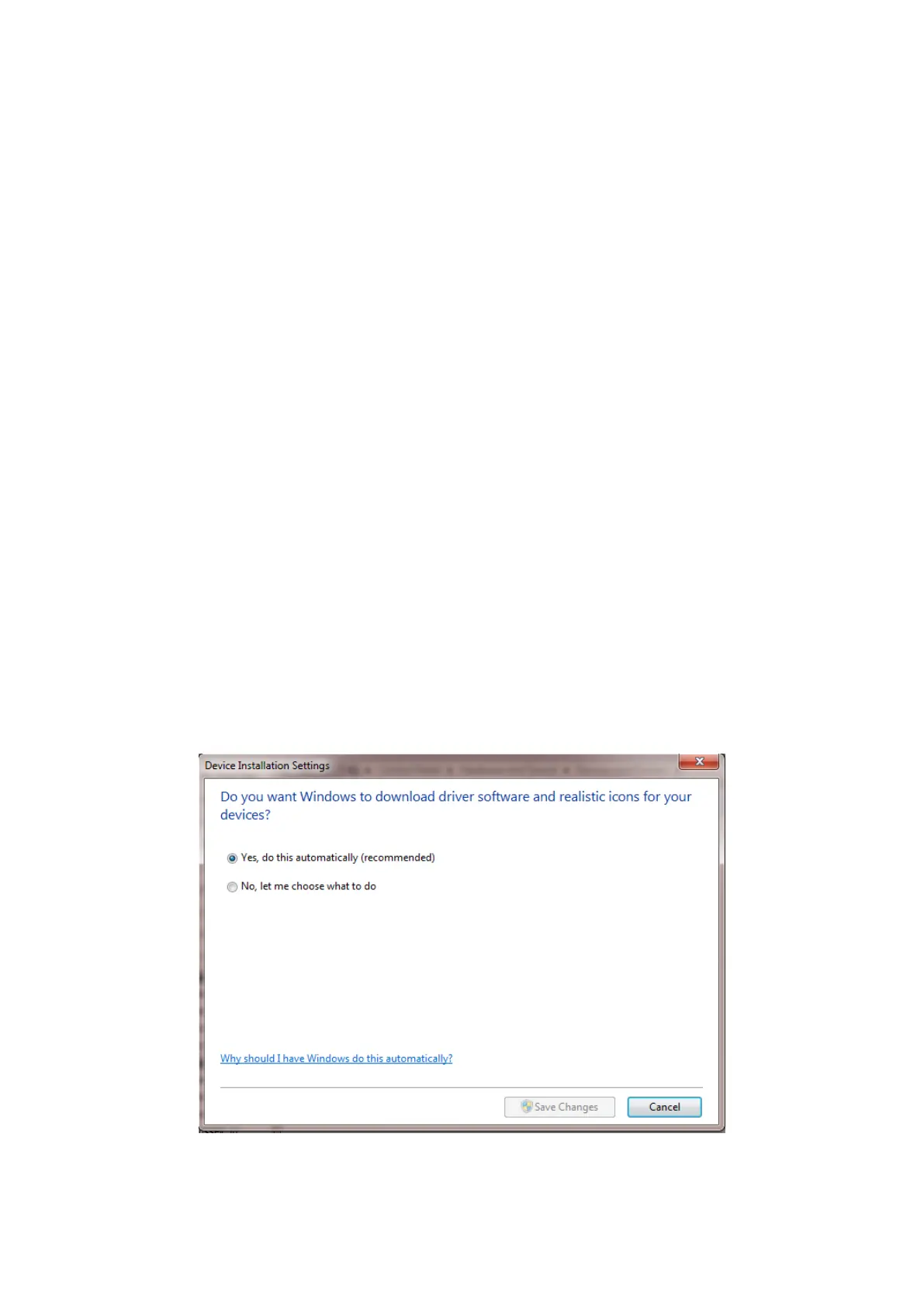
To check if automatic driver loading is enabled, click the start button and select
‘devices and printers’. One of the available devices is the PC itself. Right click on
the PC icon and select ‘Device Installation Settings’. Ensure the ‘automatic’
option is selected and reconnect your SPC device to a spare USB port. If the PC is
connected to the web, the drivers will now load.
If no web connection is available the drivers can be loaded manually as follows:



 To Next Page